LS10 Installation and Operating Guide Page 37
LS10 Installation & Operating Guide Document # 9301H66300 Ver. 1.01
2.5.1 Rack/Enclosure Requirements
Follow these recommendations if the LS10 unit will be installed in a closed or multi-unit rack/enclosure
assembly.
Elevated Operating Ambient Temperature – Determine the operating ambient temperature
within the rack or enclosure, since this may be greater than the ambient temperature in the
room. The maximum ambient temperature for the equipment in a closed or multi-rack
assembly is 40°C (104F°)
Reduced Air Flow – Ensure adequate airflow for cooling purposes on all sides of the
equipment. Make sure that the ventilation holes are not blocked.
Mechanical Loading – Mounting of the equipment in a rack should be such that a hazardous
condition is not caused due to uneven mechanical loading.
Circuit Overloading – Consider the connection of the equipment to the supply circuit and the
effect that overloading of the circuits might have on over-current protection and supply wiring.
Pay attention to equipment nameplate ratings when addressing this concern.
Reliable Earthing – Maintain reliable grounding of the equipment. Give particular attention to
supply connections when connecting to power strips, rather than direct connections to the
branch circuit.
Surge Protection – Using a properly functioning quality surge protector is required to protect
the unit.
2.5.2 Rack Mount Installation
The LS10 requires 3U of standard rack space for proper mounting.
Note: The LS10 ships with feet installed. These may need to be removed for rack space
clearance.
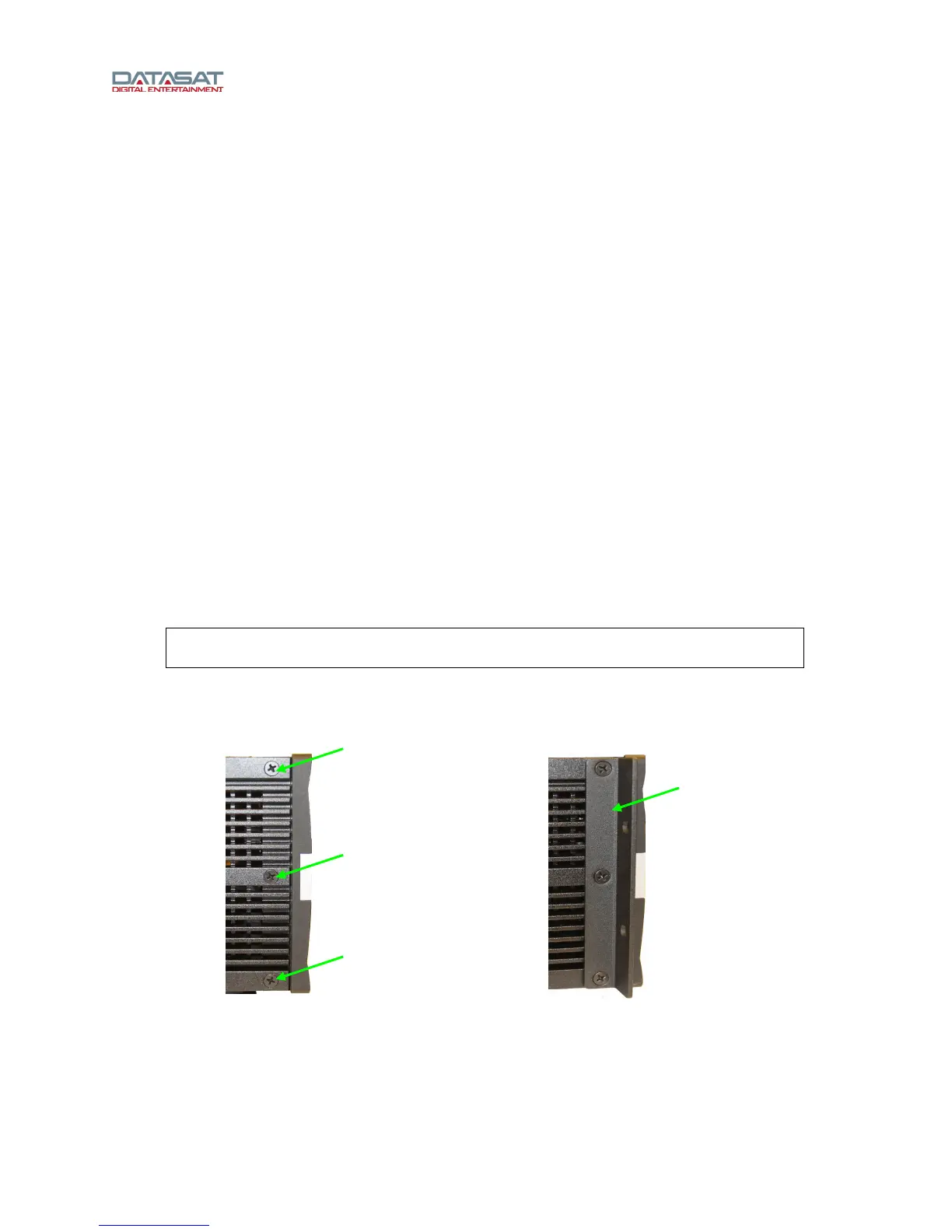
Install the supplied rack ears onto the LS10 by removing three 8-32 screws on each side of
the LS10 and using them to attach the rack ears.
Figure 26. Rack Ear Installation
Mount the LS10 into the rack securing it properly with 4 rack screws. 10-32 Rack screws and
washers are provided in the packing kit.
Remove (3)
screws to mount
rack ear
Rack ear
installed



 To Next Page