LS10 Installation and Operating Guide Page 42
LS10 Installation & Operating Guide Document # 9301H66300 Ver. 1.01
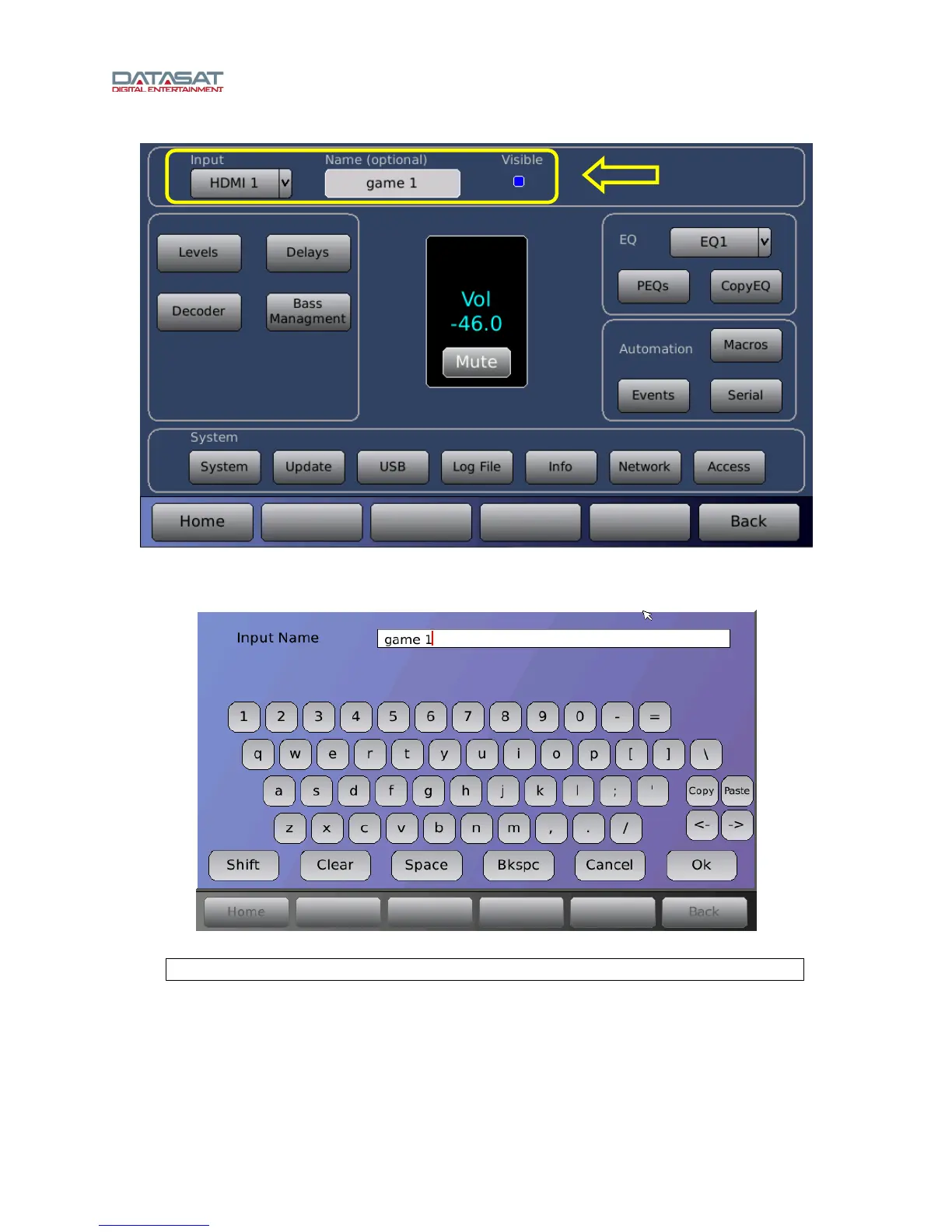
Figure 29. Setup Home Screen, Select and Name an Input
2. Select the Name (optional) field. A virtual keyboard will appear.
Figure 30. Input Name Keyboard
Note: This application accepts only Latin alphanumeric characters.
3. Enter a name for the input. Then tap OK when finished.
When you touch OK, the name will appear on the touch screen, as shown below.



 To Next Page