LS10 Installation and Operating Guide Page 48
LS10 Installation & Operating Guide Document # 9301H66300 Ver. 1.01
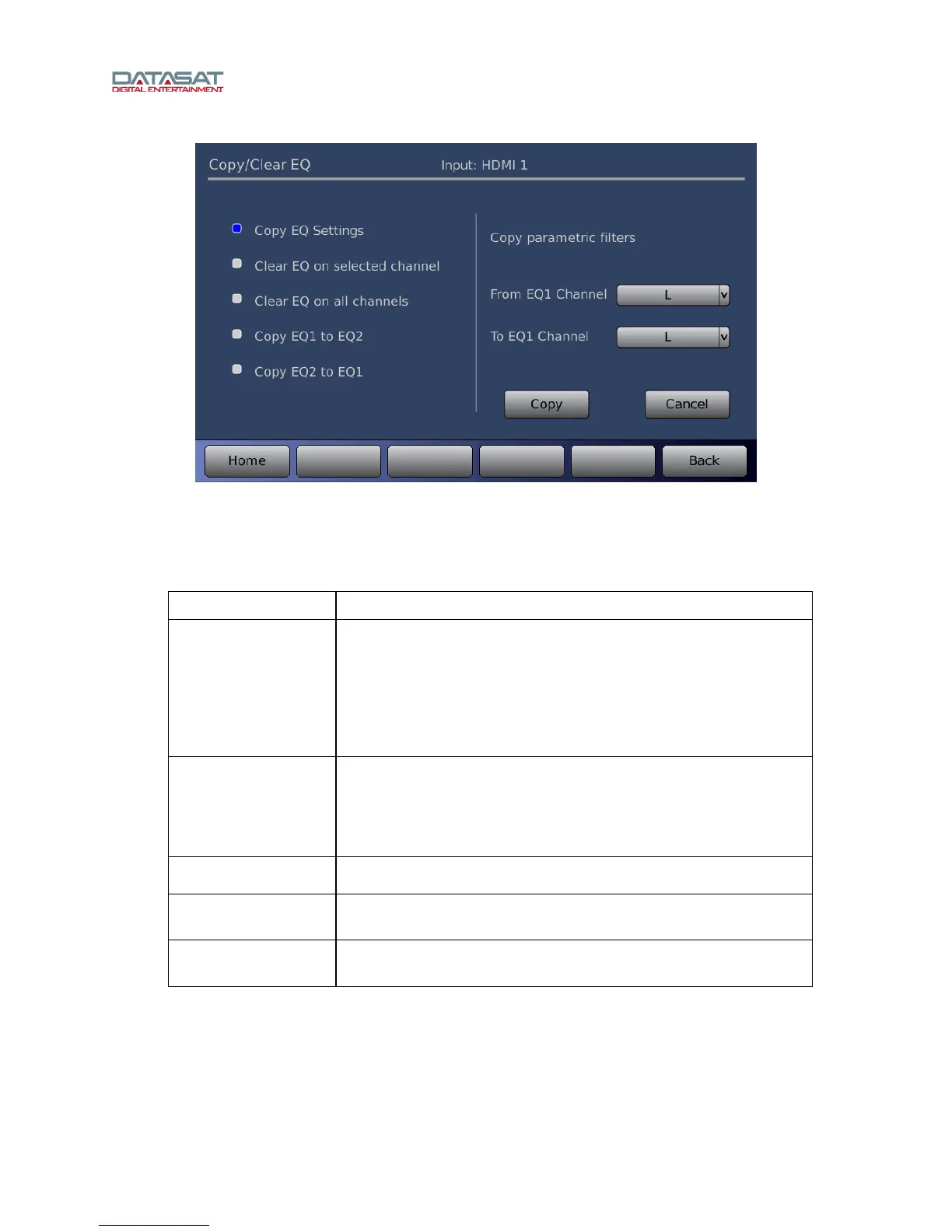
Figure 35. Copy / Clear EQ
This screen is used to copy or clear the EQ settings for one or all channels.
Use the Copy/Clear EQ screen to perform these functions:
Table 8. Copy/Clear EQ
Field Description
Copy EQ Settings
Copy parametric filters from EQ Channel to EQ Channel.
1. Select the From EQ Channel (select from the dropdown).
2. Select the To EQ Channel (from the dropdown).
3. Then tap the Copy button.
Clear EQ on
selected channel
Clear parametric filters on selected channel.
1. Select the channel to clear (from the dropdown).
2. Tap Clear.
Clear EQ on all
channels
Clear parametric filters on all channels
Copy EQ1 to EQ2
Copies all parametric filters in EQ1 to EQ2. The previous settings
in EQ2 are lost.
Copy EQ2 to EQ1
Copies all parametric filters in EQ2 to EQ1. The previous settings
in EQ1 are lost.



 To Next Page