User Manual DEV 2190
Copyright DEV Systemtechnik GmbH 2009-2017 35
If the device is to be connected to the local network, make sure to change the
network setup as required. Ask your network administrator for the details on
network parameters that are to be used.
The factory network settings are subject of chapter 4.3.2.
There are two different methods to change the network setup. First, the network
setup can be changed via Web Interface (please refer to chapter 5.4.7.2.1). The
other method that can be performed is subject of the following chapter.
4.4.2.2 Network Setup via the Serial Interface
Only a few elementary parameters of the network setup can be changed via the
serial interface.
First, establish a hardware connection between a serial port of a PC (e.g. COM1)
and the RS 232 interface of the device (i.e. the connector labeled "Com" at the
CPU module) using a straight cable; please refer to chapter 7 for the pin assignment
of the serial connector.
Next, start a terminal application (e.g. MS Windows HyperTerminal) on your PC.
Note:
The interface settings of the terminal application have to match the serial
interface configuration (chapter 4.4.1); otherwise, it is not possible to enter the
configuration program as described below.
The terminal application is to be configured that the "Backspace" or "←" key on
the keyboard works properly in the application, and that it sends a <CR> only
(and not a <CR><LF>) when hitting the "Enter" or "" key on the keyboard.
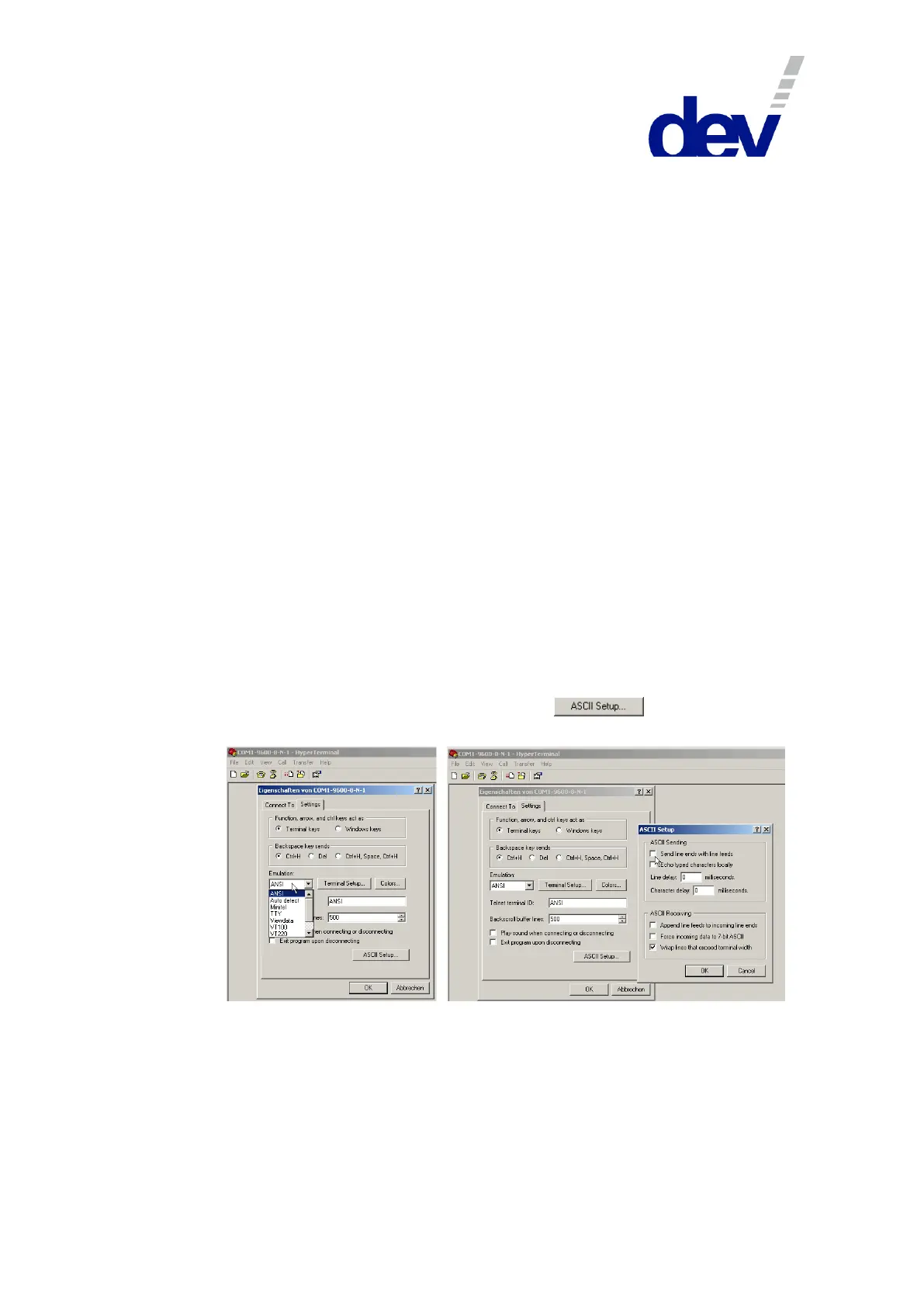
If using MS Windows HyperTerminal, select the "Properties" entry from the
"File" menu and click on the "Settings" tab. There select "ANSI" from the
Emulation drop down list and then click on the button to uncheck
"Send line ends with line feeds" as shown in the following figure:



 To Next Page