User Manual DEV 2190
Copyright DEV Systemtechnik GmbH 2009-2017 61
5.4.7.3.2 Auto Mode
The Auto Mode entry is available only if the device is equipped with redundant
amplifier options in combination with the main backup swap functionality
(Option 22).
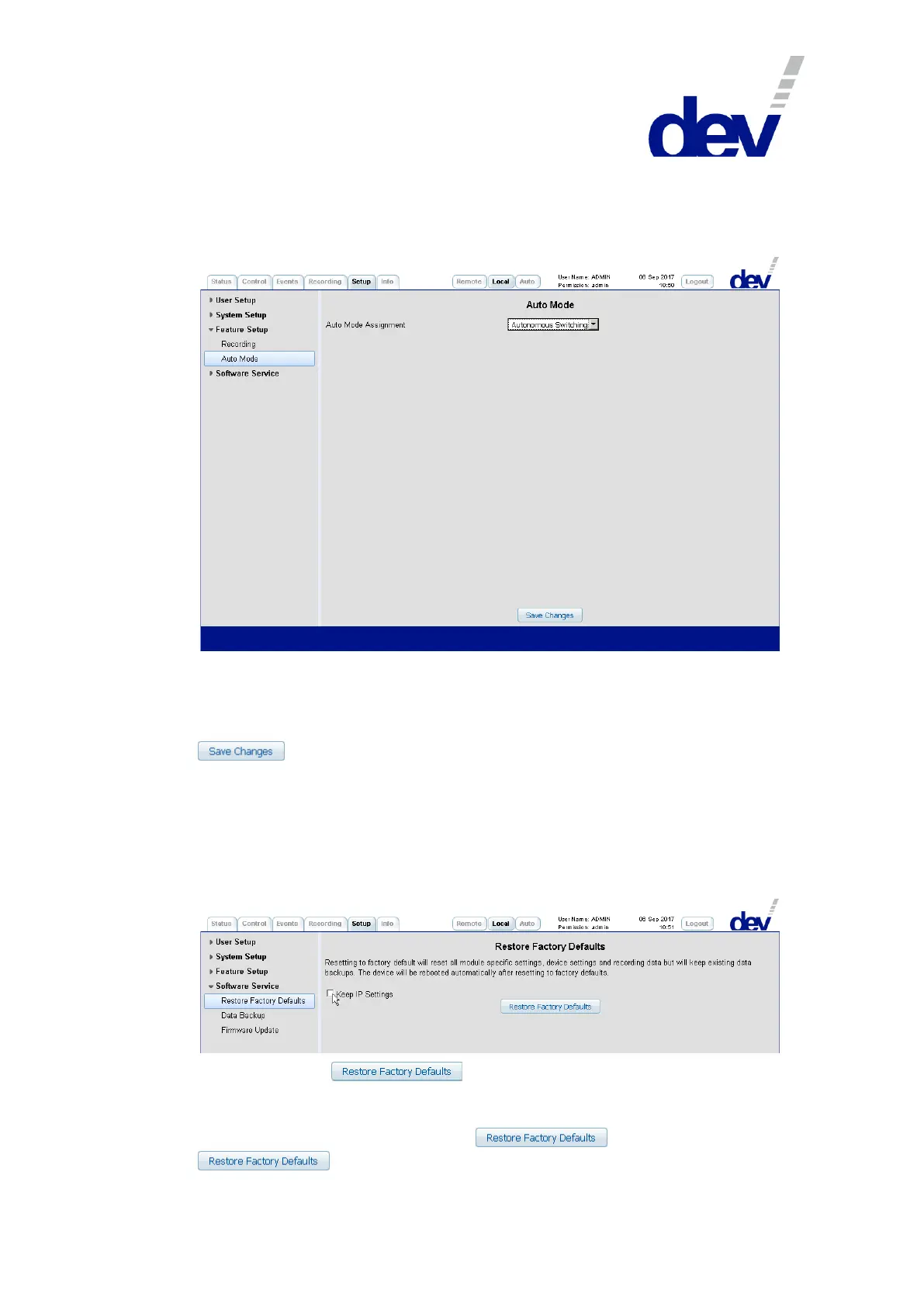
The drop down list "Auto Mode Assignment" in the section Auto Mode provides
the single entry "Autonomous Switching" which cannot be altered.
If Option 22 is installed, the main backup swap functionality is activated
permanently. Thus, no explicit adjustments need to be performed and the button
is functionless.
5.4.7.4 Software Service
The Software Service menu item on the left side of the Setup Tab provides access
for users with "admin" permission to the Restore Factory Defaults entry, to the
Data Backup entry, and to the Firmware Update entry.
5.4.7.4.1 Restore Factory Defaults
With a click on the button, the settings of the device are reset
to the factory values as described in chapter 4.3 including all changes on the Web
Interface. To maintain the network setup of the device, activate the check box
"Keep IP Settings" before operating the button. After a click on
, a device reset is initiated indicated via a pop up window, e.g.:



 To Next Page