User Manual DEV 2190
Copyright DEV Systemtechnik GmbH 2009-2017 71
5.5.4.1 .devSwitchTraps
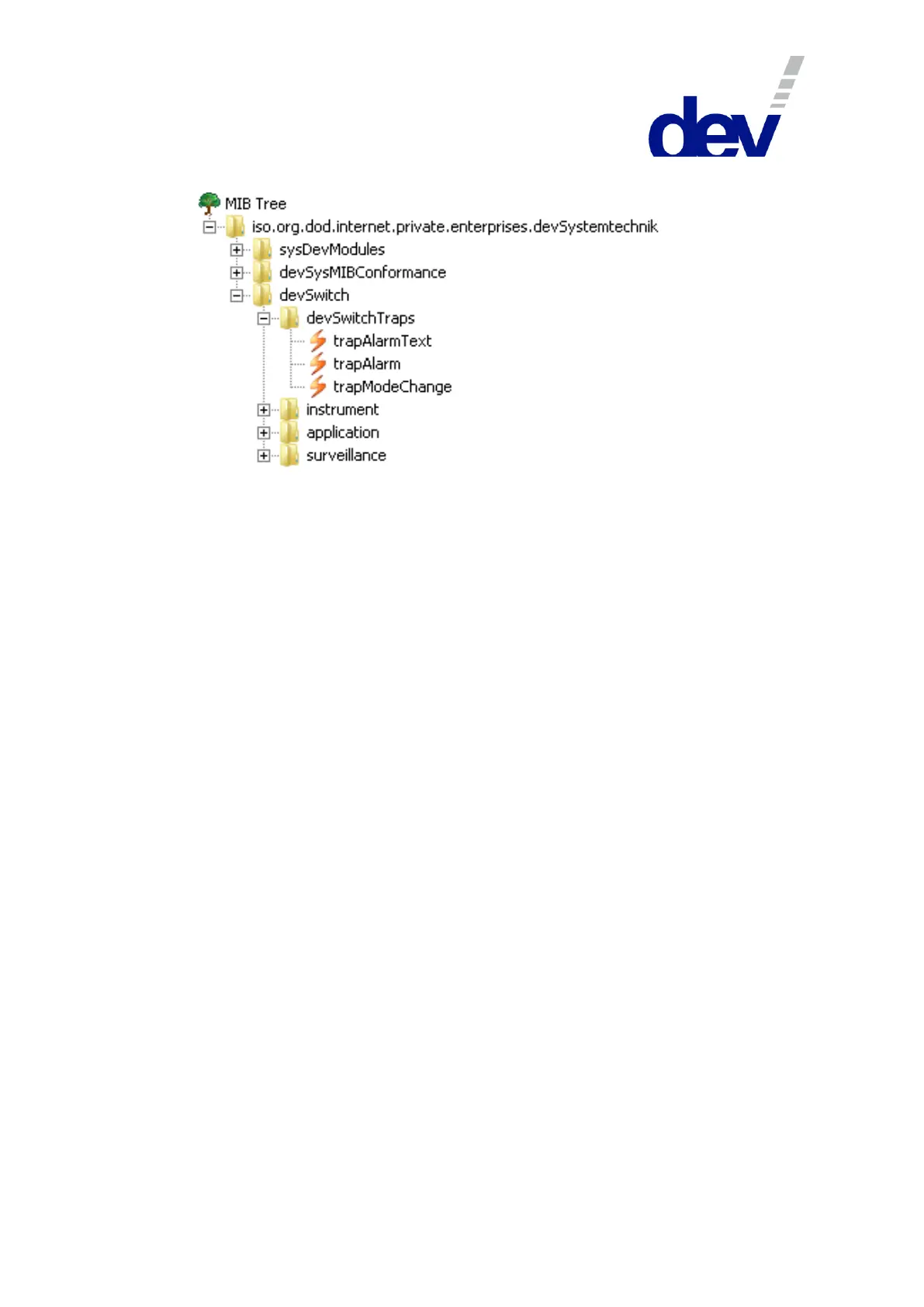
Aside from the SNMP standard trap 'Cold Start Trap', this MIB additionally supports
three specific traps:
Note:
By default, all traps are disabled.
By setting the corresponding bit in the .trapEnableMask (please refer to
chapter 5.5.4.4.1) each trap can be enabled individually.
Traps for specific error classes can be masked out by clearing the appropriate
bits in the .errorEnableMask (chapter 5.5.4.4.2).
5.5.4.1.1 .devSwitchTraps.trapAlarmText
This trap (number 3, OID: .1.3.6.1.4.1.21035.41.0.3) is triggered if the device
detects a new error. It delivers the appropriate error message (please refer to
chapter 6.1) obtained via .errorDescription (chapter 5.5.4.4.14).
To enable the trap, bit 6 (enum: errortext) in the .trapEnableMask is to be set.
5.5.4.1.2 .devSwitchTraps.trapAlarm
This trap (number 4, OID: .1.3.6.1.4.1.21035.41.0.4) is triggered if the device either
detects a new error or if a pending error disappears. The trap delivers .errorNr
(please refer to chapter 5.5.4.4.4.2) and .errorPending (chapter 5.5.4.4.4.5) for the
corresponding entry in the .errorTable.
Bit 5 (enum: error) in the .trapEnableMask is to be set to enable the trap.
5.5.4.1.3 .devSwitchTraps.trapModeChange
This trap (number 5, OID: .1.3.6.1.4.1.21035.41.0.5) is triggered if the device
detects that an operation mode change was performed. The trap delivers
.controlMode (please refer to chapter 5.5.4.3.1).
To enable the trap, bit 4 (enum: modechange) in the .trapEnableMask is to be set.



 To Next Page