Creating a MODELA Player 4 File
94
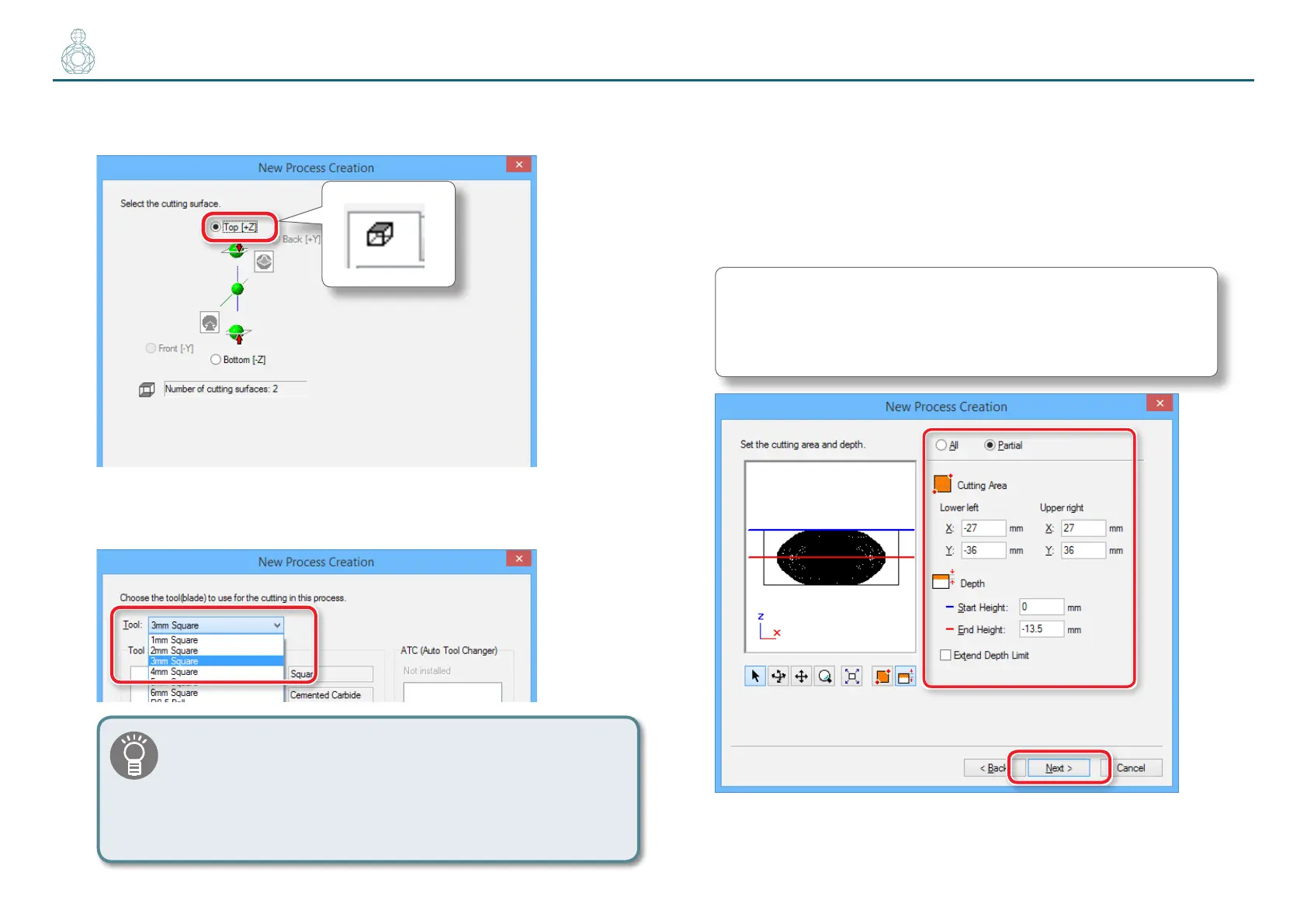
3. Set the cutting surface.
Check that the surface selected in procedure 1 is selected, and click [Next].
4. Select the cutting tool.
“Perfume.stl”: [3 mm Square] [Next]
This manual assumes that the standard “3 mm Square” tool
is used for “roughing “ and “nishing.” When machining
an actual workpiece, select a cutting tool with a shape and
diameter suitable for the purpose.
" User’s Manual “Cutting Tools”
5. Set the area and depth for nishing.
5-1.
Select the cutting area.
5-2.
Input the cutting area.
5-3.
Set the area for nishing.
5-4.
Click [Next].
“Perfume.stl” : Enter the same values as for roughing.
"“5. Set the area and depth for roughing.” (p. 90)



 To Next Page