Creating a MODELA Player 4 File
95
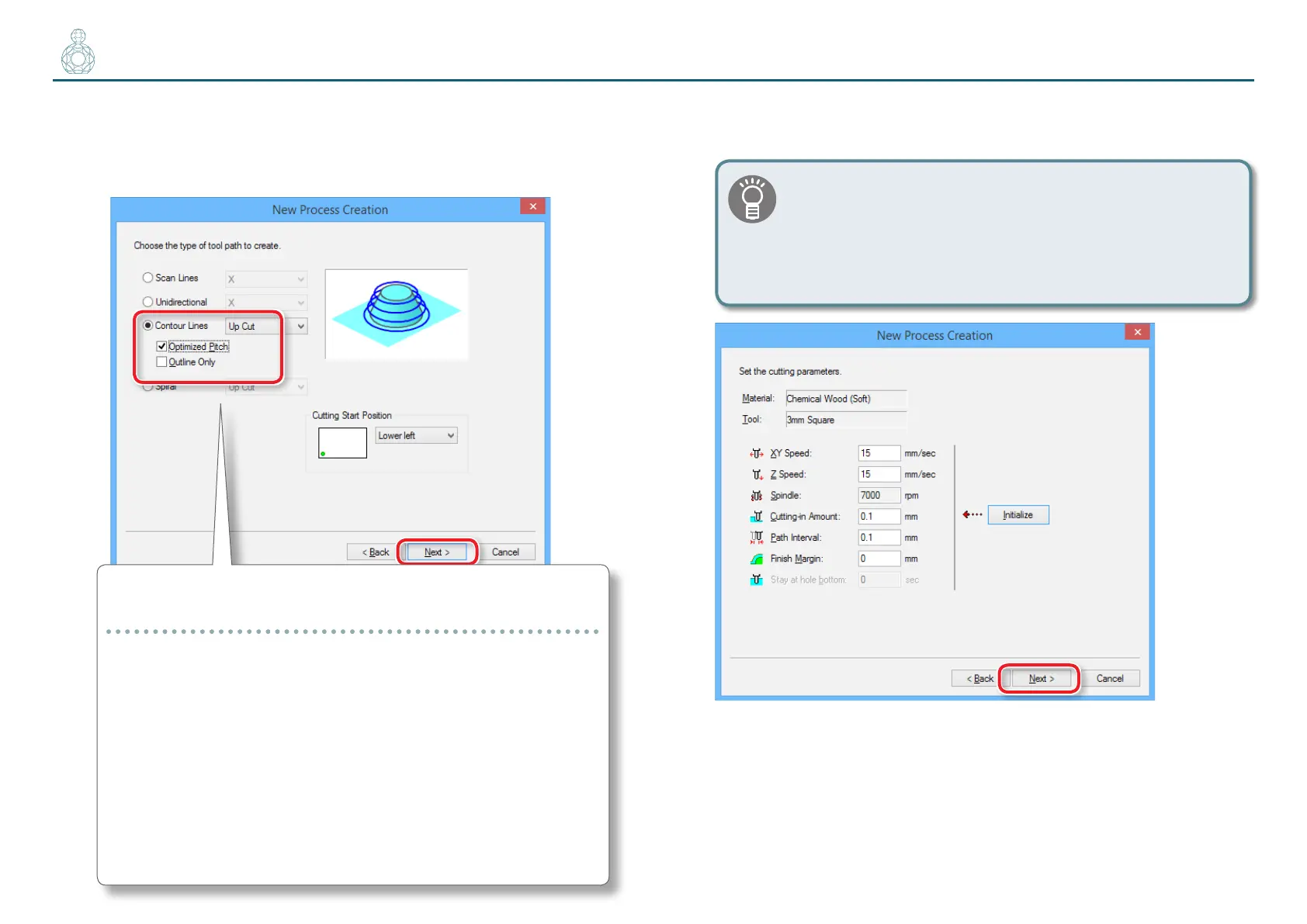
6. Set the tool path.
"“Tool Path” (p. 78)
“Perfume.stl” : [Contour ][Up Cut][Optimized Pitch] [Next]
This Function enabled only in the nishing process.
[Optimized Pitch]
This reduces the cutting-in amount for areas that have a gentle
slope, thereby reducing uncut areas. The cutting-in amount is
automatically adjusted within a range that does not exceed the
specied parameters.
[Outline Only]
This cuts only the outline of the model. It creates only contour-
line tool paths, without creating-scan line tool paths.
7. Set the cutting parameters.
“Perfume.stl” : No change [Next]
The appropriate conditions are displayed as the initial values
from the selected cutting tool settings and material settings.
We recommend using the settings as they are (recommended
values) except in situations where you want to make a
particular adjustment.



 To Next Page