15
PULSE MX
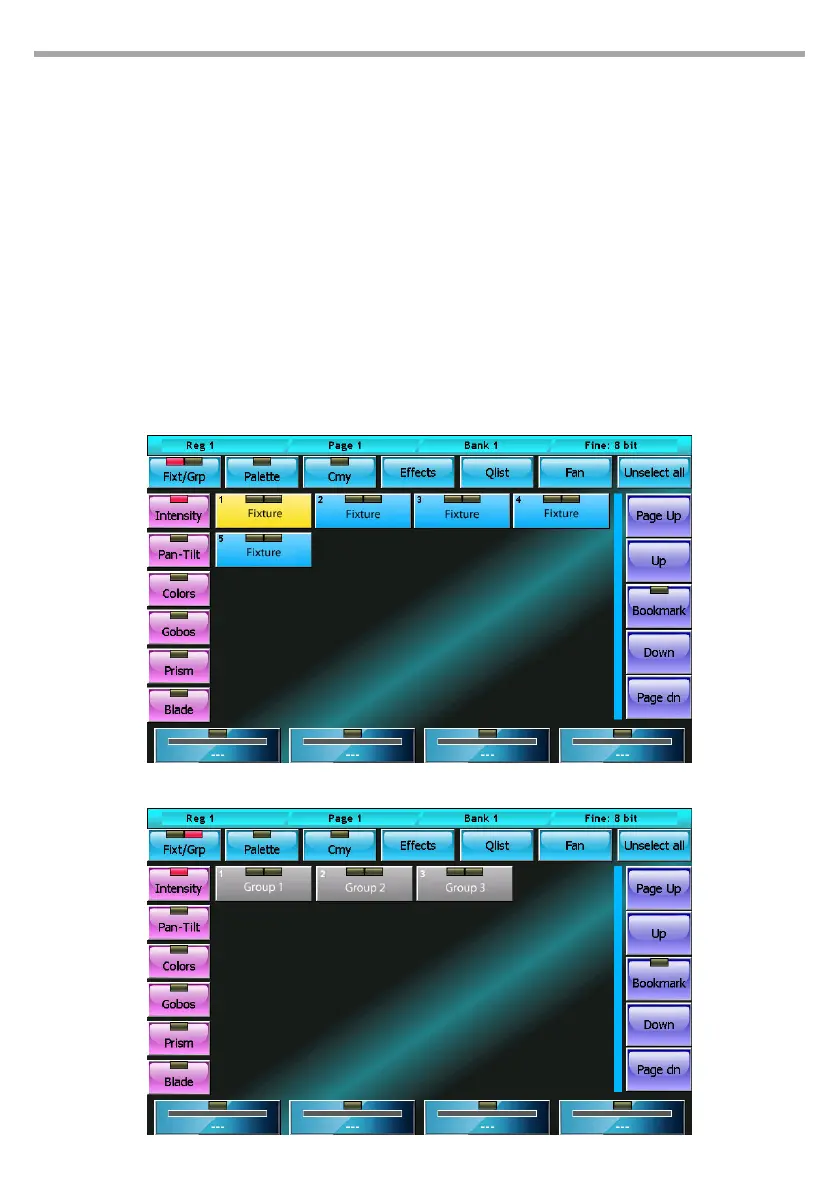
Each button of the xtures and groups has two “leds”: the left LED shows the status of the xture param-
eters:
• Green: all xture/group parameters are under the editor’s control,
• Orange: not all xture/group parameters are under the editor’s control,
• O: the editor does not control any parameter.
The right LED indicates whether the xture/group is selected or not. In the case of the groups, it can also
turn yellow to indicate that the group has been partially selected.
By pressing the Fixt/Grp button, you switch from xture to group display and vice versa.
The Clear key deletes all editor content of the selected xtures. Pressing the same key twice in quick suc-
cession deletes ALL editor content.
The wheels enable you to set or edit the attribute values of the selected xtures. The left buttons (Inten-
sity, Colors, ...) allow you to scroll through the attributes which are controlled by the wheels.
The trackball is always active on the pan and tilt of the selected xtures.
Editor: xture display mode Fig.7
Fig.8Editor: group display mode



 To Next Page