PULSE MX
50
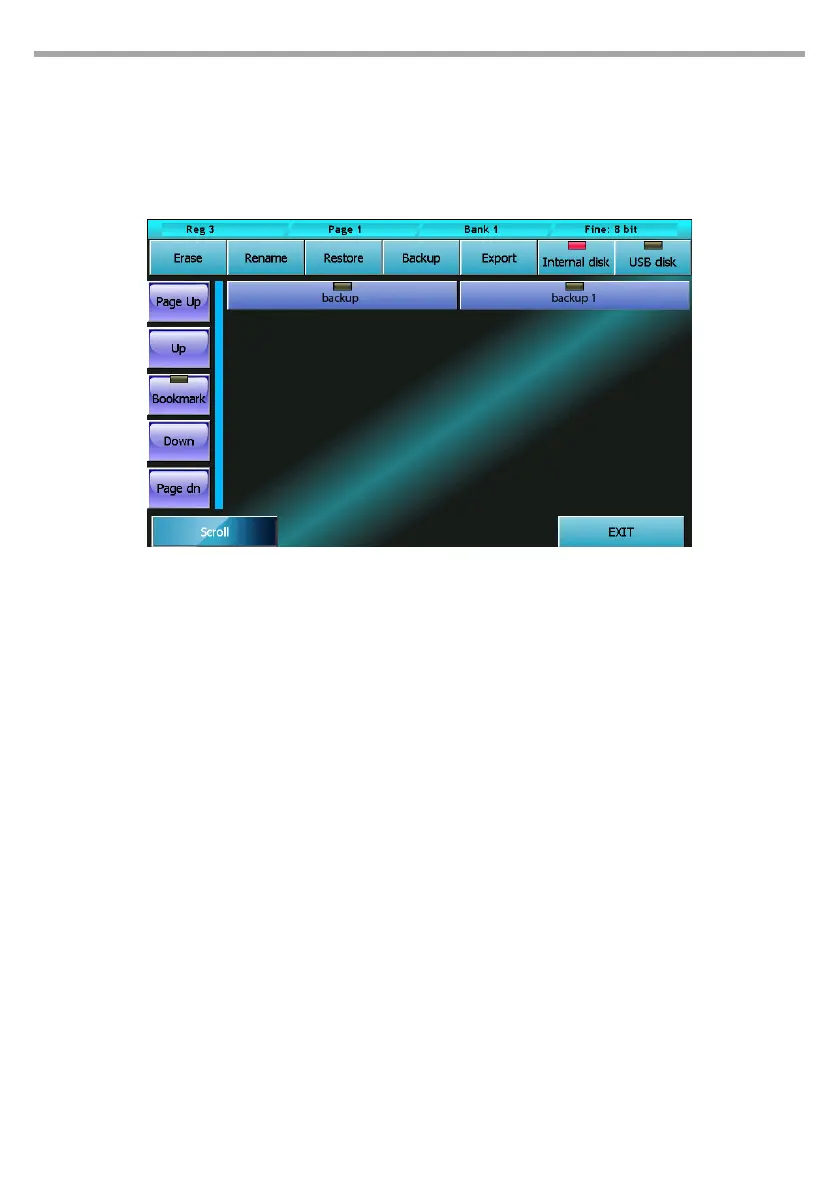
5.7 BACKUP/RESTORE
The Backup/Restore window allows to access a number of functions for the managing of copies and for
restoring a show. It is highly recommended to save a copy of the whole show also on an external USB
drive every time a show is modied. This operation, while taking up only a few minutes, can be of vital
importance in case of emergency.
Buttons:
Erase
This button completely erases, after asking to conrm, the selected backup le.
Rename
This button activates the virtual keyboard allowing to rename the selected backup le.
Restore
This button erases, after asking to conrm, the current show and substitutes it with the selected
backup le. All data of the current show is deleted. If necessary, create a backup le for the current
show before launching the Restore command.
Backup
This button copies the current show on the selected disk. Before copying, the digital keyboard is
displayed to type in a name for the new copy. Both the internal disk and a USB drive cannot contain
two backup les with the same name. To avoid this, the programme will ask whether to erase the
pre-existing le or to cancel the operation.
On the USB drive, each backup consists of a folder containing all data concerning the show. The
name of these folders is the same as the one typed in for the backup le. On the USB drive, all backup
les are saved in the “Backup” folder. If the folder does not already exist, the programme will auto-
matically create it.
Export(Import)
This button (which becomes “Import” when the USB drive is selected) allows to copy the current
backup le on the USB drive when the internal disk is selected, and vice versa when the USB drive is
Backstore/restore window Fig.43



 To Next Page