PULSE MX
46
5.2 GENERAL OPTIONS
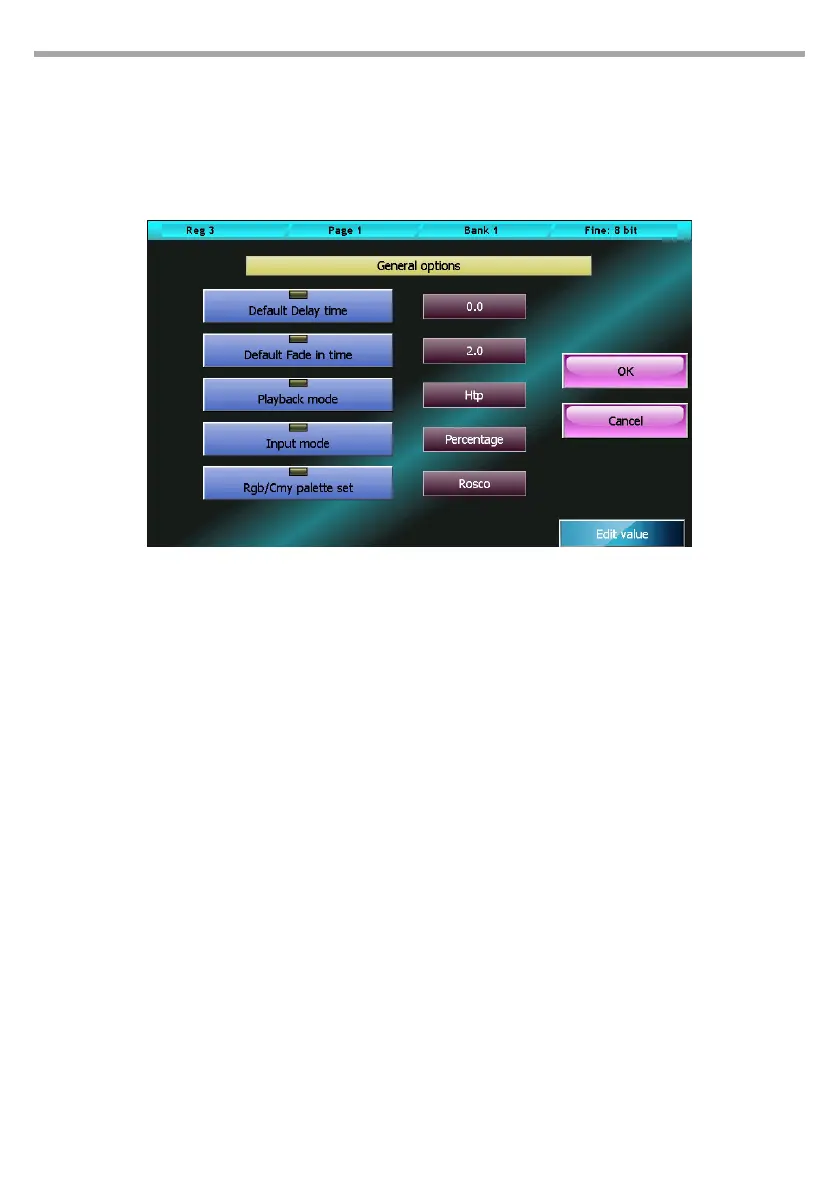
This window allows to edit the console’s general options. To edit a value, select it by pressing one of the
two corresponding buttons and use the fourth wheel.
The OK button saves all changes made and goes back to the Setup menu, while the Cancel button goes
back to the Setup menu without saving any change.
Default delay time:
Default value of the cue’s delay time. When a new cue is created, it will be assigned this value..
Default fade in time:
Default value of the cue’s fade in time. When a new cue is created, it will be assigned this value.
Stand by time:
Default value of the cue’s stand by time. When a new cue is created, it will be assigned this value.
Playback mode:
Valid values: Htp (highest take precedence) or Ltp (Latest take precedence).. This value aects the
computing criteria applied to the xture’s Htp channel (usually for dimmers).
In Ltp mode, the nal value calculation uses the value of the cue activated most recently, while in Htp
mode the value used is the highest among all the cues aecting the channel.
Input mode:
Valid values: Percentage or Raw. This parameter only aects the way in which the values are dis-
played. In percentage mode, values are displayed on a per cent basis (from 0 to 100%), while in Raw
mode values are numbers going from 0 to 255 for 8-bit channels, or two values going from 0 to 255
for 16-bit channels.
Rgb/Cmy palette set:
Set of all palettes that can be used in the editor. Valid values: Chris, Gam, Lee, Rosco. The editor
provides the selected palette set to be used with all the xtures having a CMY or RGB color mixing
system.
General options window Fig.39



 To Next Page