PULSE MX
52
5.8 LIBRARY MANAGER
The Exit button goes back to the Setup menu. The xture library is composed of fdf les (xture de-
nition le) and fxr les, which the console uses to avoid displaying all technical details of the xtures
included in the show.
Fdf les are organised in brands or folders, which are in turn located inside the FDFLIB folder. This pro-
gramme allows to manage this structure through the copy/delete/duplicate functions, both on a single-
le basis and on a brand basis.
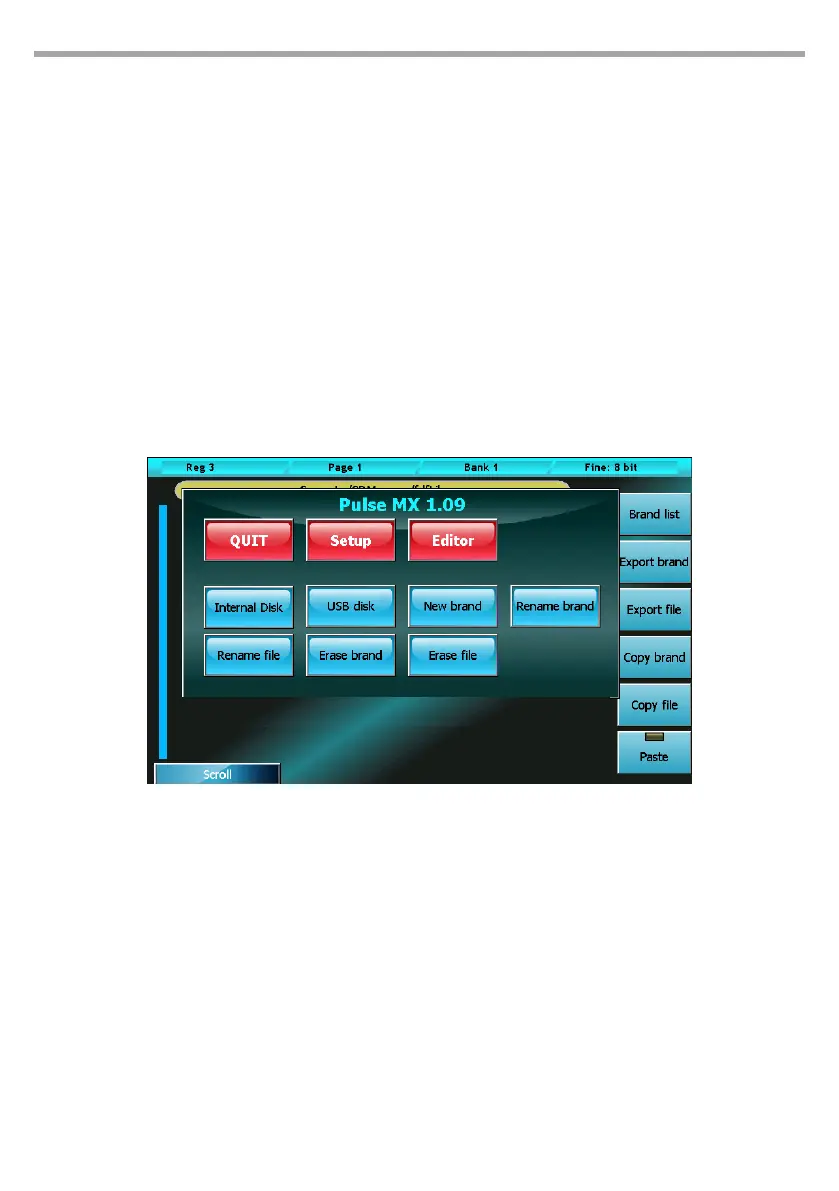
Library manager displays all brands available on the internal disk. To view the xtures included in a
brand, just push the corresponding button. Pushing the Brand button goes back to the brand list.
To exit the programme, use the context specic menu.
IMPORTANT substituting or deleting a library le does not aect in any way the current show nor the shows
previously created. When a xture is loaded in a show, the console automatically creates a copy of the fdf le
and saves it in the show's data.
To apply the changes made to a library xture, it is necessary to erase from the show all occurrences of that
xture (entailing the loss of their programming) and subsequently reload it.
Buttons:
Brand list
Back to brand list display
Export brand (Import brand)
This button (which becomes “Import brand” when the USB drive is selected) allows to copy all les
contained in the current brand from the selected disk to the other disk. The brand is copied without
changing its name. If the destination already contains a brand with the same name, the programme
will ask whether to replace it or to cancel the operation.
Export file (Import brand)
This button (which becomes “Import le” when the USB drive is selected) allows to copy the current
le from the selected disk to the other disk. The backup le is copied from one disk to the other
without changing its name. If the destination already contains a backup with the same name, the
Library manager Fig.44



 To Next Page