PULSE MX
26
1.6 FAN
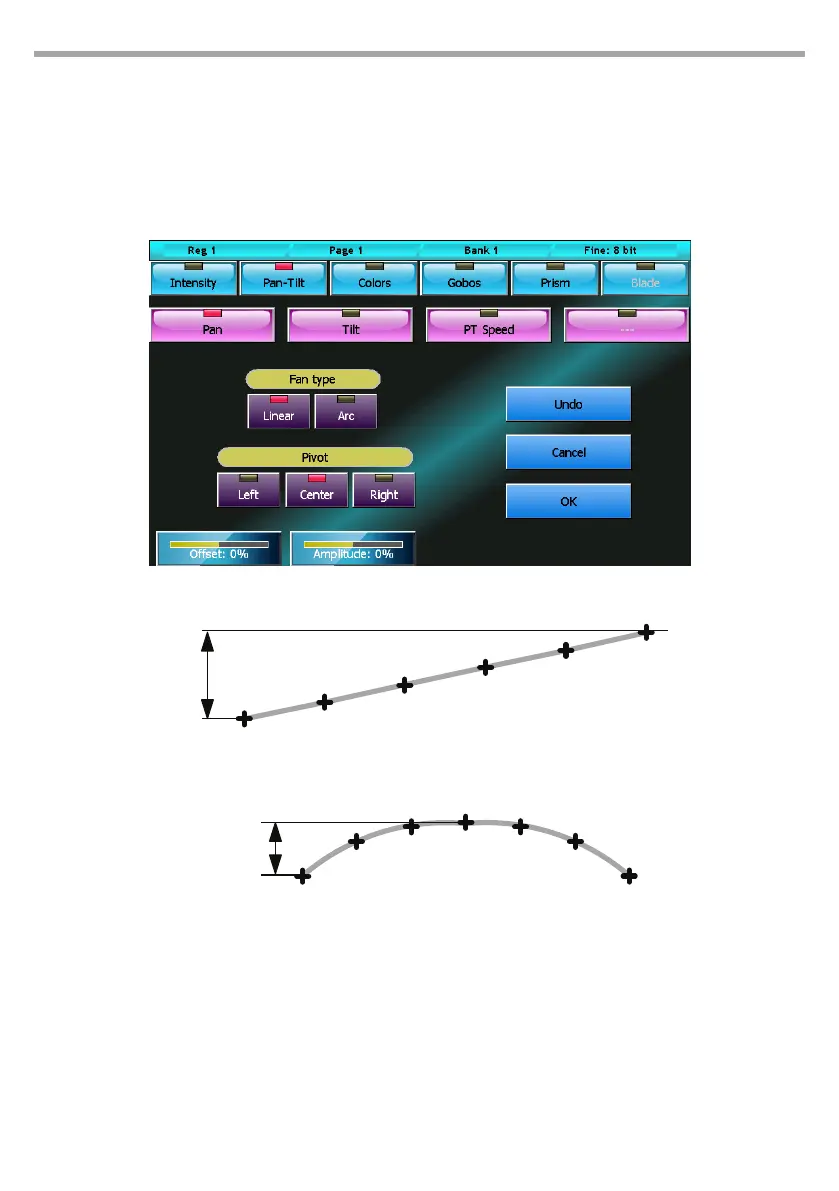
The fan feature assigns a sequence of values to the same attribute of the selected xtures. The sequence
of values can follow the trend of a ramp or of a semicircle.
Once having selected all the xtures involved in the editor, press the Fan button and the corresponding
window will appear.
The two series of buttons at the top allow you to select the parameter you wish to edit; in the illustrated
case, we are working on the pan. The distribution of the values assigned is inuenced by 4 factors:
Fan-type buttons
• Linear: selects a linear distribution of the values (that is to say that the values assigned to the
xtures will be equally spaced)
• Arc: assigns values according to an arc path
Fan window
Example of a Linear to Arc Fan
Fig.20
Fig.21
Linear Fan
Amplitude
Amplitude
Arc Fan



 To Next Page