PULSE MX
38
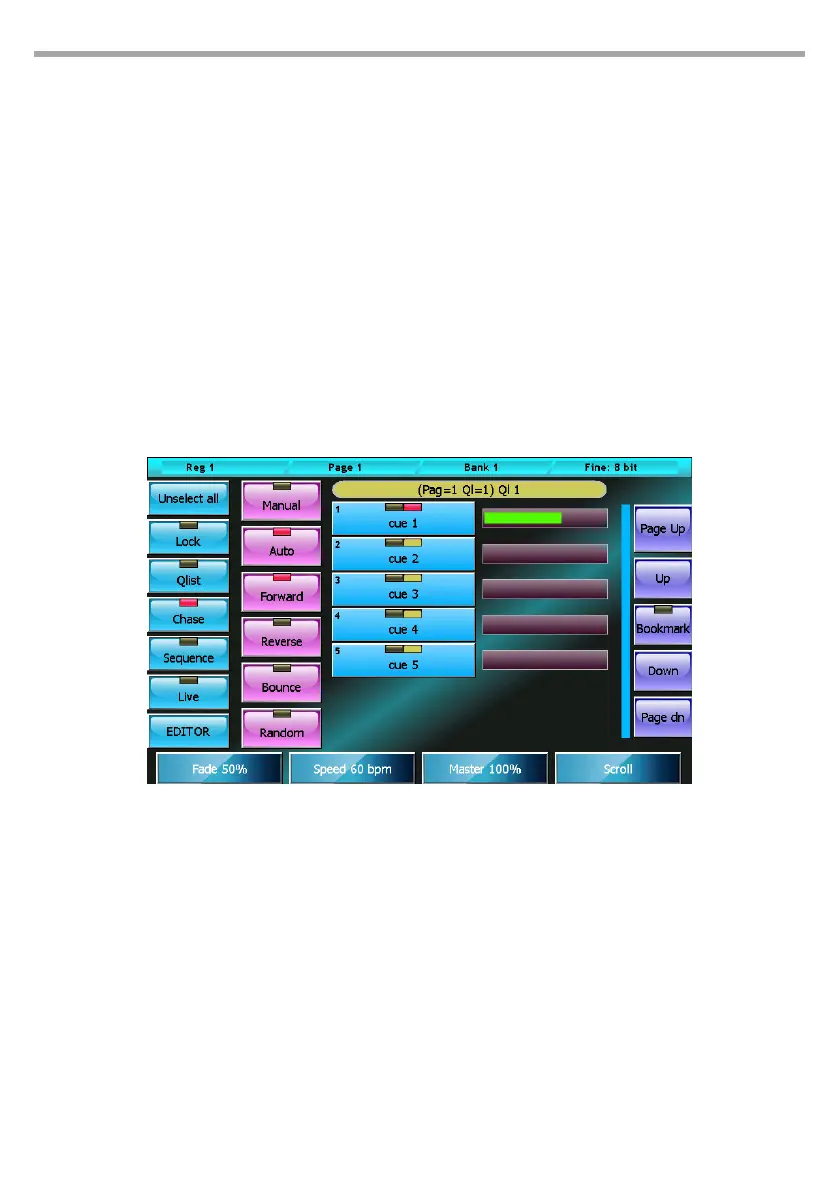
Buttons:
• Lock: when activated to edit the current qlist, a clear command is needed; this can be given via
the Select button, otherwise simply trigger a qlist to make the cue list current.
• Qlist, Chase, Sequence, Live: cue list mode selection buttons
• EDITOR: recalls the editor window
IMPORTANT: in this mode, the Lock button is particularly important as it ensures control of the cue list is
not lost when other playbacks are activated.
The Live window is to be considered as an extension of the physical commands of the corresponding
playback; when changing page, the Live window will show the cue list corresponding to the new page
regardless of the Lock button status.
Only if the cue list is active will the window continue to show the same cue list, until this cue list is released.
3.5 CONTEXT-SPECIFIC MENU
The four cue list modes share the same context-specic menu:
Buttons:
• Rename Qlist: activates the digital keyboard in order to assign an new name to the cue list.
• Copy Qlist: duplicates the current cue list and assigns it to a new playback: when open, the virtual
numeric keyboard digits the number of the page and of the destination playback separated by
a dot.
• Delete Qlist: deletes the current cue list and all the cues contained in it.
• Rename Cue: opens the virtual number keyboard to edit the name of the selected cue.
• Copy Cue: duplicates and adds the selected cues to the end of the Qlist
• Delete Cue: permanently deleted all selected cues after conrmation
• Move Cue: opens the virtual number keyboard to assign a new ID to the selected cue; IDs can be
whole numbers or numbers with two decimals.
• Change color: opens the color picker to change the color of the buttons of the selected cues.
Cue list context-specic menu Fig.32



 To Next Page