PULSE MX
42
- 5 - SETUP
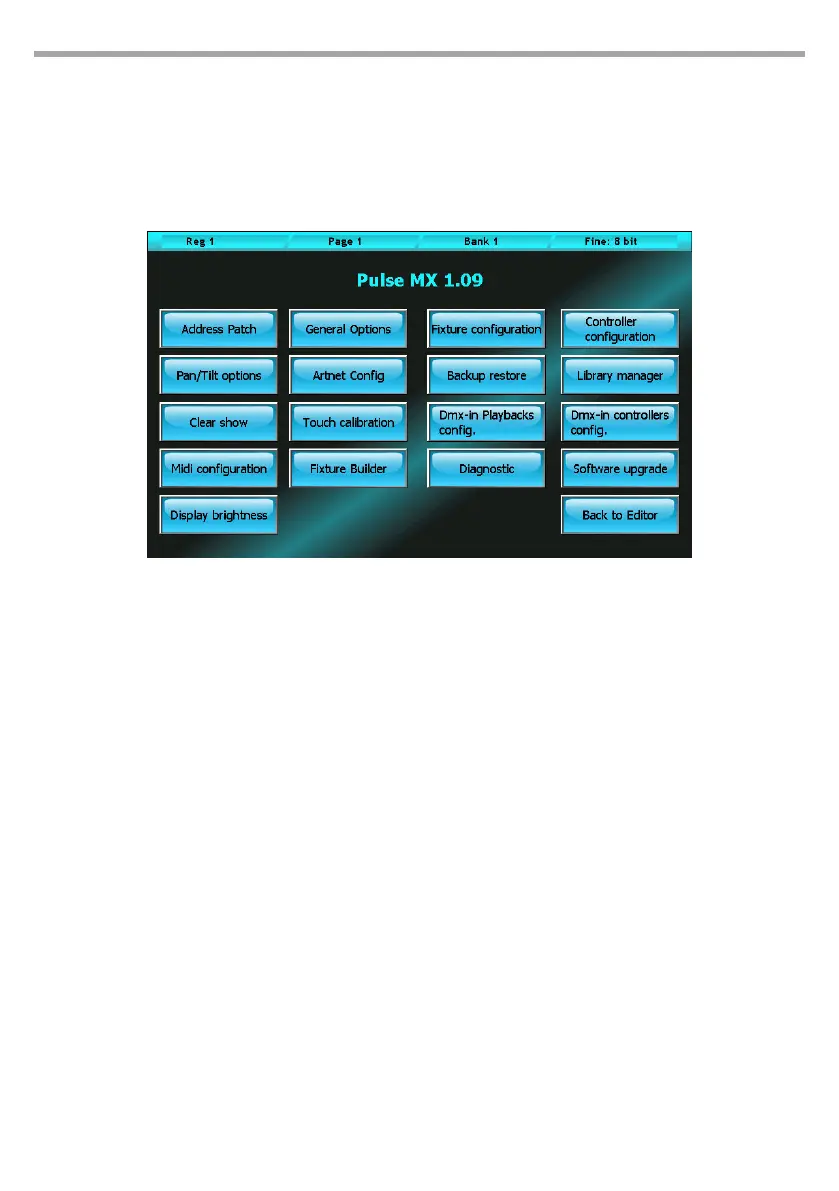
Setup and utility functions can be accessed from the console Setup menu. To access the Setup menu,
press the Setup button which always appears in the context specic menu. A brief overview of the single
functions is given below:
Address patch:
Allows access to the patch window which enables to add or take out xtures from the conguration
of the show and set their DMX addresses.
General options:
Allows to set up general options which modify some specic behaviour of the console.
Fixture configuration:
Allows to edit the conguration of xtures used in the current show. All changes applied through this
function only aect the current show, leaving the xture library unchanged.
Controller configurations:
Conguration and personalisation of all Controllers.
Pan/Tilt options:
Allows to invert and swap the Pan and Tilt function of the show’s xtures.
Artnet configuration:
Conguration of Ethernet port and Artnet connector.
Backup restore:
For managing and restoring saved show les (both from internal memory and USB drive)
Library manager:
Manages the xture library. Allows to import and/or export single les or folders from the internal
Setup menu Fig.36



 To Next Page