PULSE MX
14
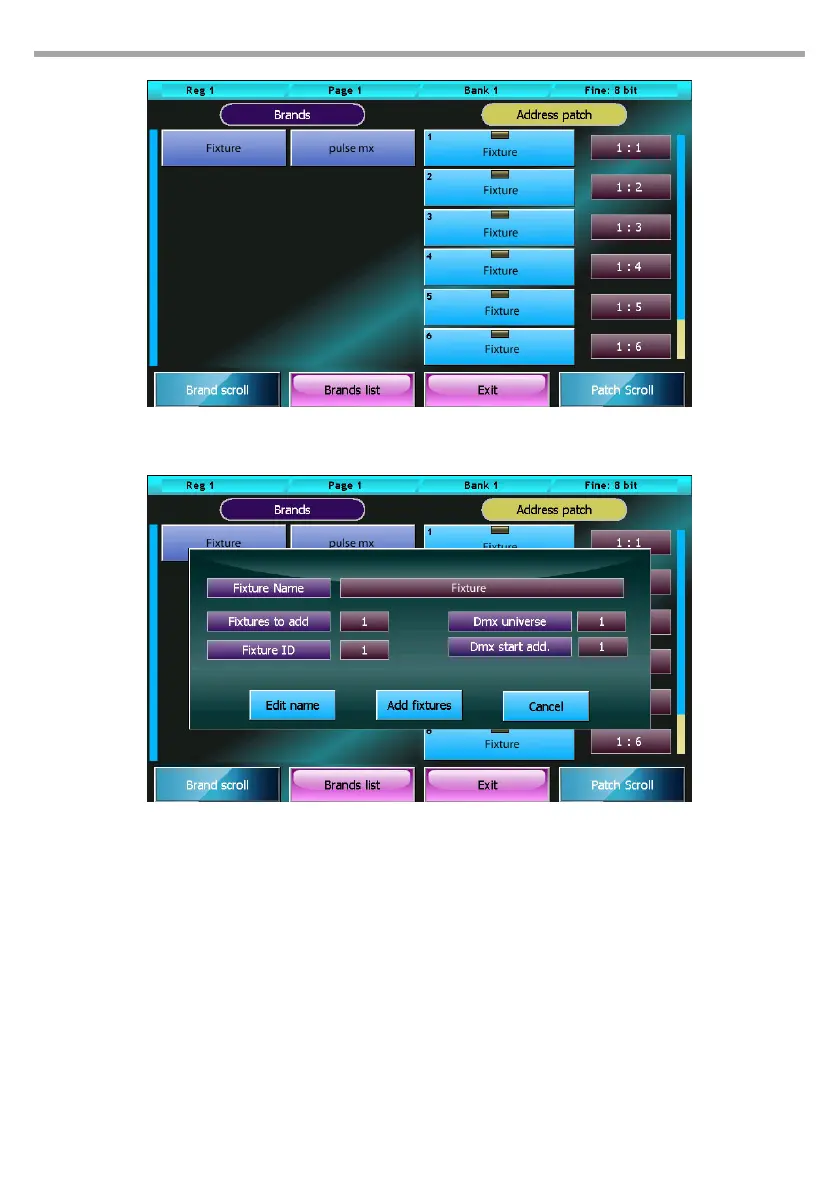
Fig.5Inserting new xtures in the show
(Add xtures window)
Fig.6Address patch window
2.3 EDITOR
The console manages 24 pages of 24 playbacks, each of which contains a cue-list which in turn can be
made up of, in the simplest of cases, one single cue, or a maximum of 999 cues.
To create or edit a cue, use the editor window (or simply editor); the editor allows you to control all at-
tributes of all xtures of the show and save their values as playback cues, manual cues or palettes.
To edit a parameter of one or more xtures, rst select them by pressing the buttons of the xtures in-
volved (editor in xture mode) or by pressing the group buttons (editor in group mode); then with the
buttons on the left select the family of attributes you wish to edit and nally, using the wheels, set the
values.
To set the value of a previously set attribute to Empty, click on the button of the wheel which controls it.
The trackball is always active on the pan and tilt of the selected xtures.
Values can be conveniently set by using the palettes instead of the wheel and trackball (see Palette para-
graph). In this case, programming the cue is limited to selecting the xtures (single or in groups) and to
selecting the various palettes to use (position, colors, gobo, etc.)



 To Next Page