23
PULSE MX
which can be selected by pressing the corresponding button.
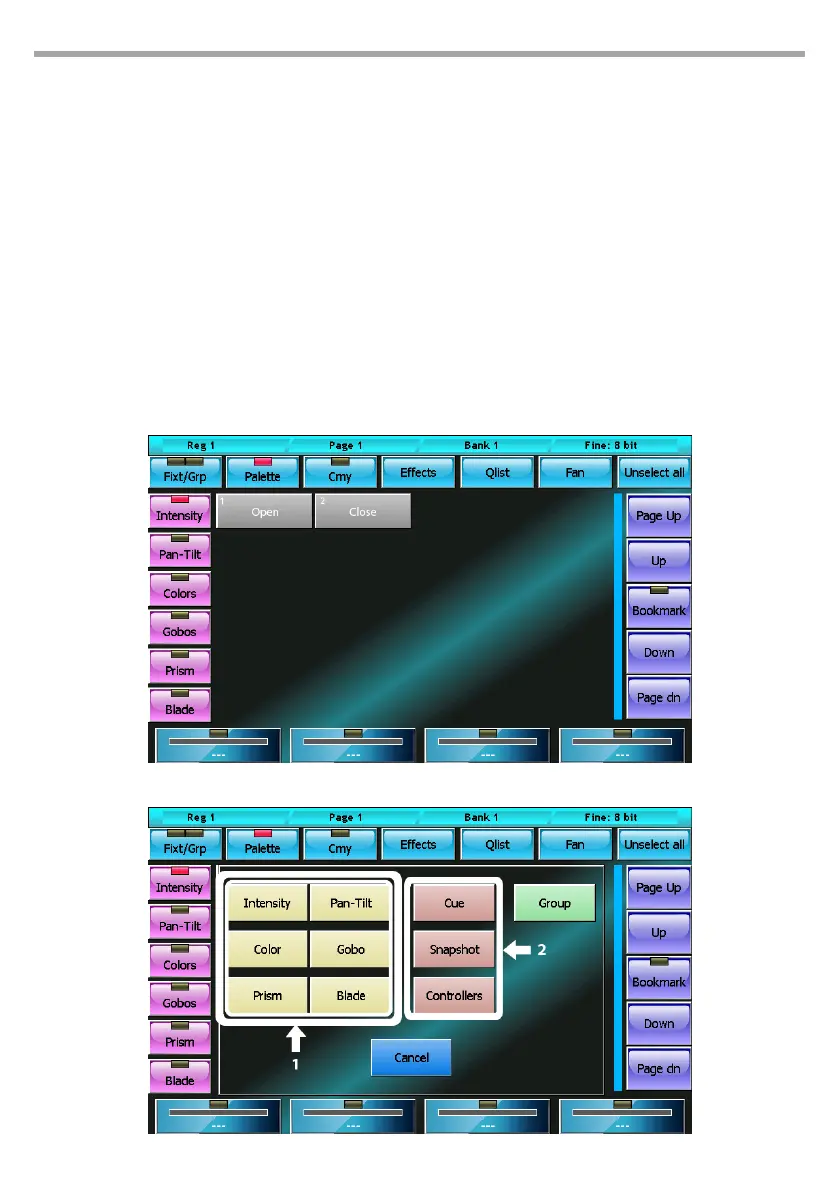
The palette window displays all available palettes for the set of xtures selected in the current family; if
no xture is selected, then all the palettes in the current family’s show will be displayed.
The palette window shows a context-specic menu which button is practically identical to the context-
specic menu of the xtures window, however the Select Range does not appear.
CREATING A NEW PALETTE
After having set the parameters of the xtures to the desired value, you can save their status in a new
palette by recalling the Store menu which is done by clicking the Store key; select the type of palette
you wish to save (buttons 1) and then insert the name of the new palette you wish to create by using
the virtual keyboard.
IMPORTANT: when creating a new palette, only the parameters which belong to the same type of the created
palette are saved.
Palette display editor mode
Store menu
Fig.16
Fig.17



 To Next Page