TalkMasterFOCUSAdminConsoleReferenceManual
18
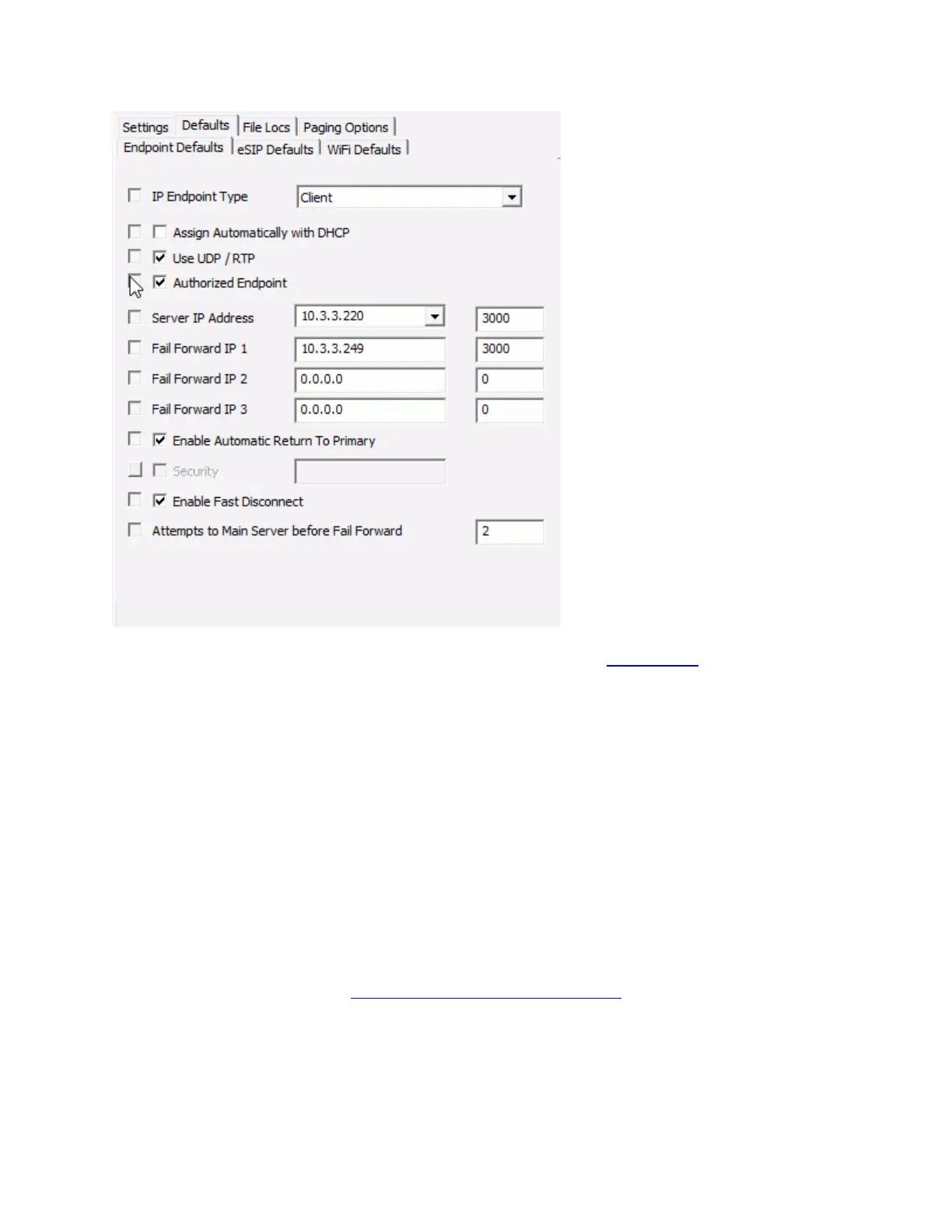
IP Endpoint Type - Sets the TYPE for an IP Endpoint. See the Configuration sub tab for details.
Assign Automatically with DHCP - Determines whether the IP Endpoint will use DHCP or will
require a static IP Address to be entered.
Use UDP/RTP - Determines whether the IP Endpoint will use the RTP Protocol for transmitting
audio (recommended for most applications).
Authorized Endpoint - Determines whether the IP Endpoints will be automatically authorized to
the Server.
Server IP Address - Determines the IP Address of the TalkMaster Focsu Server that the IP
Endpoint will connect to. This defaults to the IP Address(s) of the PC.
Fail Forward IP 1 - Determines the IP Address of the Endpoint's first Fail Forward Server.
Fail Forward IP 2 - Determines the IP Address of the Endpoint's second Fail Forward Server.
Fail Forward IP 3 - Determines the IP Address of the Endpoint's third Fail Forward Server.
Enable Automatic Return to Primary - Available for IP Endpoints with Firmware V6 or greater.
For IP Endpoints that have failed forward to another server, determines if the IP Endpoint should
automatically return to its Primary Server when it becomes available.
Security - Sets a standard security password for IP Endpoints. The Enable Endpoint Security
option on the Setup -->Settings tab must be checked in order to set this option
Enable Fast Disconnect - Sets the Enable Fast Disconnect option on. See the Enable Fast
Disconnect option on the IP Endpoints -- > General --> Options 3 tab
Attempts to Main Server before Fail Forward - Sets the number of times the endpoint will retry
the Primary Server before attempting a connection to the Fail Forward Server(s). See the
Number of connection attempts before trying Fail Forward Servers option on the IP
Endpoints -- > General --> Options 3 tab



 To Next Page