Setup Tab
19
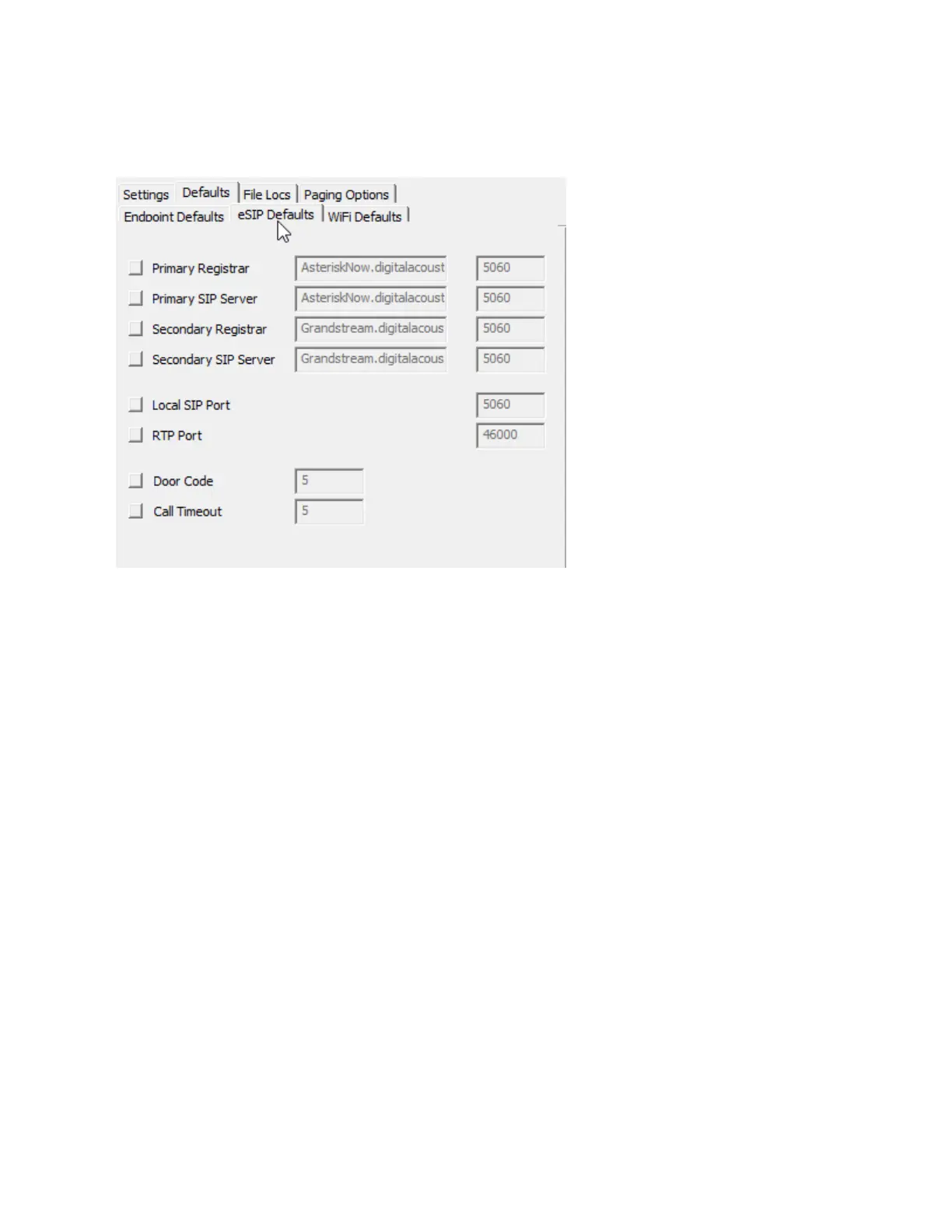
eSIP Defaults - used to define default settings used when adding or maintaining IP Endpoints that will
communicate with a SIP based phone system. If the button next to an option is pressed, the
corresponding values will be used when the Copy Defaults button is selected in the IP Endpoints tab.
.
Primary Registrar - Specify the IP Address or DNS of the primary SIP Registrar. Normally, the
SIP Registrar and the SIP Server are the same.
Primary SIP Server - Specifies the IP Address or DNS of the primary SIP Server.
If the Primary SIP Server or Registrar becomes unavailable, the IP Endpoint will automatically
register with the Secondary Registrar and Server. The IP Endpoint will automatically de-register
with the Secondary Registrar and register with the Primary Registrar when it is available
Secondary Registrar - Specifies the IP Address or DNS of the primary SIP Server
Secondary SIP Server - Specifies the IP Address or DNS of the Secondary SIP Server
Local SIP Port - Specifies the port to be used by the IP Endpoint for the SIP protocol. This
defaults to port 5060.
RTP Port - Specifies the port to be used by the IP Endpoint for the RTP Protocol. This defaults to
port 46000.
Door Code - Specifies the keys on the Phone's keypad to be pressed for the IP Endpoint to
activate its Relay (to open a door). If more that 1 digit is entered, the # key must be pressed in
addition to the Door Code through the Phones keypad.
Call Timeout - While a call is in progress, specifies the number of seconds that audio can drop
out before the call will be automatically terminated.
WiFI Defaults - used to define default settings used when adding or IP Endpoints that can connect to
wireless networks. If the button next to an option is pressed, the corresponding values will be used when
the Copy Defaults button is selected in the IP Endpoints tab.



 To Next Page