TalkMasterFOCUSAdminConsoleReferenceManual
28
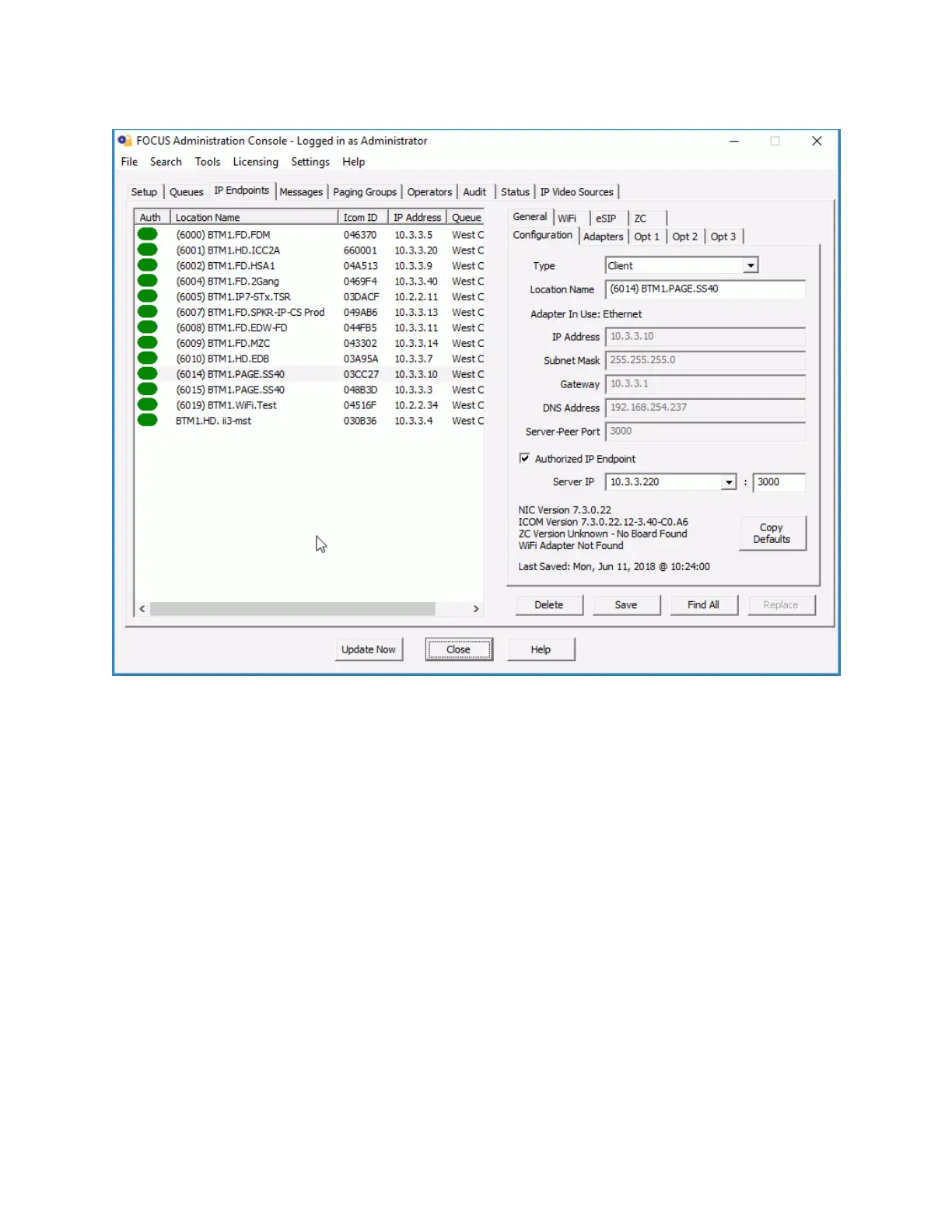
Auth - The Authorized column is used to specify that the IP Endpoint has been authorized for use on this
Server. If the IP Endpoint is configured to connect to a different Server, then this option should not be
checked. Any IP Endpoint that connects to this Server must be Authorized in order to be listed on
Operator Consoles. If the Authorized box is checked, the Auth column will contain a green or a red ICON
The Auth ICON colors are described below:
Green - Indicates that the IP Endpoint is Authorized and that it is currently connected to
this Server. Note that if the Save button is pressed, the ICON will change to Red till the
device reconnects
Red - Indicates that the IP Endpoint is Authorized, but is not currently connected to this
Server
Yellow - Indicates that the IP Endpoint is connected to this Server, but is not Authorized
to this Server
White - Indicates that the IP Endpoint is not connected and not Authorized to this Server
Location Name - Friendly name assigned to an IP Endpoint.
ICOM ID - Unique ID (last 6 digits of the MAC Address) assigned to the IP Endpoint at the factory. Match
this number to the ICOM ID sticker on the side or bottom of the Intercom.
IP Address - The IP Address of the Intercom.



 To Next Page