IP Endpoints Tab
29
Queue - Name of the Queue the Intercom has been assigned to. If the Intercom has not been added to a
Queue, it defaults to Unassigned.
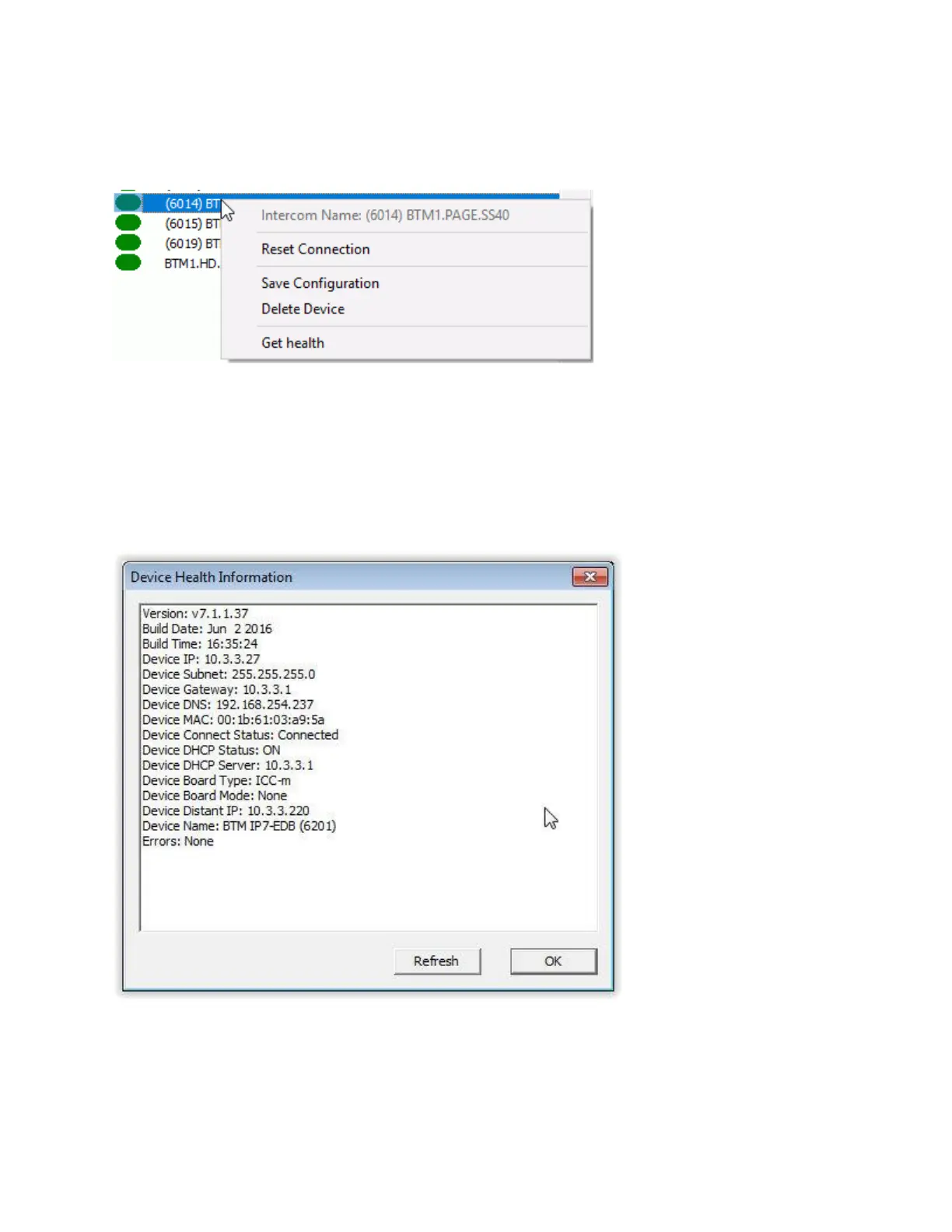
Right clicking on an IP Endpoint provides the ability to display an IP Endpoint's health report:
Reset Connection - Closes the TCP connection between the IP Endpoint and Server and forces the
device to reconnect.
Save Configuration - Saves the IP Endpoint's configuration. This is the same as pressing the SAVE
button in the lower right hand corner of the screen.
Delete Device - Removes the IP Endpoint's configuration from TalkMaster. This is the same as pressing
the DELETE button in the lower right hand corner of the screen.
Get health - This option will display the following dialog:
The buttons located under the right hand pane are used when maintaining the IP Endpoints list.



 To Next Page