ICS-90 Ion Chromatography System
5-2 Doc. 031851-05 12/04
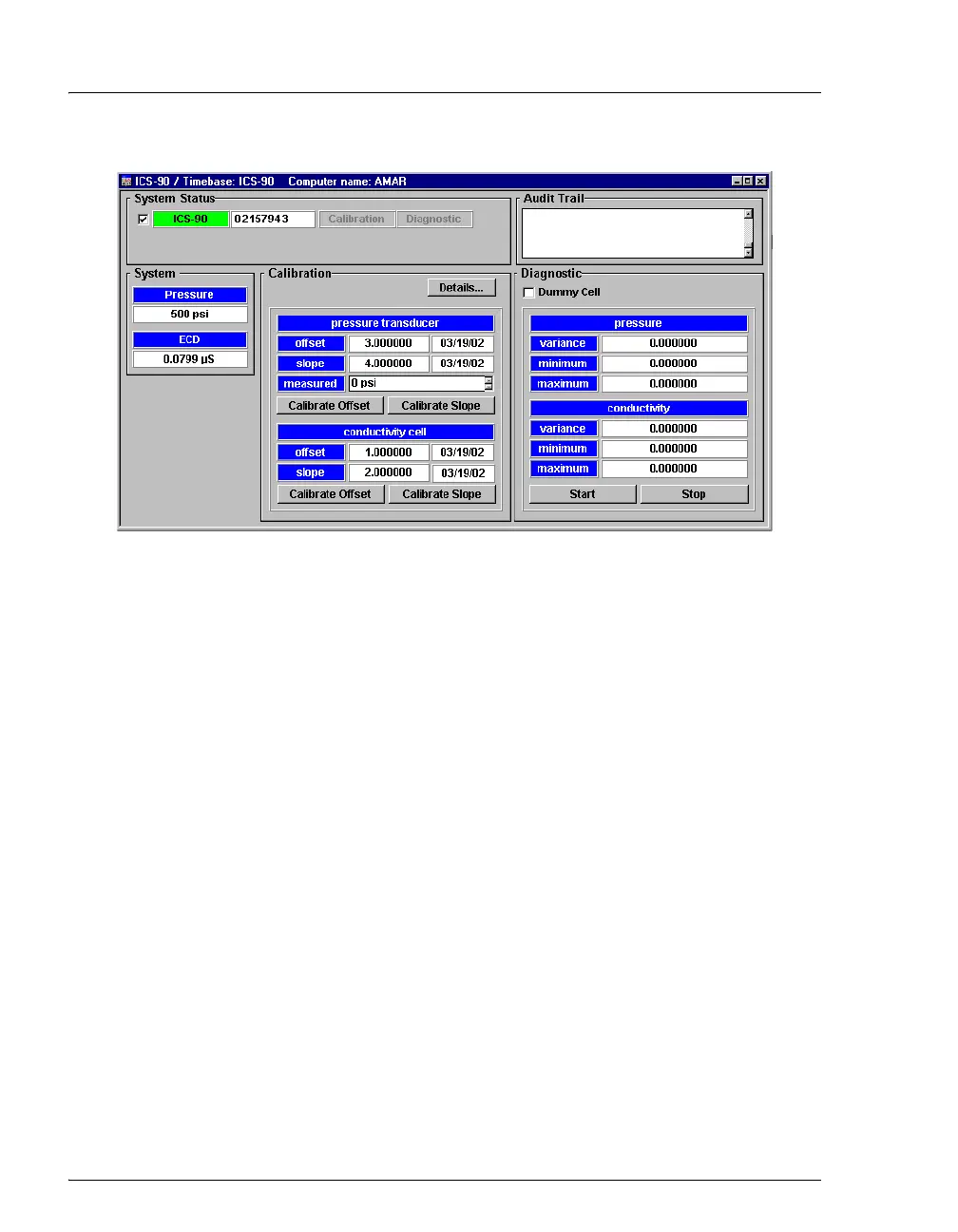
Figure 5-1. Chromeleon Wellness Panel
Use the Wellness panel to monitor and/or perform the following functions:
System Status • The check box to the left of the ICS-90 LED indicates the
connectivity status. When the check box is gray, there is no
connectivity between the ICS-90 and the Chromeleon
computer.
• The ICS-90 serial number is displayed to the right of the
ICS-90 LED.
• While a calibration or diagnostic procedure is running, the
Calibration or Diagnostic box is green.
Audit Trail
• The Audit Trail displays an account of every event that
occurs during ICS-90 operation. This includes errors, status
messages, operational events, etc.
System
• The current total system Pressure is displayed.
• The current electrochemical detector (ECD) conductivity is
displayed.



 To Next Page