B • Installation
Doc. 031851-05 12/04 B-7
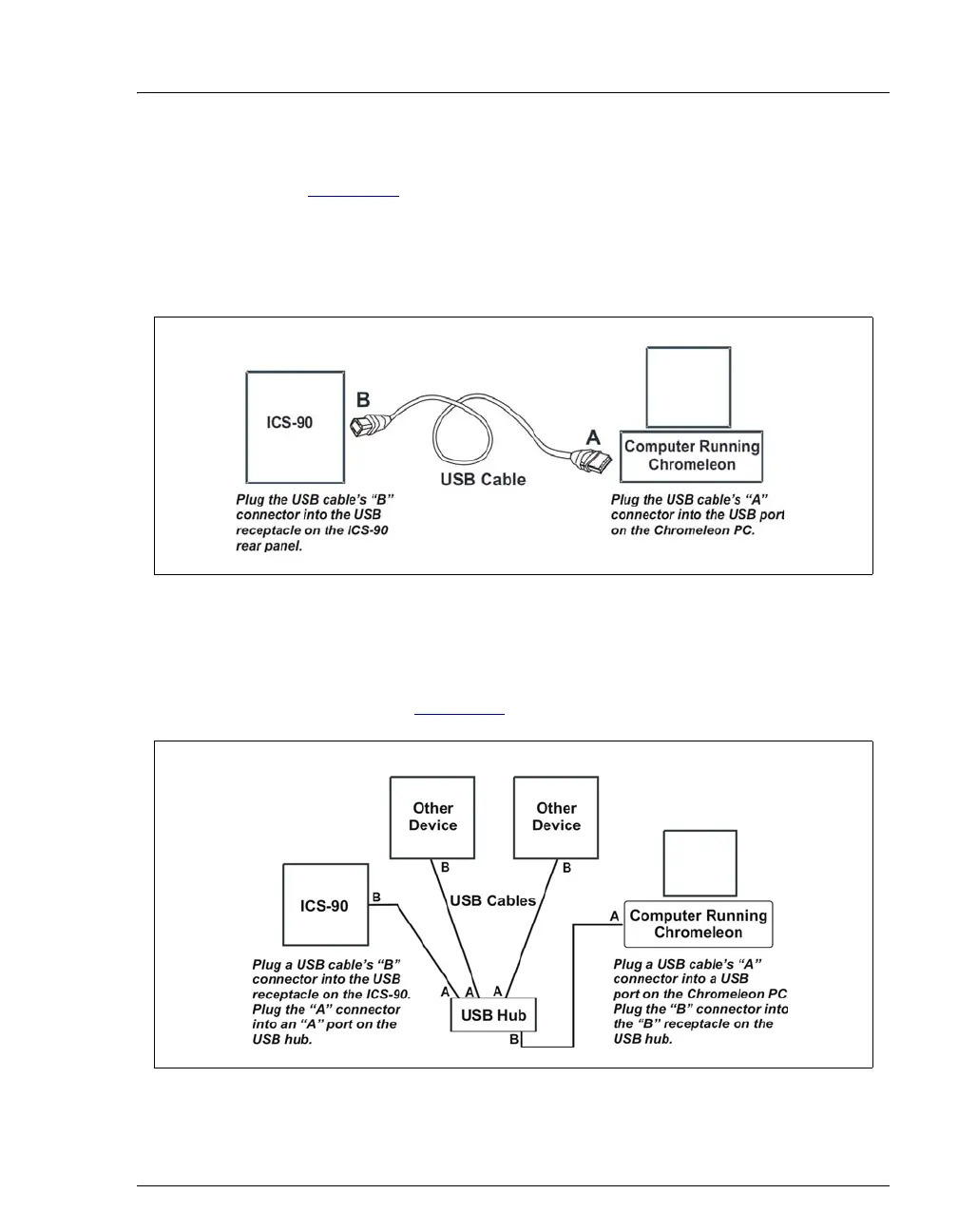
2. Connect the cable between the ICS-90 and computer as shown in
Figure B-3
.
NOTE All USB connections require standard USB A-to-B
cables.
3. If there are no unused USB ports on the PC, connect the ICS-90 to an
external USB hub (P/N 060392) and connect the Chromeleon PC to
the hub (see Figure B-4
).
Figure B-3. Example Connections: One ICS-90 Connected to the Computer
Figure B-4. Example Connections: Three ICS-90s Connected to an External Hub



 To Next Page