3 • Operation and Maintenance
Doc. 065215-02 9/09 43
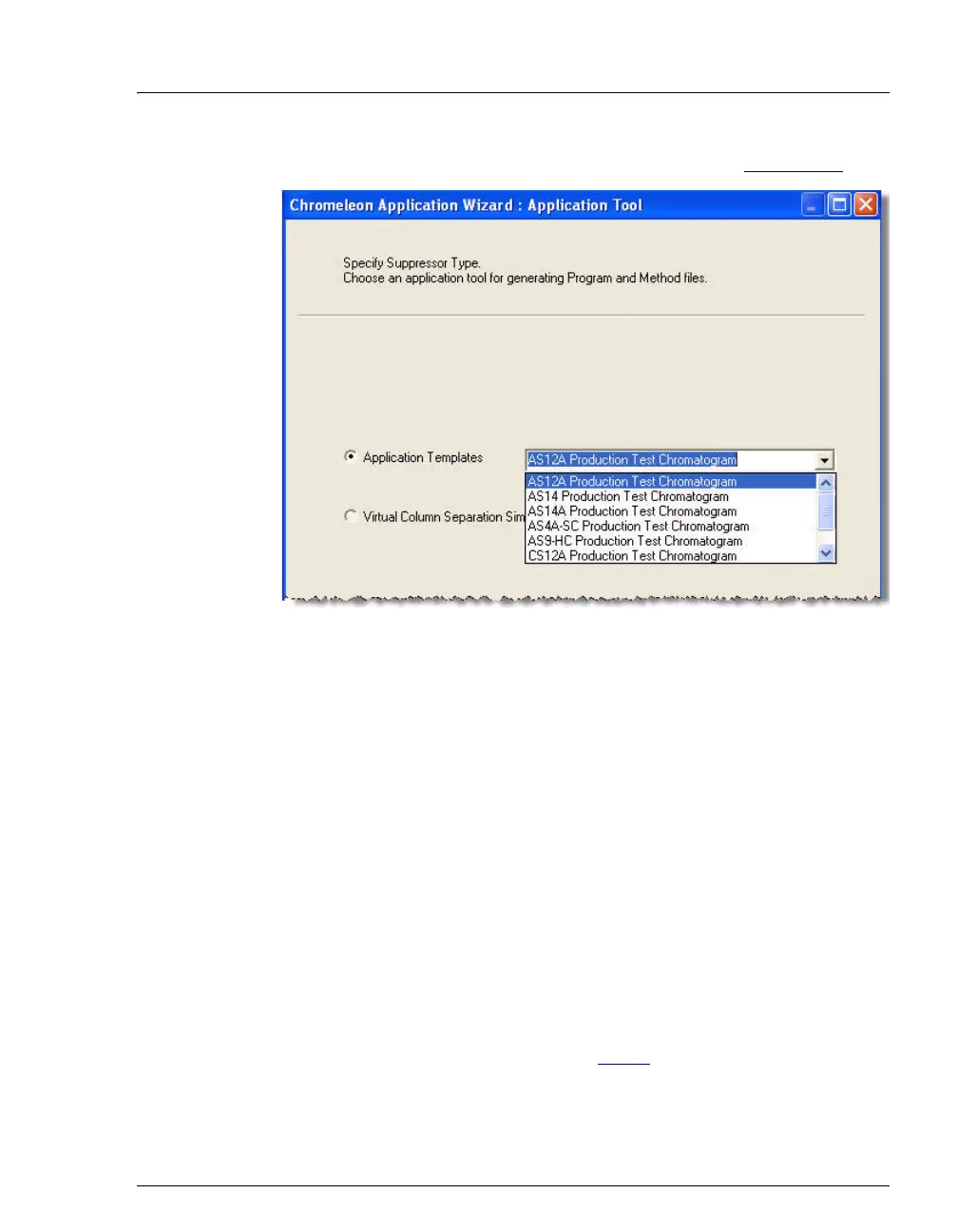
b. Select an application template from the list (see Figure 3-10).
c. Click Next> and select the in a new sequence via Sequence
Wizard option.
d. Click Next> to go to the Sequence Wizard.
e. Complete the steps in the Sequence Wizard, adding the desired
number of samples and standards to the list. For help, click the
Help button on the Sequence Wizard page.
After you click Finish, a sequence is created and a program
appropriate for the selected application is copied to the sequence. If
you are using Chromeleon, a quantification method is also copied to
the sequence
.
5. Load the sequence and start batch processing:
a. On the Sequence Control panel, click Load Sequence.
b. Select the sequence created in Step 4
and click Open.
c. Click Start Batch.
Figure 3-10. Application Wizard


 To Next Page