Page 23
Remote Control
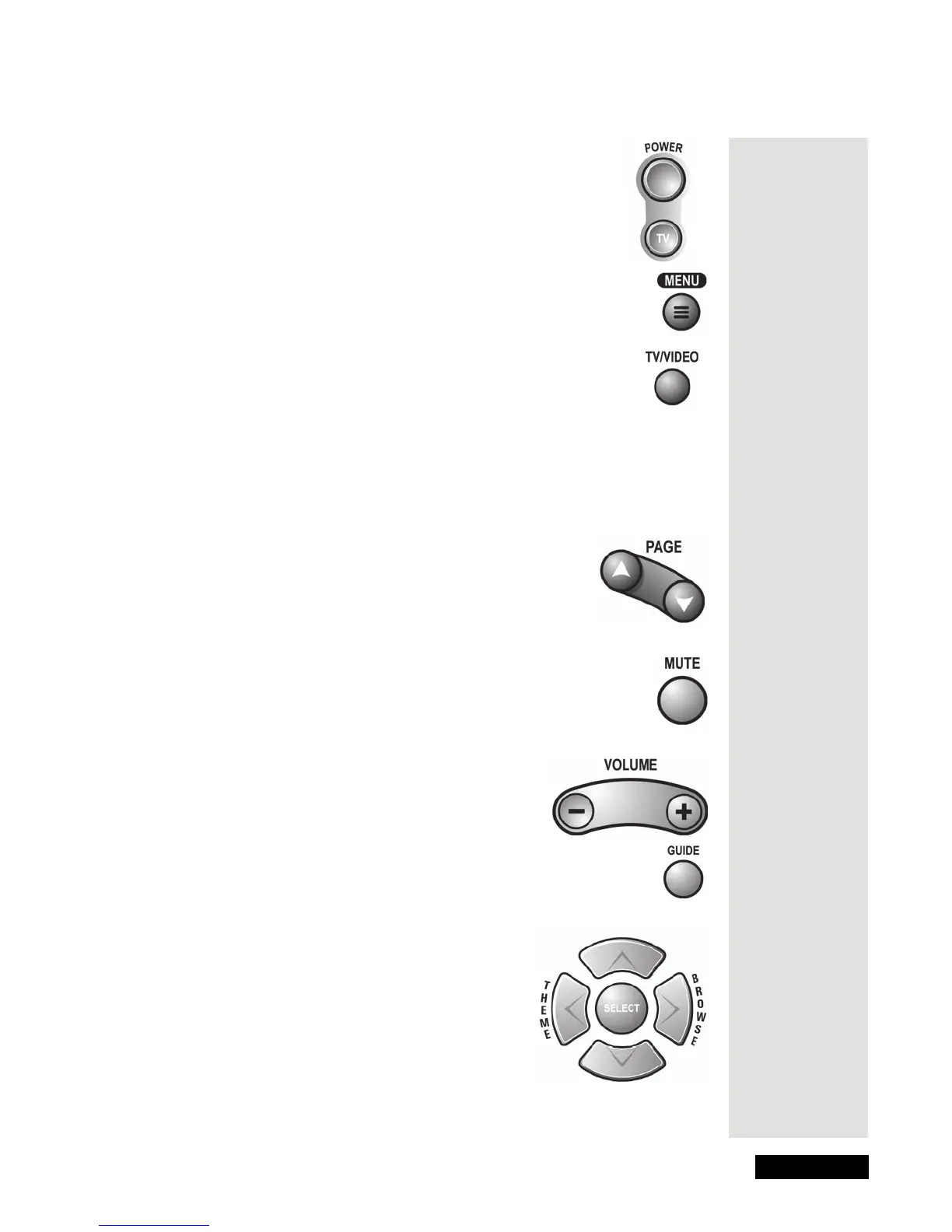
Power Buttons
Press the blank POWER button to turn the receiver on or off.
Use the TV POWER button to turn the TV on or off. See Set
Up the Remote to Control Other Devices for instructions on
programming the remote to control your TV.
Menu Button
Press this button to open the Main Menu.
TV/Video Button
If you connect a second video source, such as cable or a broadcast
antenna, to the receiver’s back panel TV A
NTENNA/CABLE IN port
,
you can use this button to switch the receiver between the satellite
signal and another video signal.
Note: The signal from the second video source will only be available on the TV
S
ET OUT port, not on the S-VIDEO or RCA output connections.
Page Up and Page Down Buttons
Press the PAGE UP button or the PAGE DOWN button to
scan, page by page, through the
Program Guide,
a
Themes
list,
a Favorite List, an Event Timers list, or a list of
channels.
Mute Button
Press this button to turn the TV sound off or on. To use this button,
you must set up the remote to control the TV. See Set up the Remote
to Control Other Devices on page 68 for instructions.
Volume Button
Press this button to change the TV volume. To use this
button, you must set up the remote to control the TV.
Please see Set Up the Remote To Control Other
Devices on page 68 for
what to do.
Guide Button
Press this button to open the Program Guide. When you hav
e the
Program Guide
open, press this button to apply your Favorite Lists.
Arrow Buttons
• Press these buttons to highlight an option in the
menus, the Program Guide, and the Browse
Banner.
• While watching a program, press the UP or
DOWN ARROW button to change channels.
• Press the BROWSE button (the RIGHT
ARROW button) to open the
Browse Banner.
Tip: The Guide
button opens
the Program
Guide. Use it
to get
information on
programs that
are on now
and that will
be on in the
future.











 To Next Page