Page 19
The Receiver
Accessory Jack
If you connect a multi-dish switch to the ACCESSORY JACK, or if
you use an IR extender, you must set up the receiver properly.
Please see Set Up the Accessory Jack on page 81.
Power Cord
Even when the receiver front panel’s green POWER LED is off, the receiver
keeps working and it needs power. So, don’t unplug the receiver’s power cord
unless you need to move the receiver or if it will not be used for an extended
period of time.
Before moving the receiver, unplug the power cord and let the receiver
sit for at least 30 seconds. Always handle the receiver gently to protect
the delicate parts it has inside.
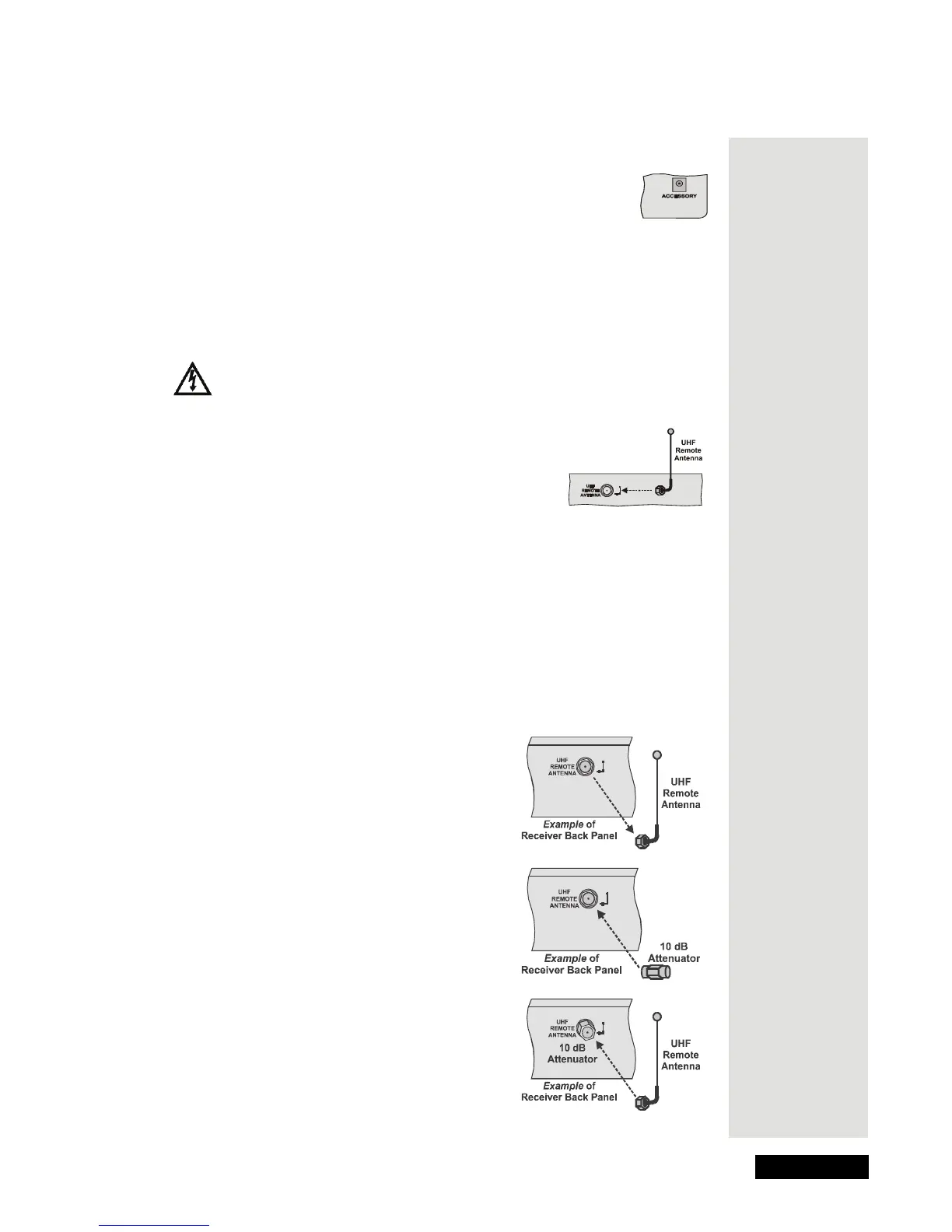
UHF Remote Antenna Input
The receiver uses the antenna to get UHF signals from
the remote control. Connect the UHF antenna here, and
set it so it doesn’t touch anything. Set the antenna
straight up so you can use the remote control as far
away as possible.
Attach an Attenuator
Stray UHF signals (from your neighbor’s remote control, for example) can
block signals from the remote control to the receiver. To help prevent this issue,
you can install a 10dB attenuator (you can buy one from a consumer electronics
parts store).
Note: This will help keep out stray UHF signals, but can also cut down how far
away from the receiver you can use the remote control.
1. Take the UHF antenna off the receiver’s
back panel UHF R
EMOTE ANTENNA input.
2. Connect a 10dB attenuator onto the UHF
R
EMOTE ANTENNA input.
3. Connect the UHF antenna onto the
attenuator.











 To Next Page