Chapter 3
Page 44
Using the System
• Rating Codes:
G: General Audience. Suitable for young children.
PG: Parental Guidance suggested.
PG-13: Parental Guidance suggested. Not recommended for
children under 13. R: Restricted. Not recommended for children
under 17 unless accompanied by an adult.
NC-17: Not recommended for Children under the age of 17.
NR/AO: Not Rated/Adult Oriented
Expanded Ratings:
L: Language. Adult language.
V: Violence. Graphic Violence.
SC: Sexual Content. Sexual scenes.
N: Nudity. Nude scenes.
Set or Change Rating Code Locks
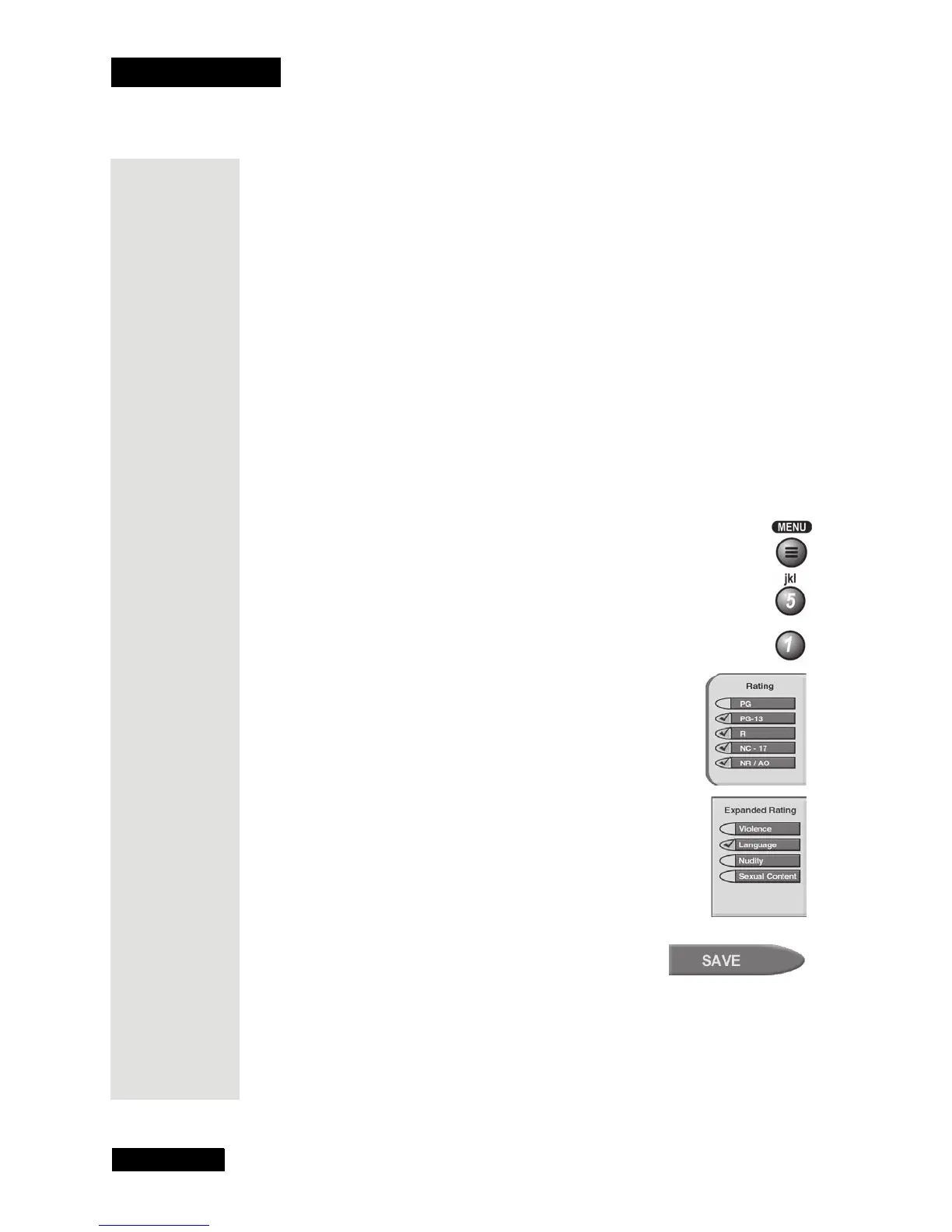
1. Press MENU and then select the Locks menu.
2. Select the
Ratings Locks option.
3. Select the rating for the youngest viewers you want to
protect. This also selects ratings for programs for more
mature viewers. In the example here, if you lock PG-13
rated programs, you also lock all programs with the R,
NC-17, and NR/AO ratings.
4. Select the expanded rating code(s), if you want to lock
these ratings too. For example, here we selected
Language.
Note: You can select any, all, or none of these rating
codes.
5. To unlock a rating code, select the code.
6. Select the
Save option to save your changes.
7. You must lock the receiver to apply the lock you
just set. Please see Lock or Unlock the Receiver
on page 47.
Tip: If you
have the
password,
you can lock
and unlock
any channel,
including pay
per view
channels.











 To Next Page