Chapter 2
Parts of the System
Page 15
The Receiver
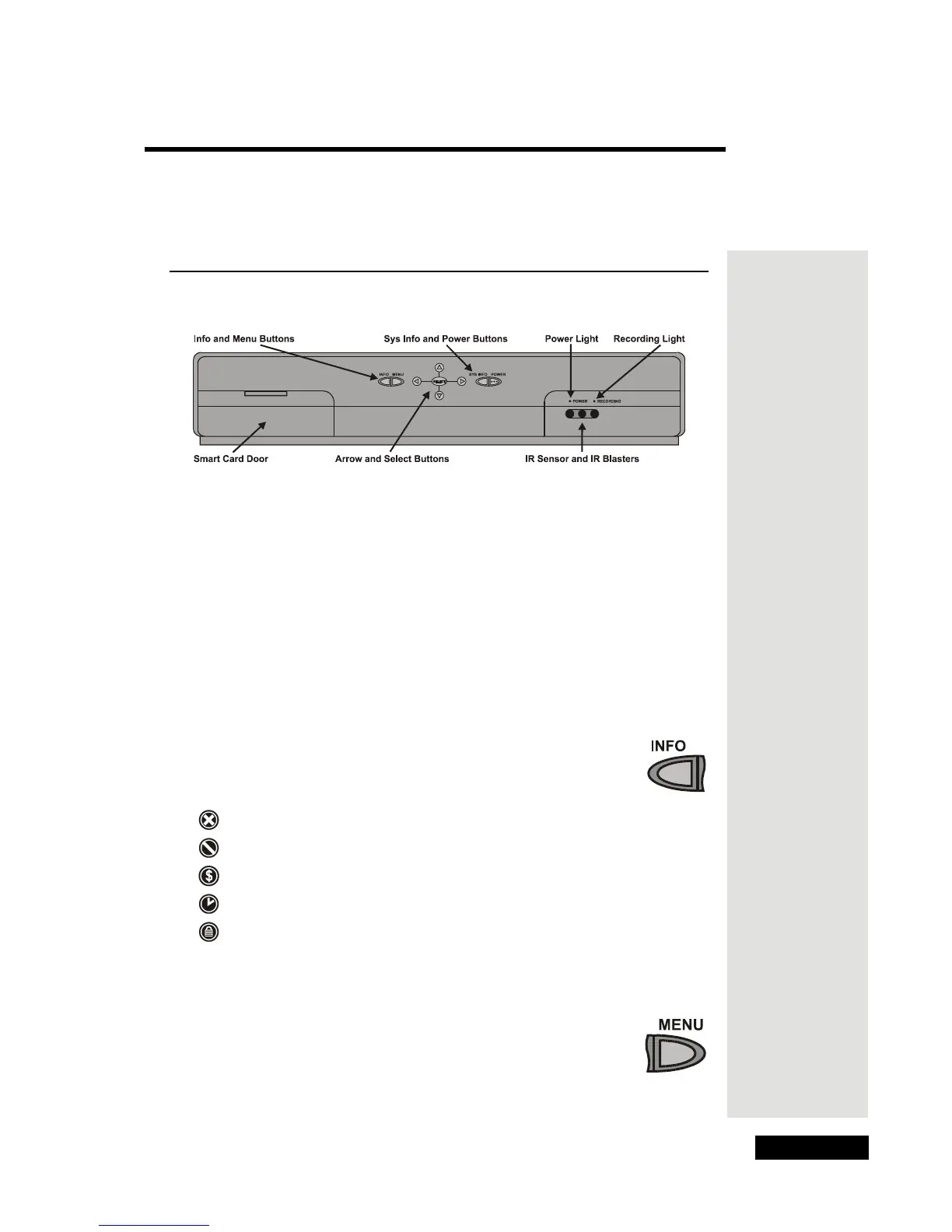
Receiver Front Panel
Smart Card Door
The Smart Card is behind the door on the front panel.
Note: Leave the Smart Card in, and keep the door closed.
Front Panel Buttons
The front panel buttons work the same way as the buttons on the remote, to
control the receiver (but not any other devices). For more info on the
remote control buttons, please see Remote Control on page 20 of this User
Guide. For information on using the remote to control other devices, go to
page 20.
Info Button
Press the INFO button to see info about a program you watch or
a program you highlight in a menu.
The info may include one or more of these symbols:
for a program you can’t buy
for a blacked-out program
for a pay-per-view program
for a program with an event timer
for a locked program
Menu Button
Press the MENU button to open the Main Menu.











 To Next Page