Page 53
Use Event Timers
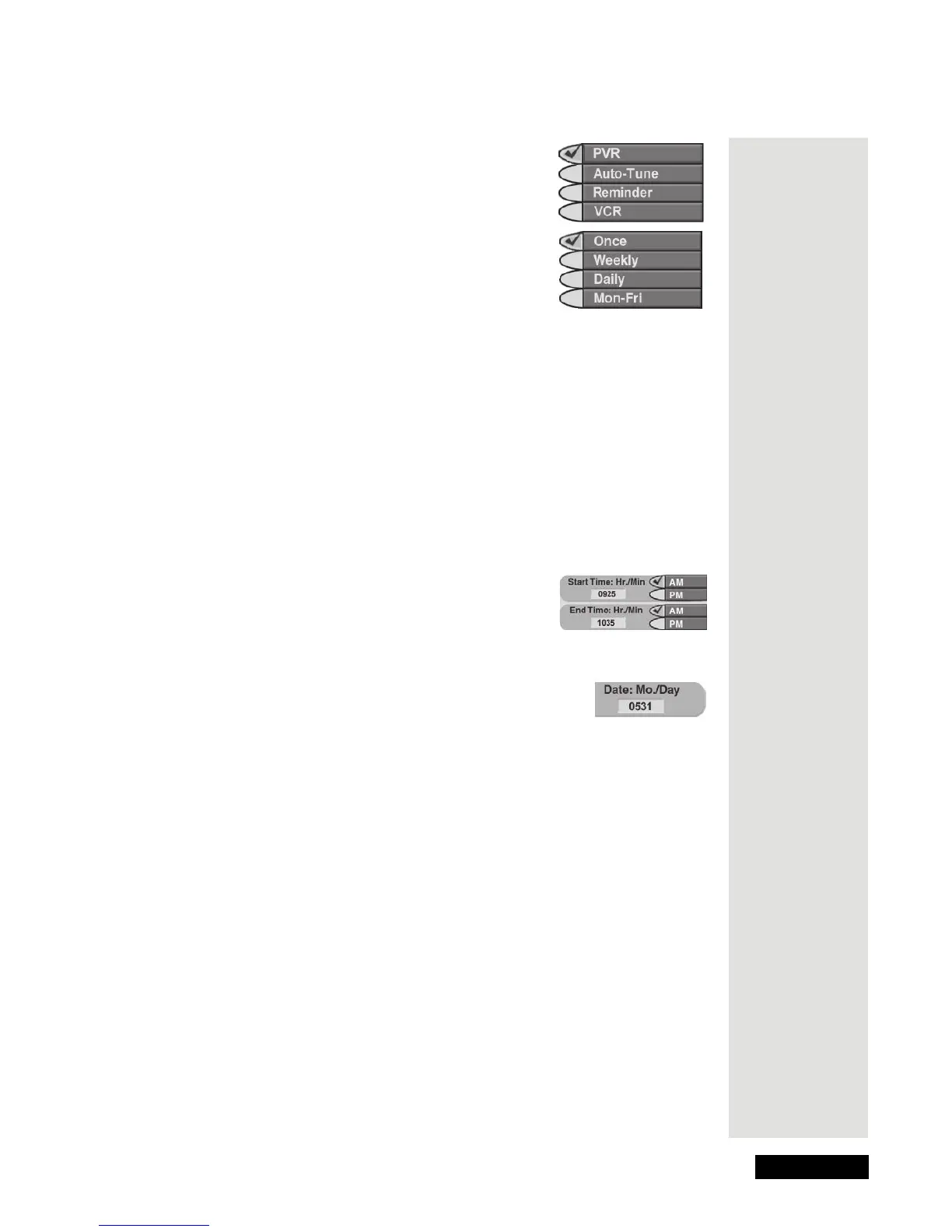
4. Select a Timer Type option. A check mark shows
up next to the option you select. For example, here
we selected the
DVR option.
5. Select a
Timer Frequency option. A check mark
shows up next to the option you select. For
example, here we selected the
Once option.
6. Select a channel:
Either: Use the UP or DOWN
ARROW button to highlight a channel. Then,
press the SELECT button.
or: Use the number buttons to enter a channel number.
7. Only for a Once (one-time), DVR Event Timer, you can select the
Protect
Recording
check box. If you do this, a check mark shows up in the box.
Note: If you want to delete a protected recording, the receiver will ask you
if you are sure you want to delete the event.
8. Select the
Set Date/Time option.
This opens the
Set Date/Time for Manual Timer menu.
9. Use the number buttons to enter the
Start Time
(make sure you select
AM or PM) and the End
Time
, (make sure you select AM or PM). Note: The
menu displays zeroes for you in numbers
like “07”.
10. Use the number buttons to enter the
Date.
11. Select the
Create Timer option.
12.
Either: To set another event timer, select the Create
option again.
Or: If you don’t want to set another event timer, press the Cancel button.
When Event Timers Overlap
If you try to set event timers for programs on at the same time and date, the
receiver displays a conflict menu with the dates and times of both programs. To
resolve the conflict, pick which timer to keep and which timer to delete.
Note: The receiver deletes one-time event timers right after they work. You
must delete all other types of timers yourself.
Tip: You can
use a Manual
Event Timer to
record a
“block” of
programs on
the same
channel, or to
make sure you
don’t miss the
last few
minutes of a
sports event
that goes into
overtime.











 To Next Page