Page 29
TV and VCR Connections
TV and VCR Connections
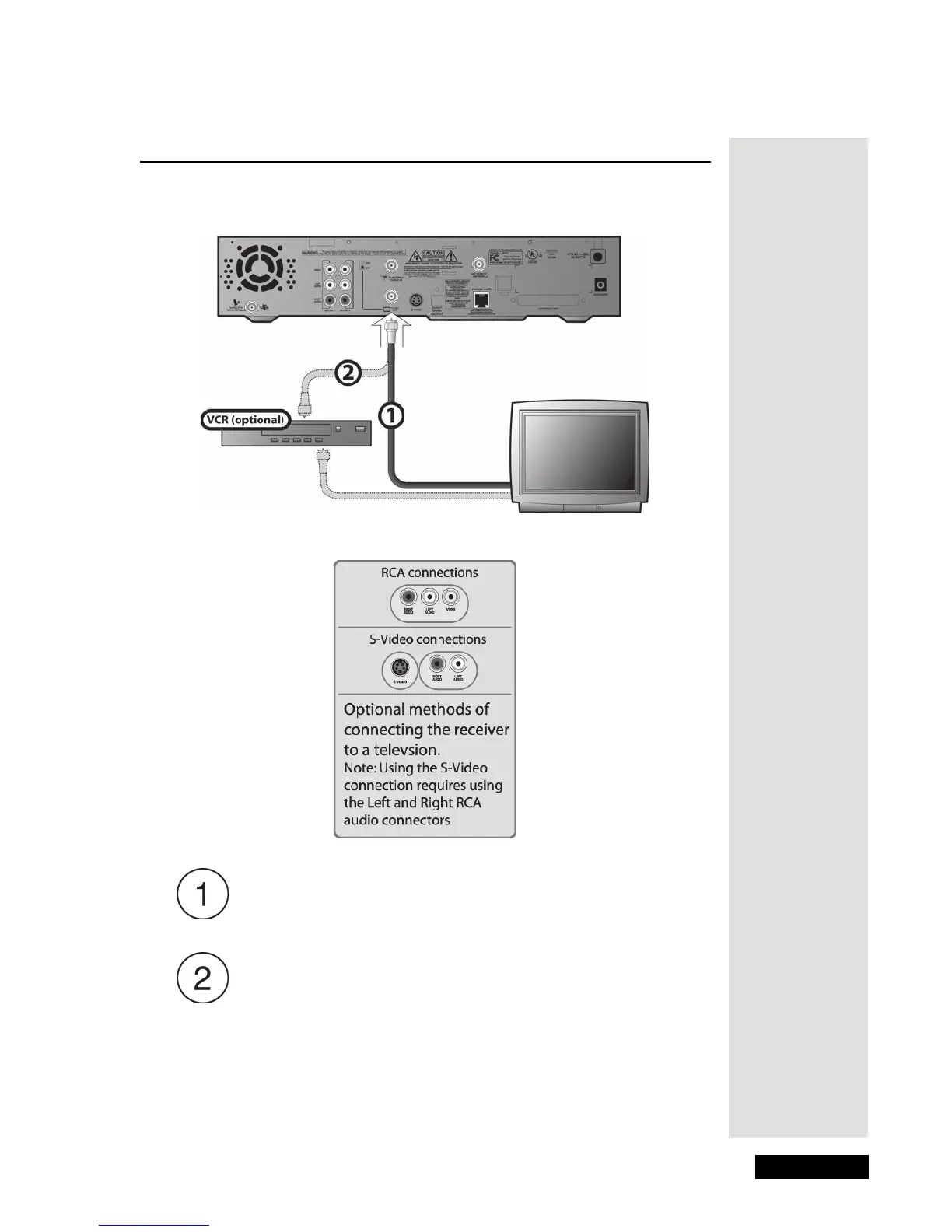
Use the following diagram and instructions to connect the satellite receiver to a
TV and VCR (optional).
TV Set Out to a TV: Connect coaxial cable between the TV SET
O
UT on the receiver and the TV’s input. Be sure to set the Channel
3/4 switch on the receiver to the channel you use to watch satellite
TV.
TV Set Out to a VCR (Optional): Connect a coaxial cable between
the TV S
ET OUT on the receiver and the VCR’s input. Connect
another cable between the VCR’s output and the TV’s input. Be
sure to set the Channel 3/4 switch on the receiver and the VCR to
the channel you use to watch satellite TV.











 To Next Page