Page 86
Chapter 4
Installation Instructions
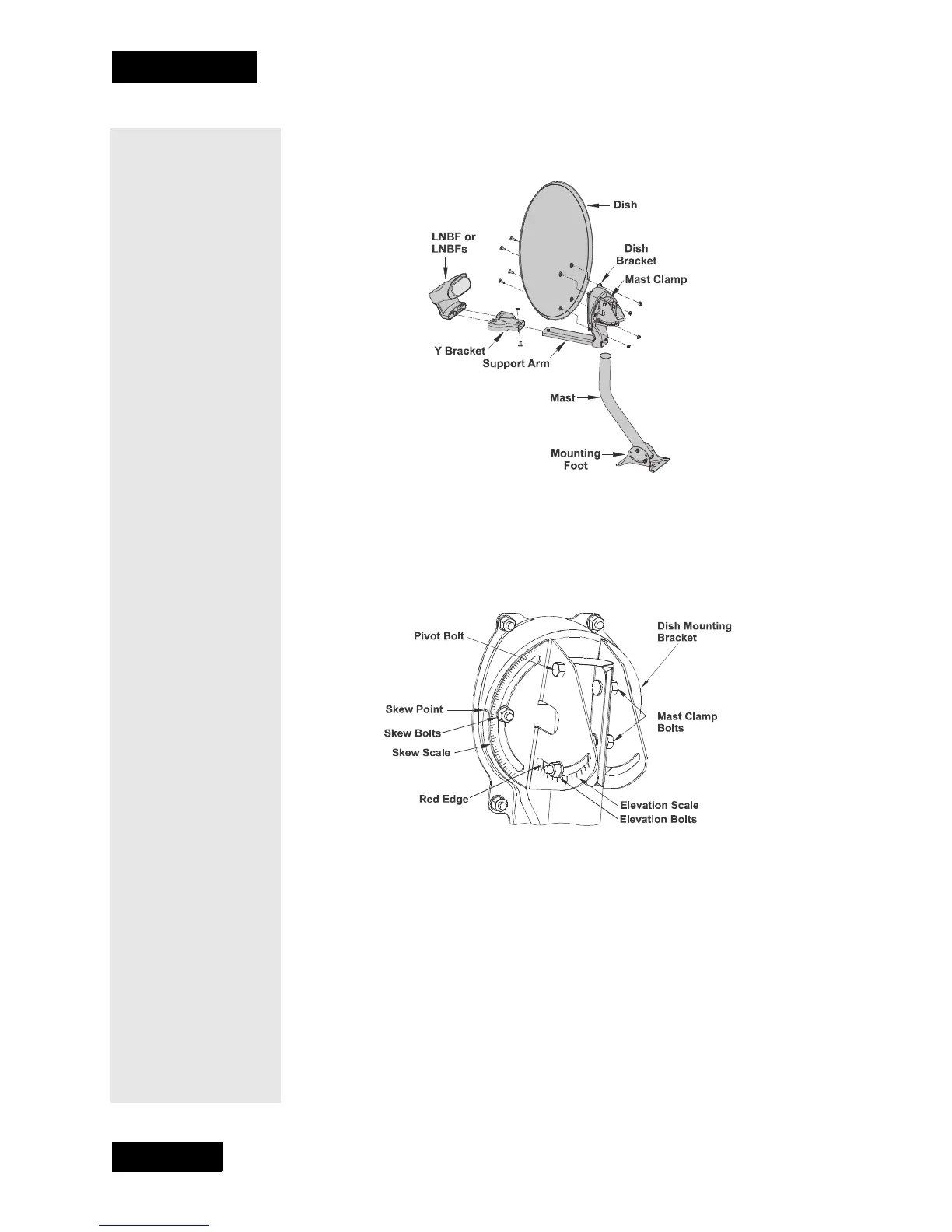
4. Assemble the satellite dish as shown below, except do not attach the
Y-bracket or LNBF as this time.
5. Loosen both skew bolts and set the skew by rotating the dish
mounting bracket to align the red mark with the required angle on the
skew scale which you wrote down on page 84. Tighten the skew bolts
securely to keep the dish from rotating. Once the skew is set, do not
try to fine-tune this angle when aiming the dish.
6. Set the elevation by tilting the dish mounting bracket to align the red
edge with the required angle from page 84 on the elevation scale.
Tighten the elevation bolts, but do not tighten the pivot bolt at this
time.











 To Next Page