Page 88
Chapter 4
Installation Instructions
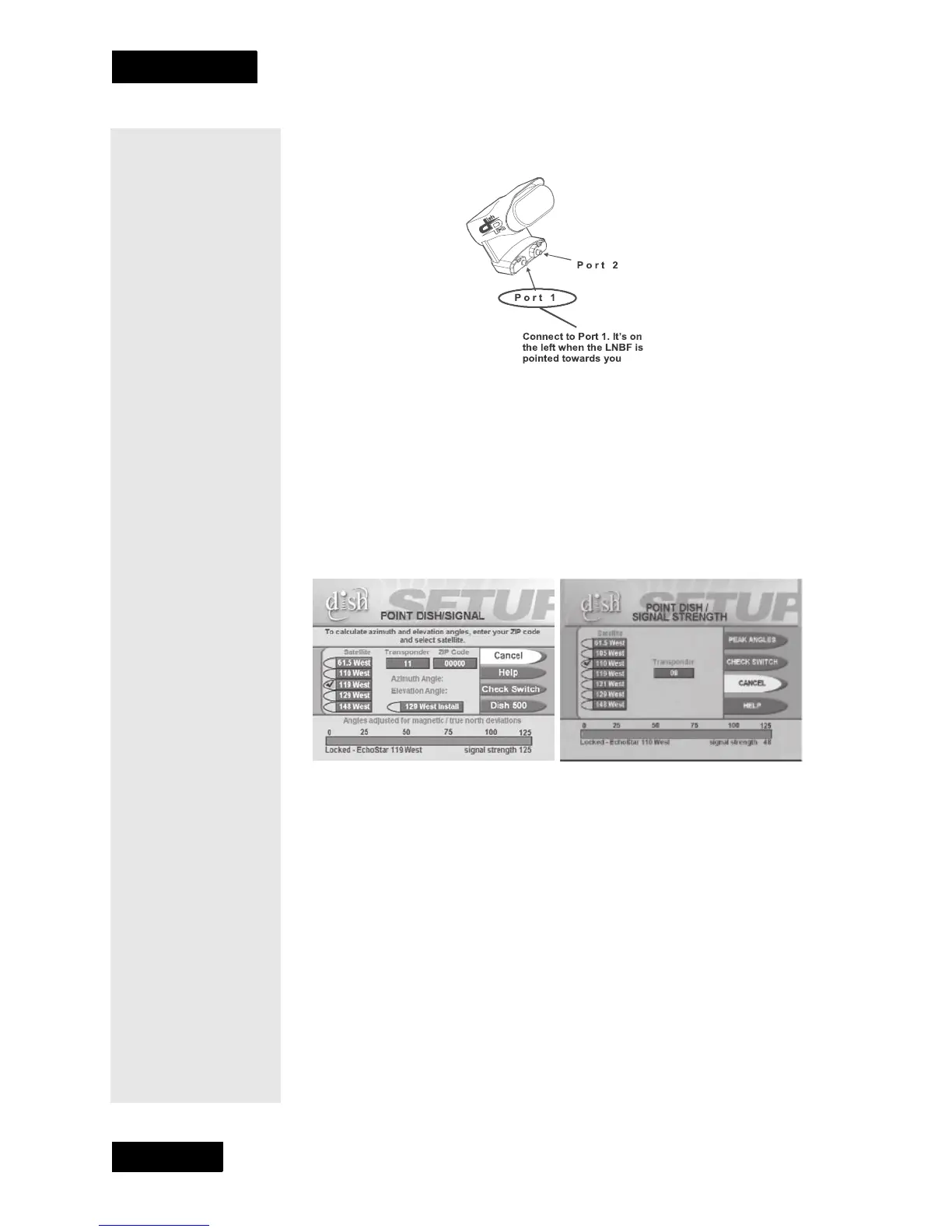
shown below. Be sure there are no multi-dish switches between the
LNBF and the receiver.
10. Attach the LNBF to the Y-bracket using the two LNBF screws.
11. Slide the dish assembly down onto the mast. Make sure the pivot bolt
rests on the top of the mast. Turn the dish assembly so that it points in
the general direction of the satellites, using the azimuth angle from
page 84.
12. You should see the
Point Dish/Signal menu. If not, open the Main
Menu
, select System Setup, then Installation, then Point Dish/
Signal
(press MENU, and then press 6-1-1 on the remote).
13. Select
Check Switch. The Check Switch screen will open.
14.
Select Check or Test. The receiver shows you a message that it is
checking the switches. Go to the next step.
15. When the check switch procedure finishes, you will see an installation
summary screen similar to the one below. In the
Satellite line, you
will see the word “Conn.” In the
Device line, you will see the word
“Twin” twice. This indicates that your receiver has confirmed the
connection with your DishPro Twin LNBF is working. The











 To Next Page