VigorPro5300 Series User’s Guide
99
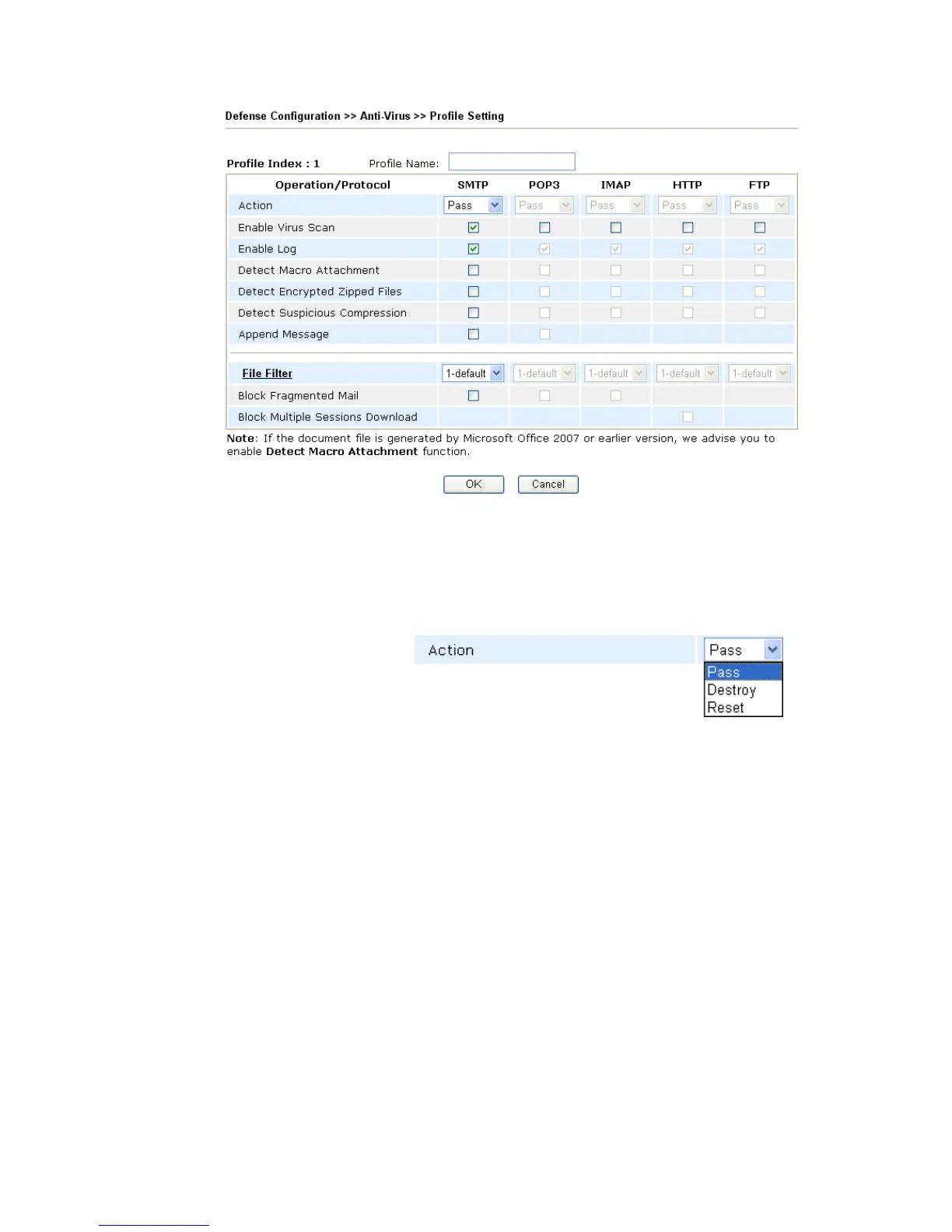
Profile Name Type a name for the profile.
Protocol Currently, only the files transmitted through the protocols
listed in this page including SMTP, POP3, IMAP, HTTP
and FTP will be scanned by this router.
Action Choose the action that you want to apply to the protocols of
each operation.
Pass - Detect if there is any virus for your reference. The
system will not do any advanced action for such condition.
Destroy- Destroy the infected file found by the router system.
Reset - Break down the communication between your
computer and specific link which might have virus included.
Enable Virus Scan Check this box to enable the general virus scan procedure for
different protocols.
Enable Log In order to show the virus detection log on the window of
Draytek Syslog, you have to check the log box here and
enable the SysLog Access Setup from System Maintenance
>> Syslog/Mail Alert.












 To Next Page