VigorPro5300 Series User’s Guide
100
Detect Macro Attachment The file with macro attachment will be passed/destroyed/reset
under different protocols. The system will detect it
automatically if you set corresponding configuration here.
Detect Encrypted Zipped
Files
The file zipped with encryption will be detected and then be
passed/destroyed/reset according to the configuration set
here.
Detect Suspicious
Compression
The file with suspicious or non-support compression format
will be detected and then be passed/destroyed/reset according
to the configuration set here.
Append Message This function is available for SMTP and POP3 protocols. If
you check it, the message typed under the box of
Administration Message will be sent out with e-mail.
File Filter Click this link to open Defense Configuration>>Anti-Virus
>>File Pattern List for viewing current settings.
Block Fragmented Mail
The file with fragmentations will be passed/destroyed/reset
under different protocols. The router cannot execute the
scanning job for some mail fragmentation if you check the
boxes here.
Block Multiple Sessions
Download
The file with multiple sessions which are created by HTTP
will be detected and then be passed/destroyed/reset according
to the configuration set here.
3
3
.
.
7
7
.
.
2
2
.
.
2
2
V
V
i
i
r
r
u
u
s
s
L
L
i
i
s
s
t
t
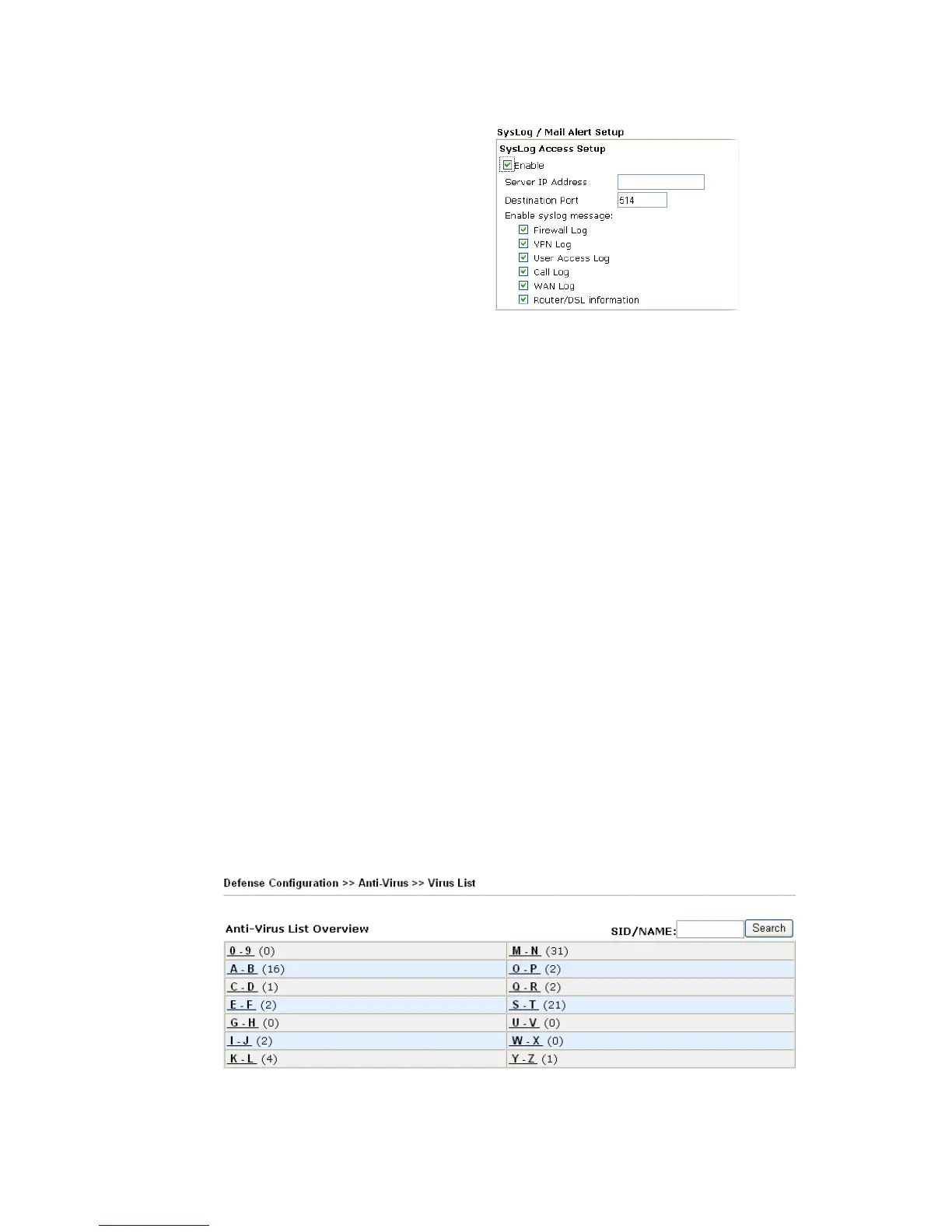
This page displays the virus list ordered by digits (0-9) and letters (A-Z). Each number after
the letter link indicates the total types of the virus collected.












 To Next Page