VigorPro5300 Series User’s Guide
101
SID/NAME To find the specific type of anti-virus, you can type its SID
number or name in this field if you know, and then click
Search. The system will locate that rule for you.
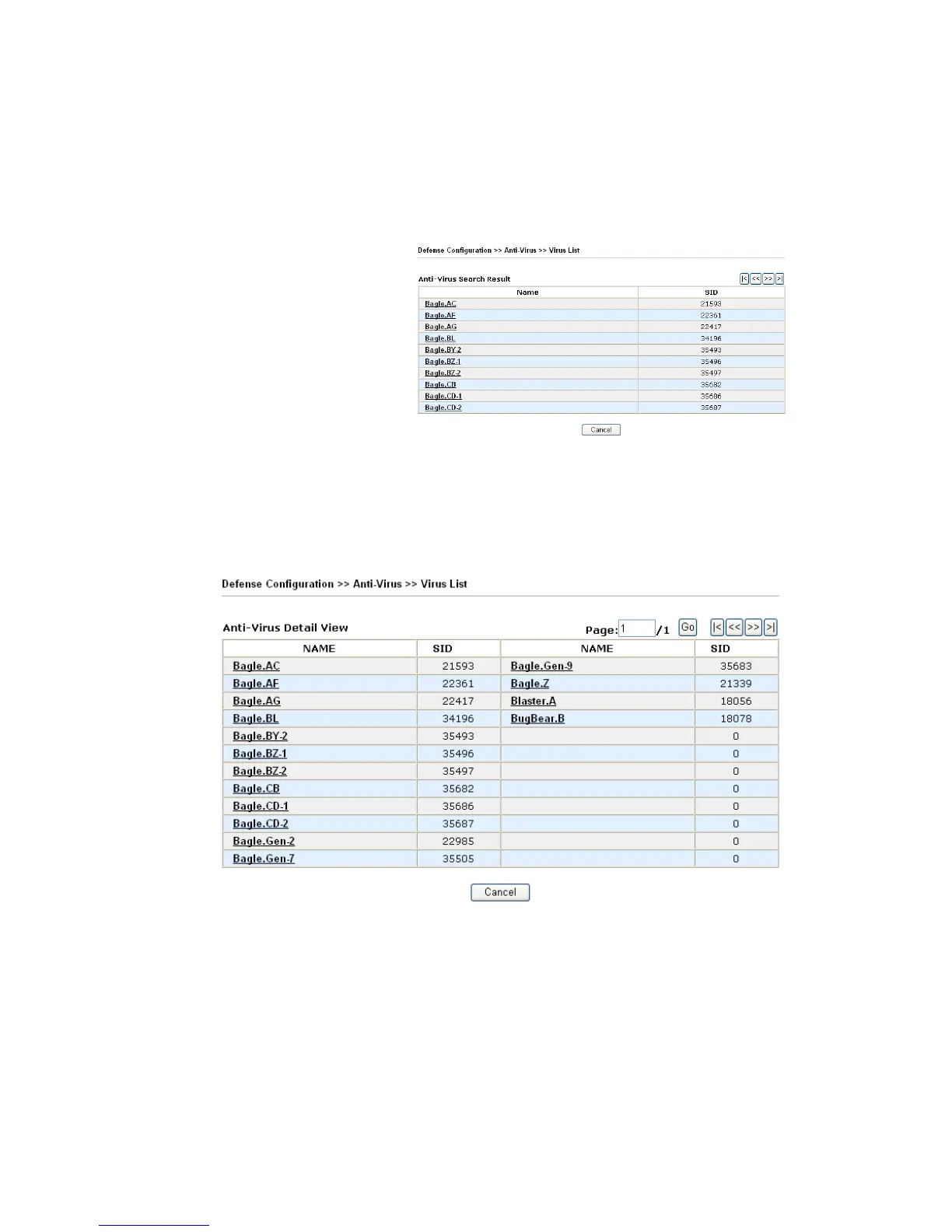
Search Click this button to find out all the virus rules related to the
SID/NAME that you entered. The page of the searching result
will be shown as the following picture.
Click each name link to check the detailed information of the
anti-virus rule.
D
D
e
e
t
t
a
a
i
i
l
l
e
e
d
d
V
V
i
i
e
e
w
w
f
f
o
o
r
r
A
A
n
n
t
t
i
i
-
-
V
V
i
i
r
r
u
u
s
s
From the fourteen types of anti-virus list, click any one of them to access into next page. The
detailed view list for anti-virus rule will be shown as below.
NAME A brief description name for the anti-virus rule is shown in
this field. Click the name link to access into VigorPro website
for checking the detailed information for the specified
anti-virus.
SID The number for each anti-virus rule is displayed in this field.
Page Type the page number in this field (if there is more than one
page of anti-virus detail view displayed on this page). Then
click Go to the specified page. Or you can click
⏐
>, >>, << or
>
⏐
button on the right side of the Go button to access to the
home/previous/next/end page.












 To Next Page