VigorPro5300 Series User’s Guide
156
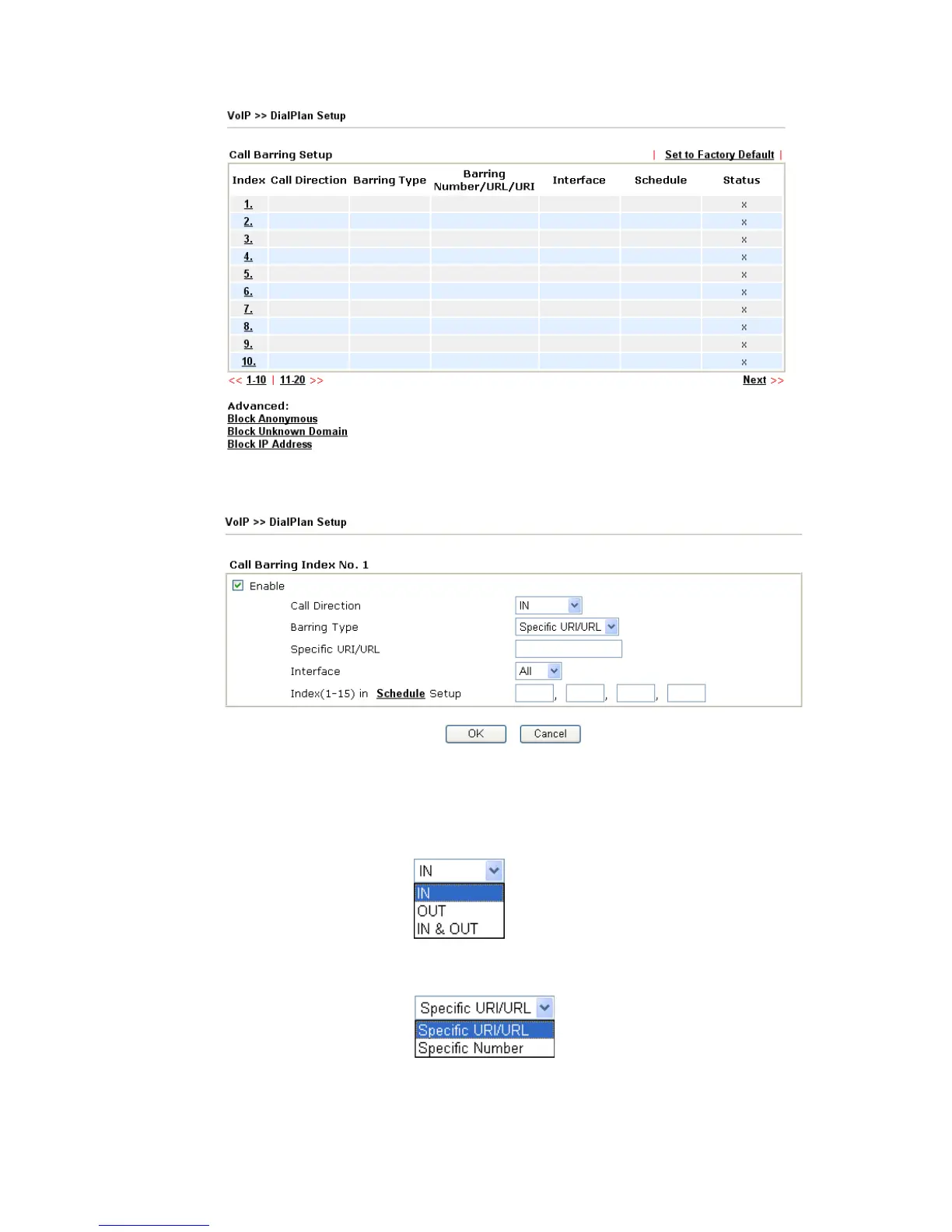
Click any index number to display the dial plan setup page.
Enable Click this to enable this entry.
Call Direction Determine the direction for the phone call, IN – incoming call,
OUT-outgoing call, IN & OUT – both incoming and outgoing
calls.
Barring Type Determine the type of the VoIP phone call, URI/URL or
number.
Specific URI/URL or Specific Number - This field will be
changed based on the type you selected for barring Type.












 To Next Page