VigorPro5300 Series User’s Guide
239
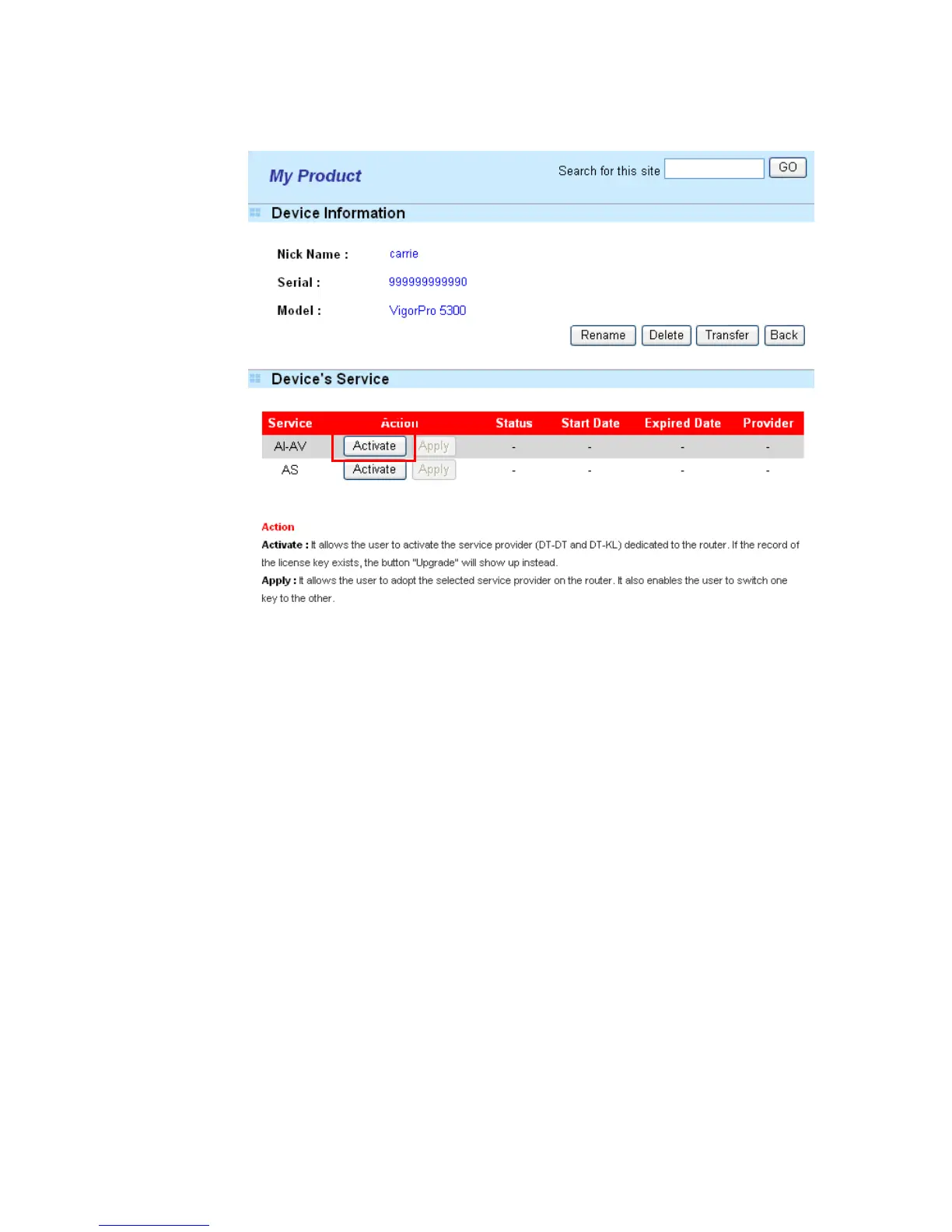
6. From the Device’s Service section, click the Activate button for AI-AV
(Anti-Intrusion & Anti-Virus) service.
Rename It allows you to change the account name.
Delete It allows you to delete account name used currently.
Transfer It allows you to transfer the VigorPro device together with
applied license to someone who has already registered another
account in www.vigorpro.com. Be sure to press this button to
transfer the product to whom you want to give. Otherwise
he/she might not be able to maintain the license hooked up to
the VigorPro device.
Back It allows you to return to the previous account.












 To Next Page