VigorPro5300 Series User’s Guide
240
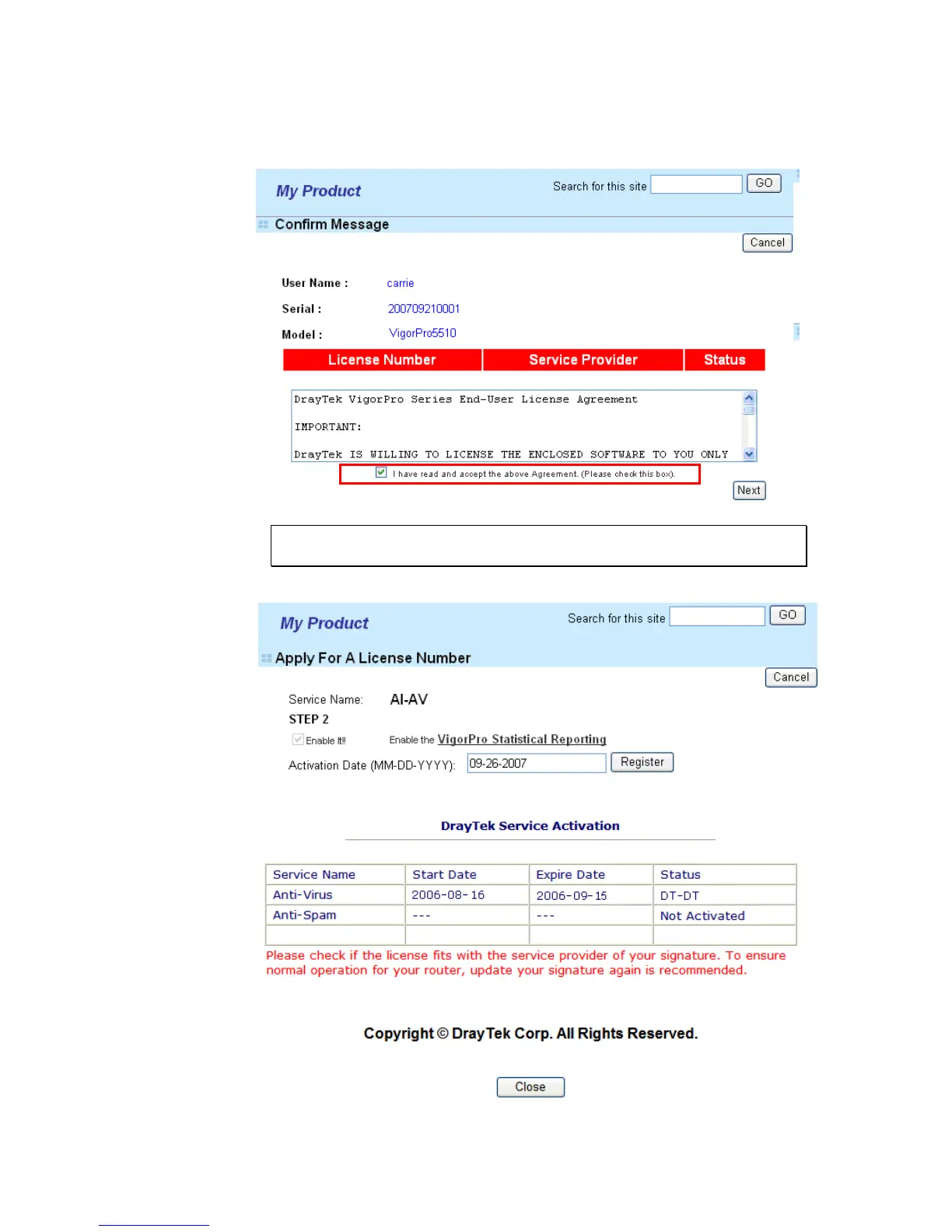
7. In the following page, check the box of “I have read and accept the above
Agreement”. The system will find out the date for you to activate this version of
service. Then, click Next.
Note: DT-DT means you can acquire the anti-intrusion and anti-virus services
from DrayTek Corporation.
8. When this page appears, click Register.
9. Next, the DrayTek Service Activation screen will be shown as the following:
(Above figure supposes you have not activated Anti-Spam yet.)












 To Next Page