VigorPro5300 Series User’s Guide
244
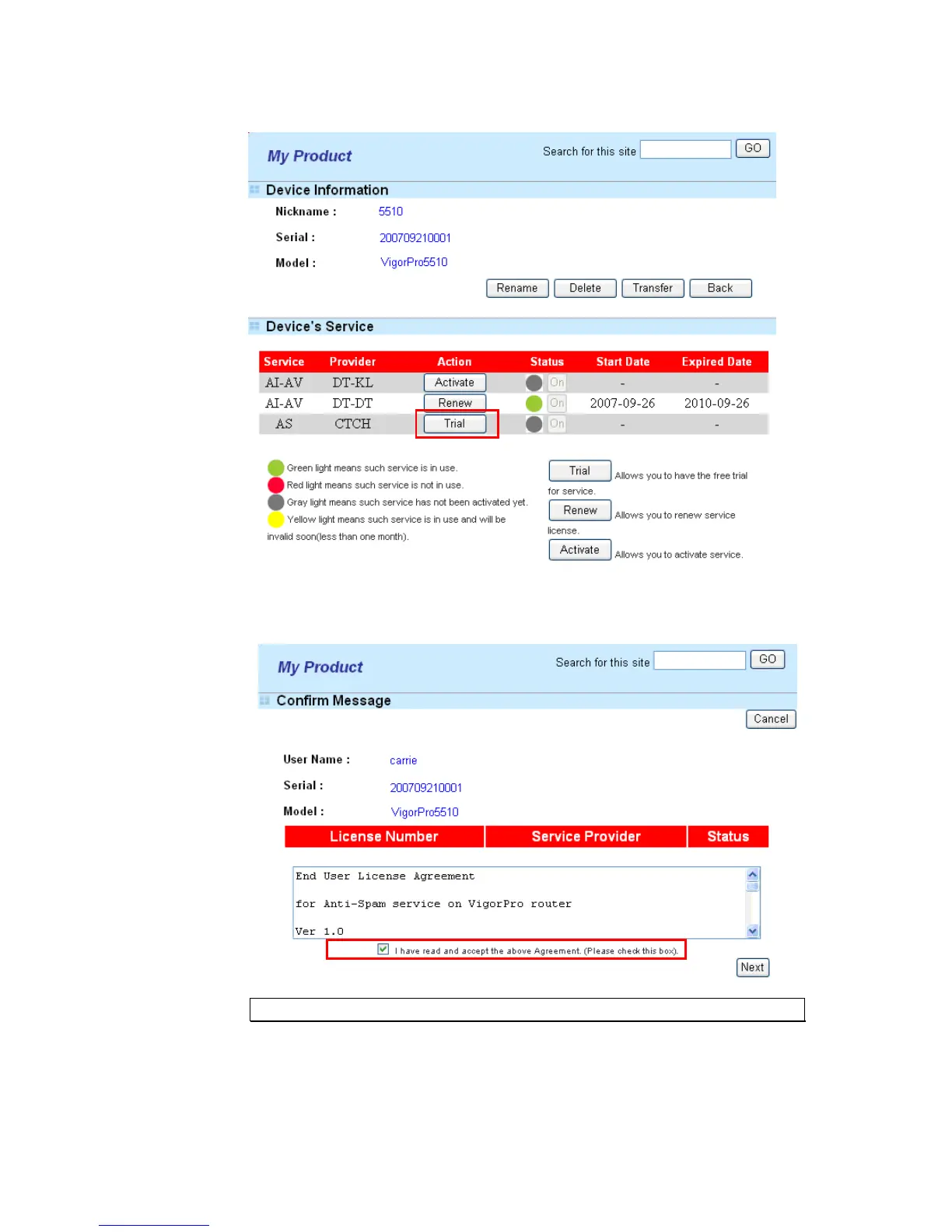
6. From the Device’s Service section, click the Trial button for AS (Anti-Spam) service.
7. In this page, check the box of “I have read and accept the above Agreement”. The
system will find out the date for you to activate this version of service. Then, click
Next.
Note: CTCH means you can acquire anti-spam service from Commtouch.
8. When this page appears, click Register.












 To Next Page