VigorPro5300 Series User’s Guide
245
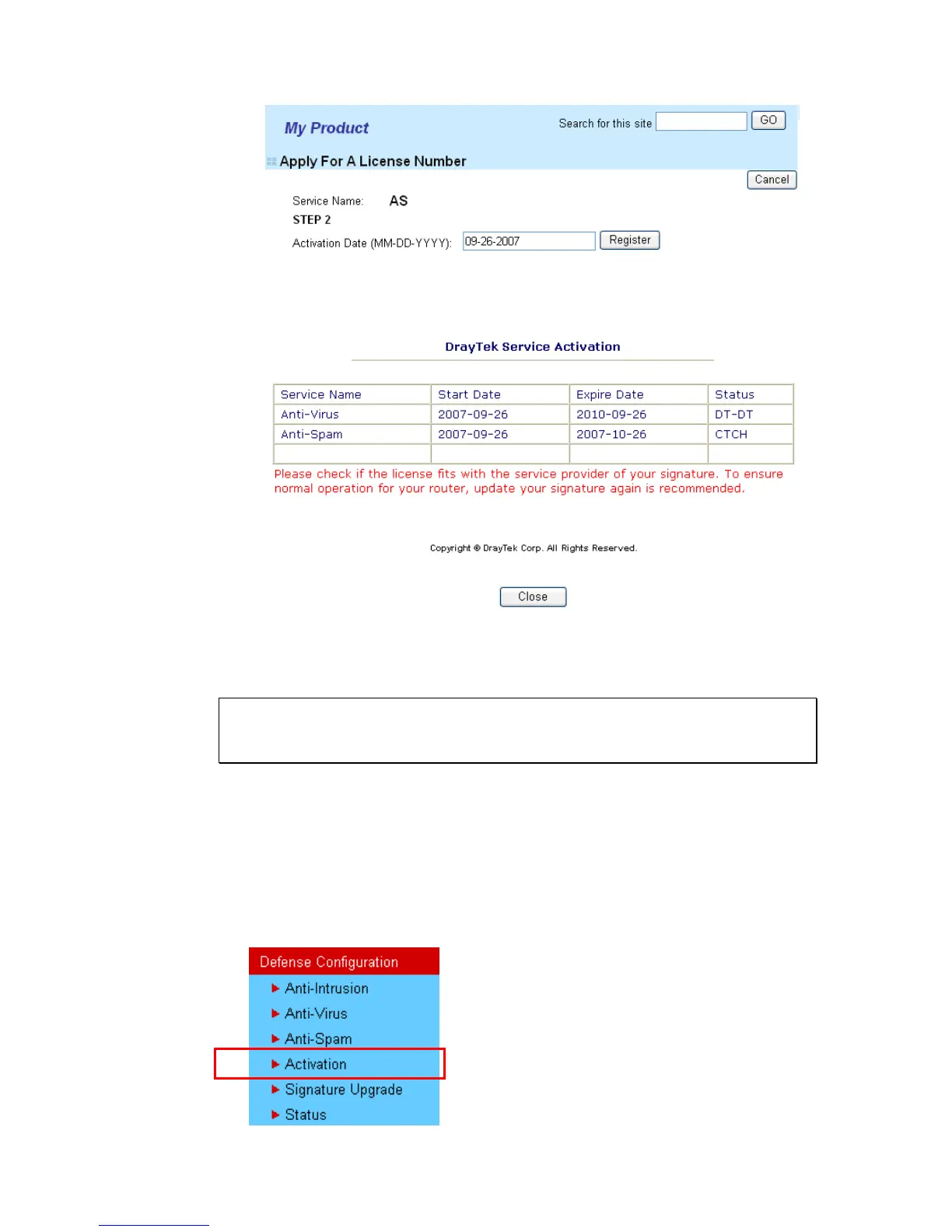
9. Next, the DrayTek Service Activation screen will be shown as the following.
10. Click Close.
Now, you have finished all the procedure for activating Anti-Spam service for your router.
Note: You are allowed to use this version (with anti-spam feature) for 30 days
after registration for your router. In addition, you will be informed with an e-mail
before expire date of this version.
U
U
p
p
g
g
r
r
a
a
d
d
e
e
L
L
i
i
c
c
e
e
n
n
s
s
e
e
f
f
o
o
r
r
A
A
n
n
t
t
i
i
-
-
S
S
p
p
a
a
m
m
When thirty days for free of charge expires, you can apply for a new license by following the
steps below:
1. Open a web browser on your PC and type http://192.168.1.1. A pop-up window will
open to ask for username and password.
2. From the router’s web page, please open Defense Configuration >>Activate. You will
see the following web page.












 To Next Page