VigorPro5300 Series User’s Guide
253
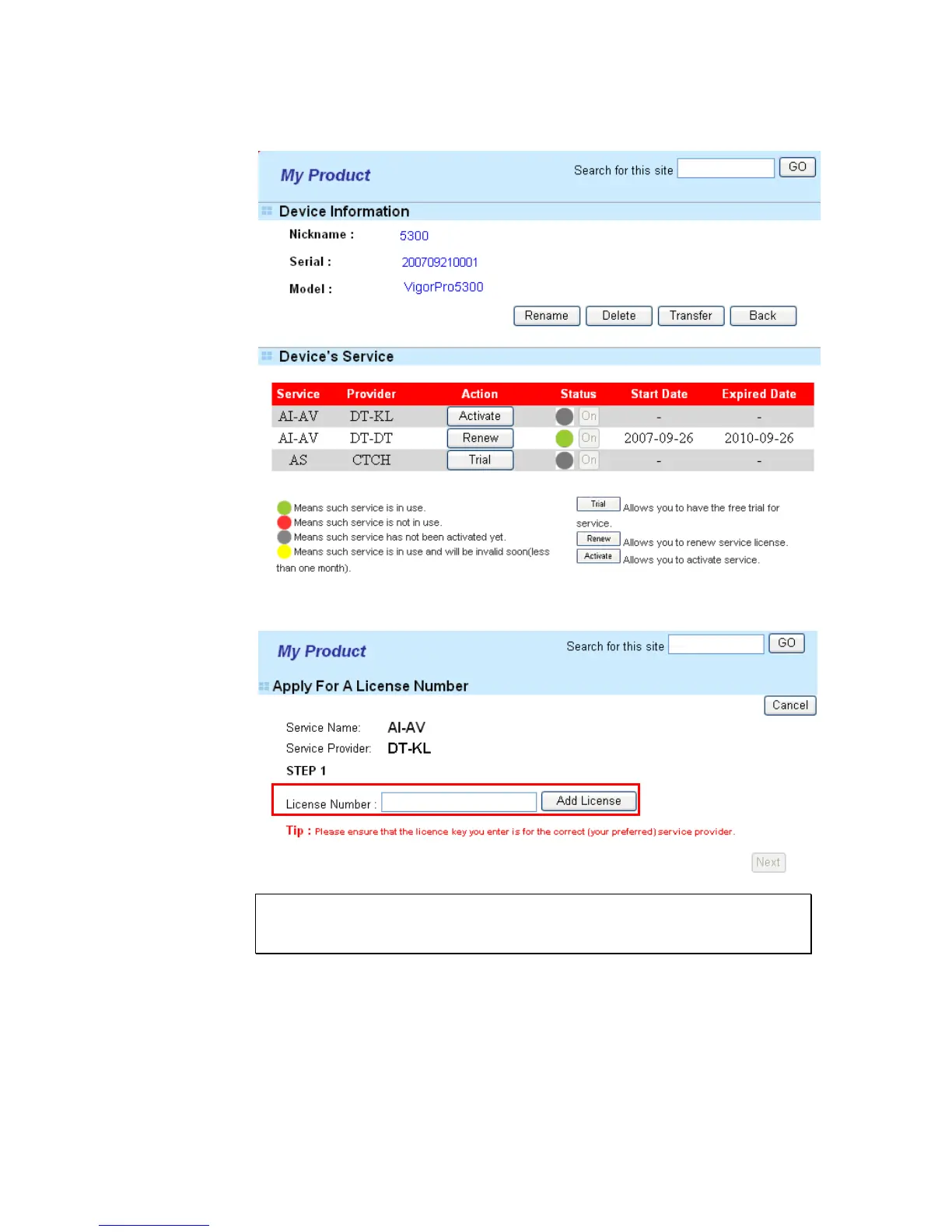
6. From the Device’s Service section, click the Renew button for AI-AV (Anti-Intrusion
& Anti-Virus) service (service provider is DT-DT).
7. In the following page, please type in license number shown on the License Key card.
Enter the number and click Add License.
Note: DT-KL allows you to acquire the anti-intrusion service from DrayTek and
anti-virus service from Kaspersky. DT-DT allows you to acquire the anti-intrusion
and anti-virus services from DrayTek Corporation.
8. After typing the license key, click Add License. The basic information for the one you
selected will be shown on the following page. Click Next.












 To Next Page