DSE Model 5510 Autostart Control and Instrumentation System Operators Manual
057-015 5510 OPERATING MANUAL ISSUE 11 07/07/09 AM 44
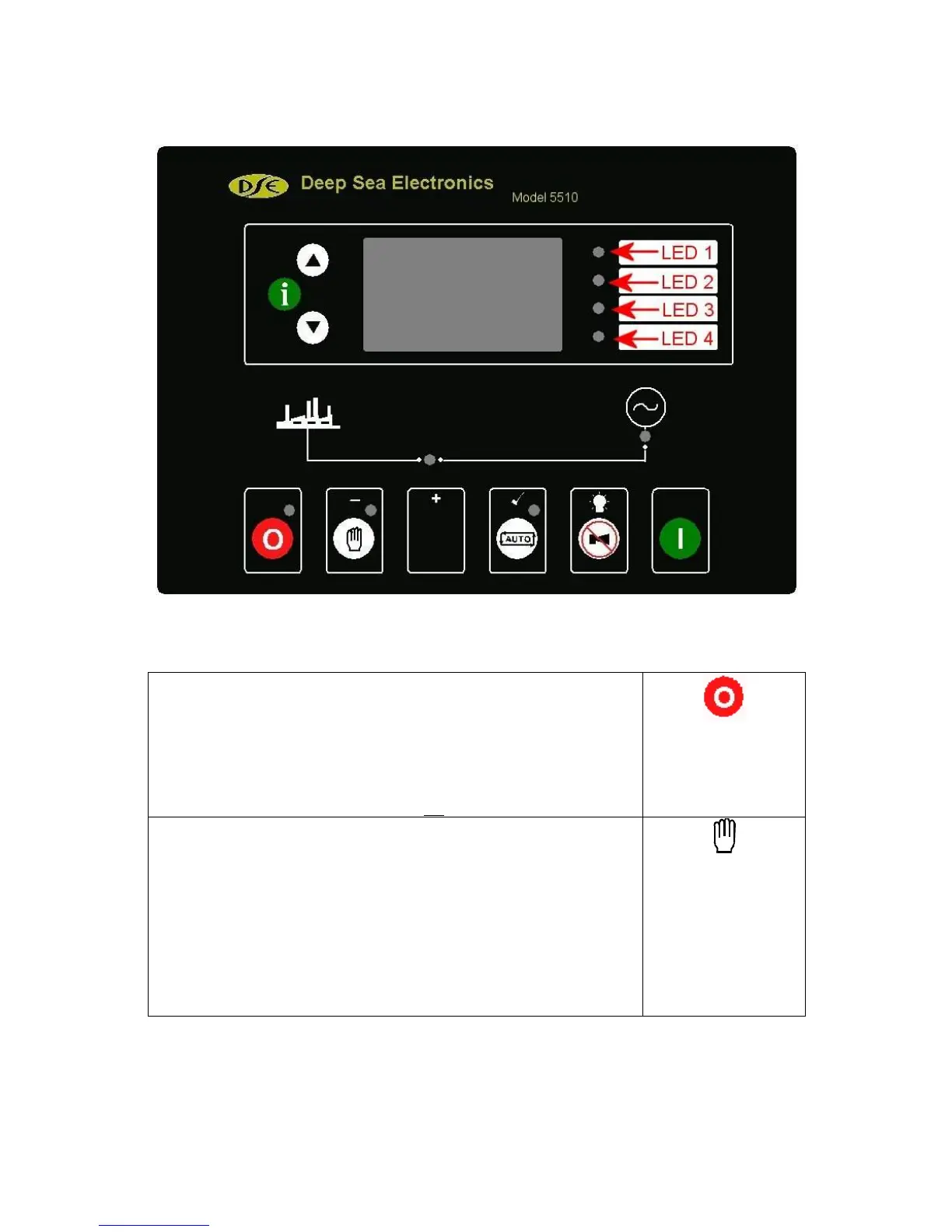
6.1 LED IDENTIFICATION AND FRONT PANEL LAYOUT
7 CONTROL PUSH-BUTTONS
STOP/RESET
This push-button places the module into its Stop/reset mode. This will
clear any alarm conditions for which the triggering criteria have been
removed. If the engine is running and this push-button is operated, the
module will automatically instruct the generator contactor/breaker to
unload the generator. The fuel supply will be removed and engine will be
brought to a standstill. Should a remote start signal be present while
operating in the mode, a remote start will not occur.
MANUAL
This push-button is used to allow manual control of the generator functions.
Entering this mode from another mode will initially not cause any change of
operating state, but allows further push-buttons to be used to control the
generator operation. For example, once in Manual mode it is possible to
start the engine by using the ‘START’ push-button. If the engine is running,
off-load in the Manual mode and a remote start signal becomes present,
the module will automatically instruct the generator contactor/breaker
device to place the generator on load. Should the remote start signal
then be removed the generator will remain on load until either the
‘STOP/RESET’ or ‘AUTO’ push-buttons are operated.



 To Next Page