DSE Model 5510 Autostart Control and Instrumentation System Operators Manual
057-015 5510 OPERATING MANUAL ISSUE 11 07/07/09 AM 70
16.4 COMMUNICATIONS OPTION
16.4.1 DESCRIPTION
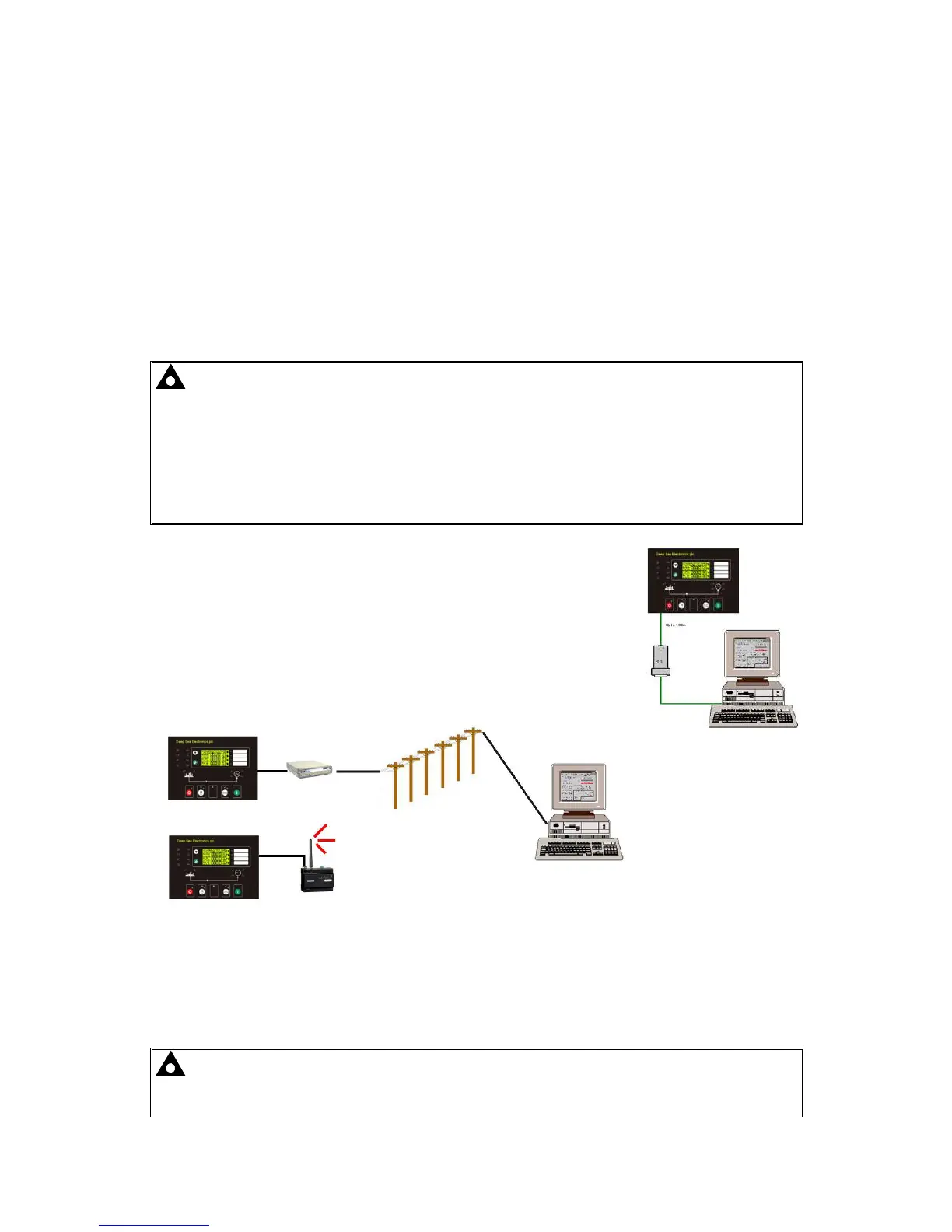
The 5xxx series configuration software allows the 5510 controller to communicate with a PC. The
computer can be connected to the module either directly, via a modem (RS232)* or via an RS485
link**.
The operator is then able to remotely control the module, starting or stopping the generator,
selecting operating modes, etc. The various operating parameters (such as output volts, oil
pressure, etc.) on the remote generator can also be viewed.
The information contained in this manual should be read in conjunction with the appropriate module
documentation. This manual only details the operation of the communications software and how it
should be used. The operation of the module is detailed in its own relevant manual.
NOTE: - *If modem communications is a requirement, then it is important to order the
correct 5510 module with the RS232 communications board fitted. This provides a 9-way D-
type connector suitable for connection to the modem. Please refer to the comms section of
this manual for details of how the system should be configured.
**If RS485 communications is required, then it is important to order the correct 5510 module
with the RS485 communications board fitted. This provides a 3-way terminal block for
connection of the RS485 link.
16.4.2 PC TO CONTROLLER (DIRECT) CONNECTION
To connect a 5510 to a modem the following items are required: -
• Any 5510 Module (RS232 or RS485)
• 5xxx series configuration software (Supplied on DSE software
CD).
• P810 interface (USB or RS232 as required)
16.4.3 MODEM TO CONTROLLER CONNECTION
To connect a 5510 to a modem the following items are required: -
• 5510 Module with RS232 Communications Interface
• Compatible RS232 Modem (PSTN or GSM)
• Suitable connection leads
• Power supply for the modem
• 5xxx series configuration software (Supplied on DSE software CD).
• Access to a PSTN Line or GSM network.
CAUTION! - The modem must be powered from a suitably stabilised supply, preferably
supplied with the modem (see below). Failure to ensure continuity of supply will result in
communication difficulties at such times as Mains failure or during cranking. An



 To Next Page