15 | Examples of settings
188
D-ISC 100 x xx2
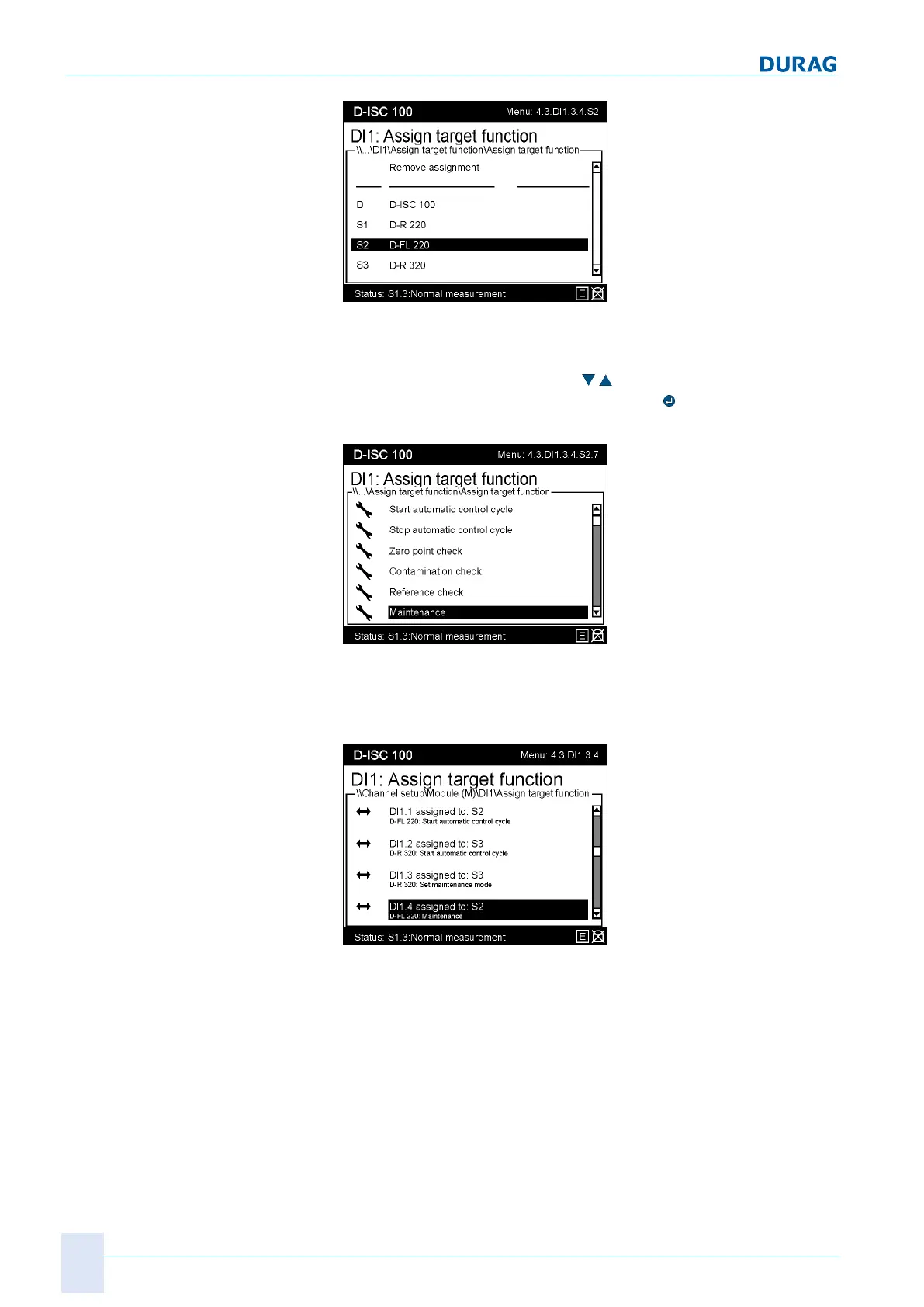
Fig.15.54: Selecting a sensor
The list of available actions depends of the capabilities of the
sensor. Precisely one single action can be assigned to each di-
gital input. Use the arrow keys (
) to select the desired action
and make the assignment by pressing the
key. In this example,
we are putting sensor2 into maintenance mode.
Fig.15.55: Assigning the target function
The D‑ISC100 confirms the selection by changing the display,
and now shows the assigned action for this digital input and for
every other digital input to the module.
Fig.15.56: Assignment in progress


 To Next Page
 Loading...