3. Controls and Indicators
3.1. Getting Started
This section of manual is intended to help you understand the setting-up of the printer and tells
you how to switch it on, program a simple message, start the printer jet, print the message and stop
the printer.
3.2. Installation
The printer should always be installed by a fully trained, EC-JET approved, service engineer.
Guarding and safety interlocks should all be in place and working correctly. EC-JET can accept no
liability for damage to either machine or personnel in the event of the printer being installed,
moved or maintained by unauthorized and/or untrained personnel.
3.3. Power Connection
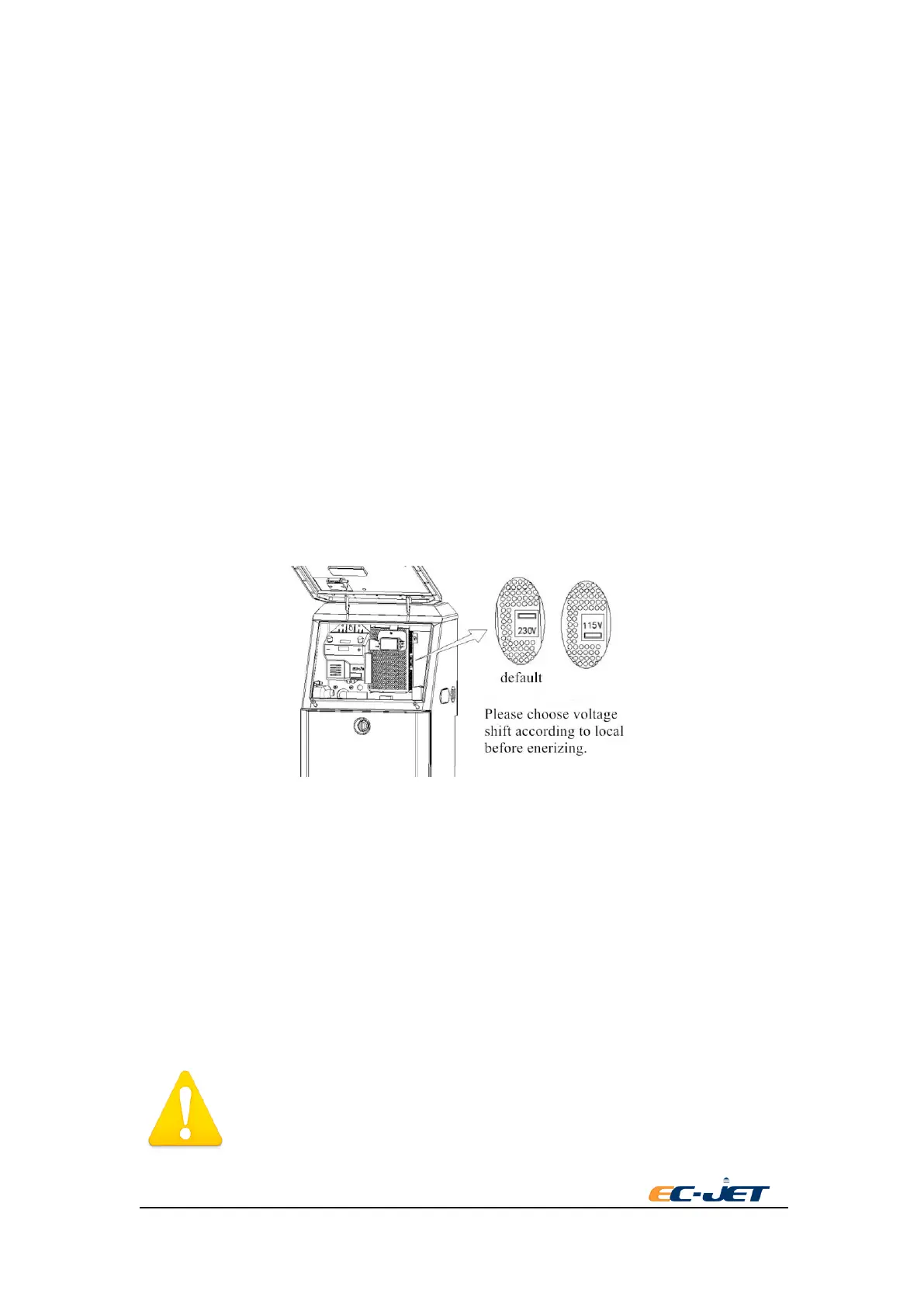
EC-JET2000 serial printer make use of a single-phase 50/60 Hz AC power supply of 110V or
220V.
Switch on the right voltage before power on ,the swift button can be as picture below.
There are two types of power supply:
115V for the range of 85~132Vac,50/60Hz。
230V for the range of 170~264Vac,50/60Hz。
NOTE:Some printers may use wide-domain power supply. It can adapt to the voltage range of
100~240Vac automatically. In this case,it will not have the option switch of inputting
voltage.
Disconnect the power supply plug before your switch on. Use a flat screwdriver to switch.(the
figures shown on the PSU value)
WARNING: It may damage the printer if the option switch of inputting
voltage is set to the wrong position. Confirm the power voltage of the place
you use before setting the option switch of inputting voltage.



 To Next Page