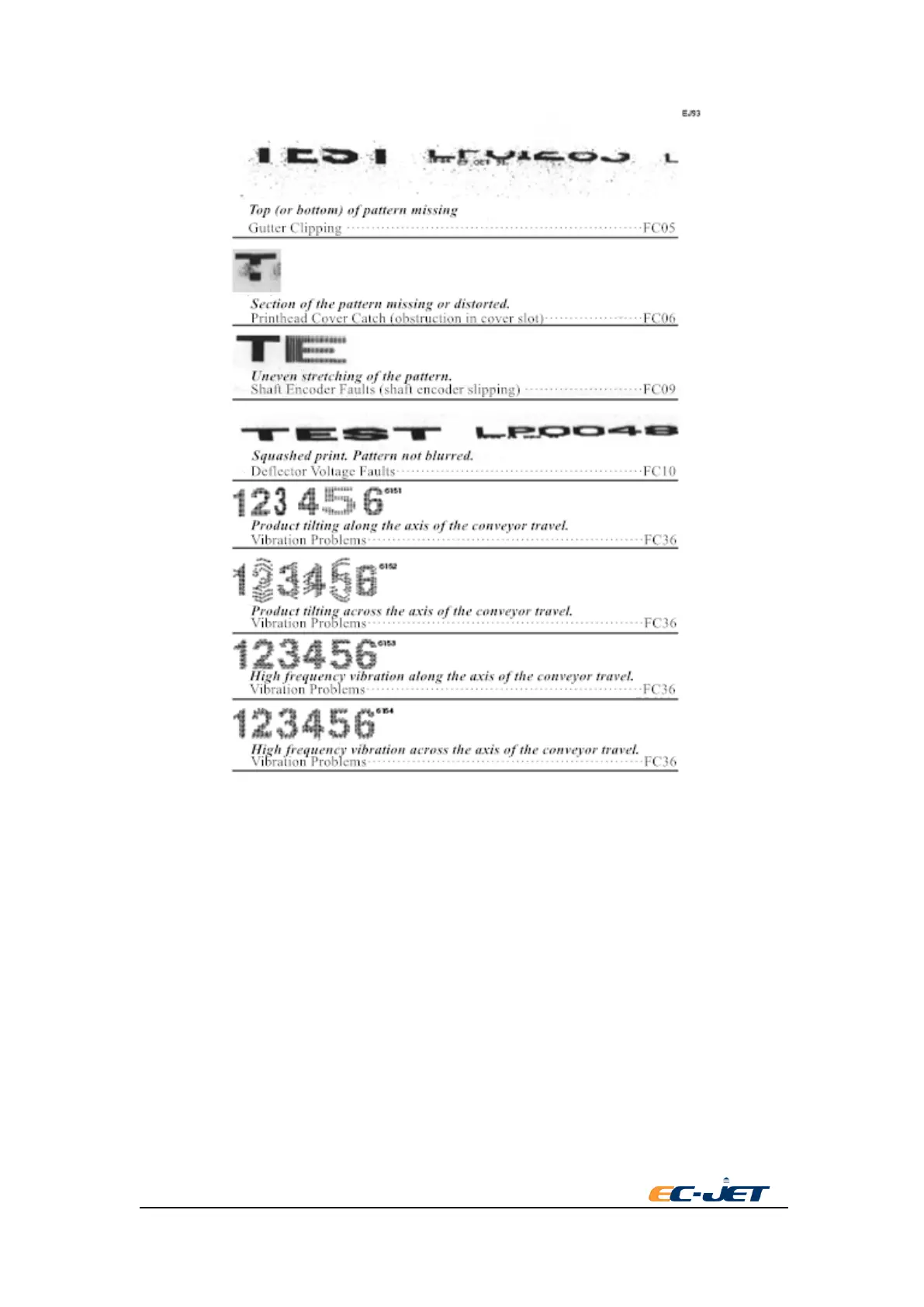
10.4. Identifying Faults by Symptom
When it is not possible to identify a fault by the visible effect on the print sample, it becomes
necessary to look for other symptoms. For example, it may not be possible to start the jet
satisfactorily, so it will be impossible to obtain any sort of print.
However, in most circumstances there will be some obvious indication as to the nature of the fault,
the best example being the fault messages displayed in the screen status line.
The “Warning and Fault Messages” section lists all of the warning and fault messages. This
section also gives a detailed explanation of the condition that the printer control logic has detected
which has resulted in the particular message being displayed. If there is no fault message, or if the
message on its own is not enough to identify the problem, refer toothed following list of symptoms
to identify the possible cause of the fault.
The list is organized to group the symptoms into the five different stages of printer operation:
10.4.1.1. Before switching on.



 To Next Page