6. System Setup
6.1. System
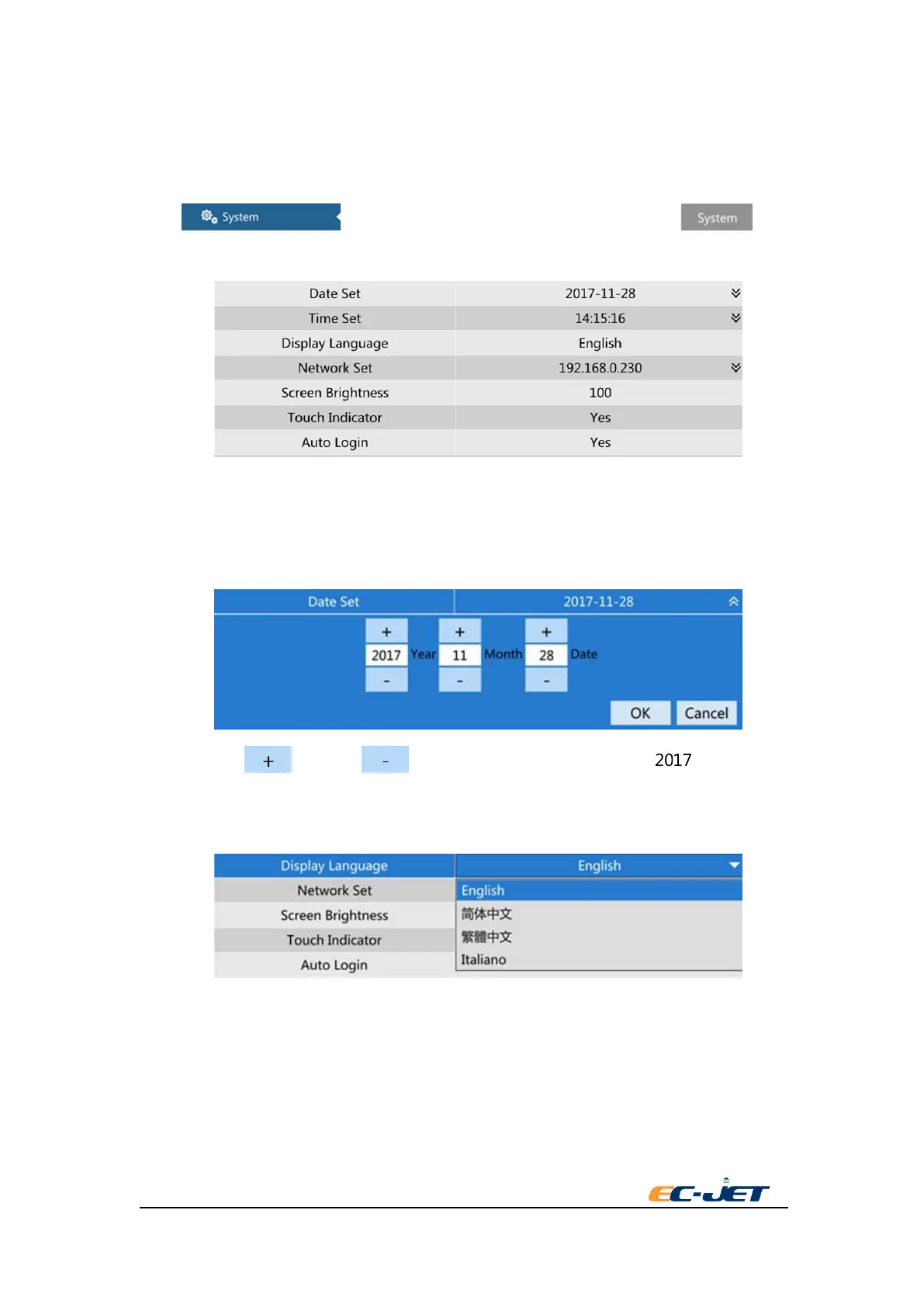
Press key on the left side of setup interface. Select key
from the right.
Date Setup
Time Setup
To change time and date,The printer must stop printing.
Press the setup menu,setting page will pop-up.
You can press key and key to trim the setting, or press text box to
input the value directly.
Language
This option sets the printer software to display the language of all screens.For example, menu,
dialog box, and system information.
.
Please ensure the printer isn’t on the status of “printing “ if it needs to set the language. Press the
language button to show the language list. Press the language name to choose the language and
back to the zone setting.
NOTE: The printer will use the selected language of date and time format.



 To Next Page