routine gently;
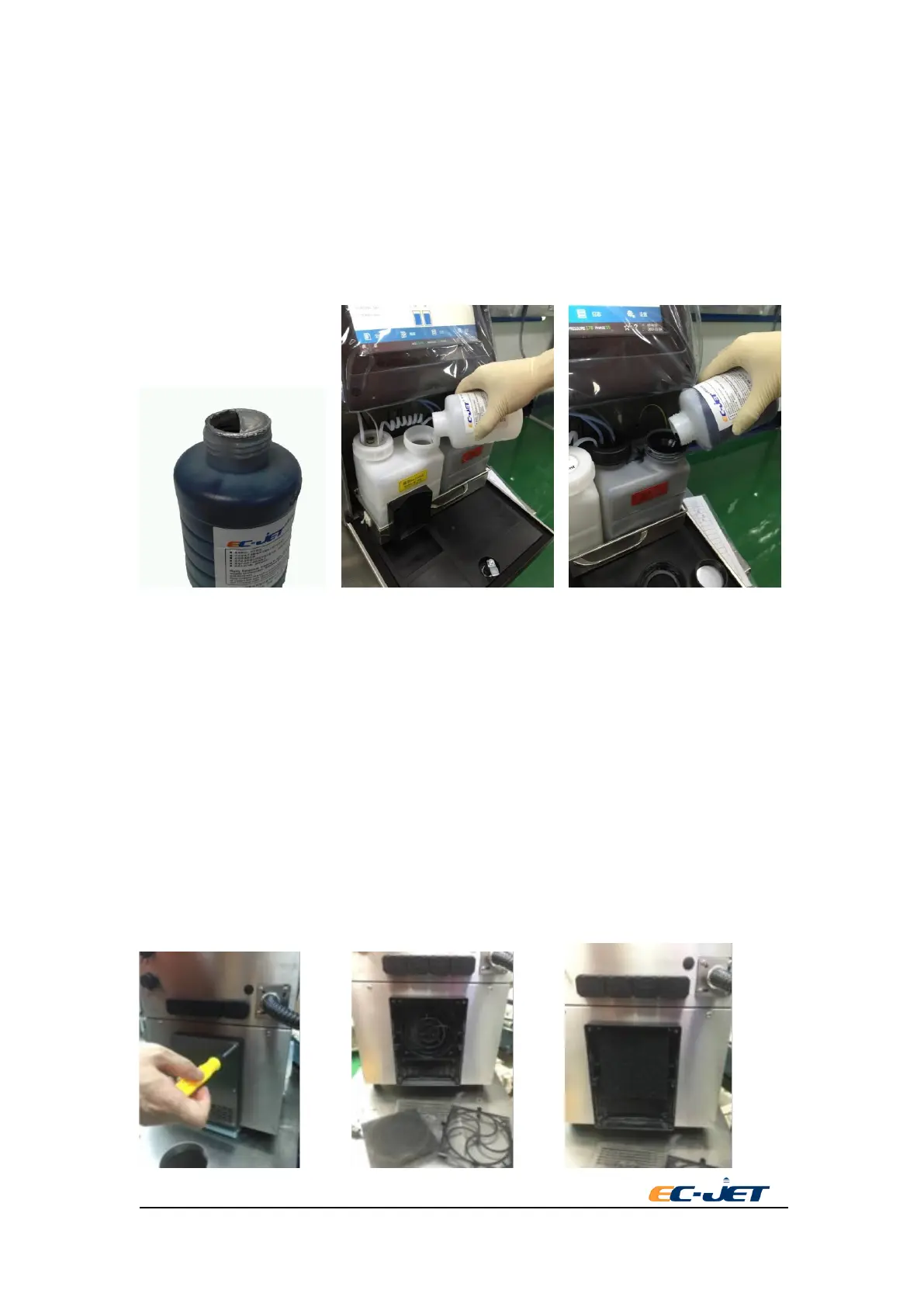
8.2.3.2. Remove the ink or solvent bottle cap, then cut the sealing foil along the edge more than
half circle and fold inside;
8.2.3.3. Pour the ink or solvent into the corresponding tank. After the liquid in the bottle is
finished, take away the empty tank. (Note: the solvent tank is white and the ink tank
is black.)
8.2.3.4. Pull out the solvent tank,and fill in solvent to 2L container.Tighten the
cap of solvent tank after refilling, push back the ink system.
8.3. Cleaning/Replacing the Air Filter
There are two air filters(the inlet and outlet filter) in the model.
8.3.1. Cleaning and Replacement of Air Inlet Filter
8.3.1.1. The inlet air filter is located in the rear of the machine. According to the
environment, periodically perform routine maintenance. Suggest to clean every
week, to replace filter when is blocked by dust.
8.3.1.2. Clean or replace the inlet air filter, open the inlet air baffle and inlet air filter cover on
the back of the machine.
8.3.1.3. Take out the inlet air filter, clean the filter by taping or blowing with compressed air.
8.3.1.4. Re-install the filter into outlet air cover after cleaning.(图片是 EC1000 的?)



 To Next Page