5. Installation Setup
Press key from the left side list of setup menu to enter installation setup
menu.
Installation setup menu divided into four classes: “printhead”, “alarm output”, “remote
communication ”, “consumable”.
5.1. Printhead Setup
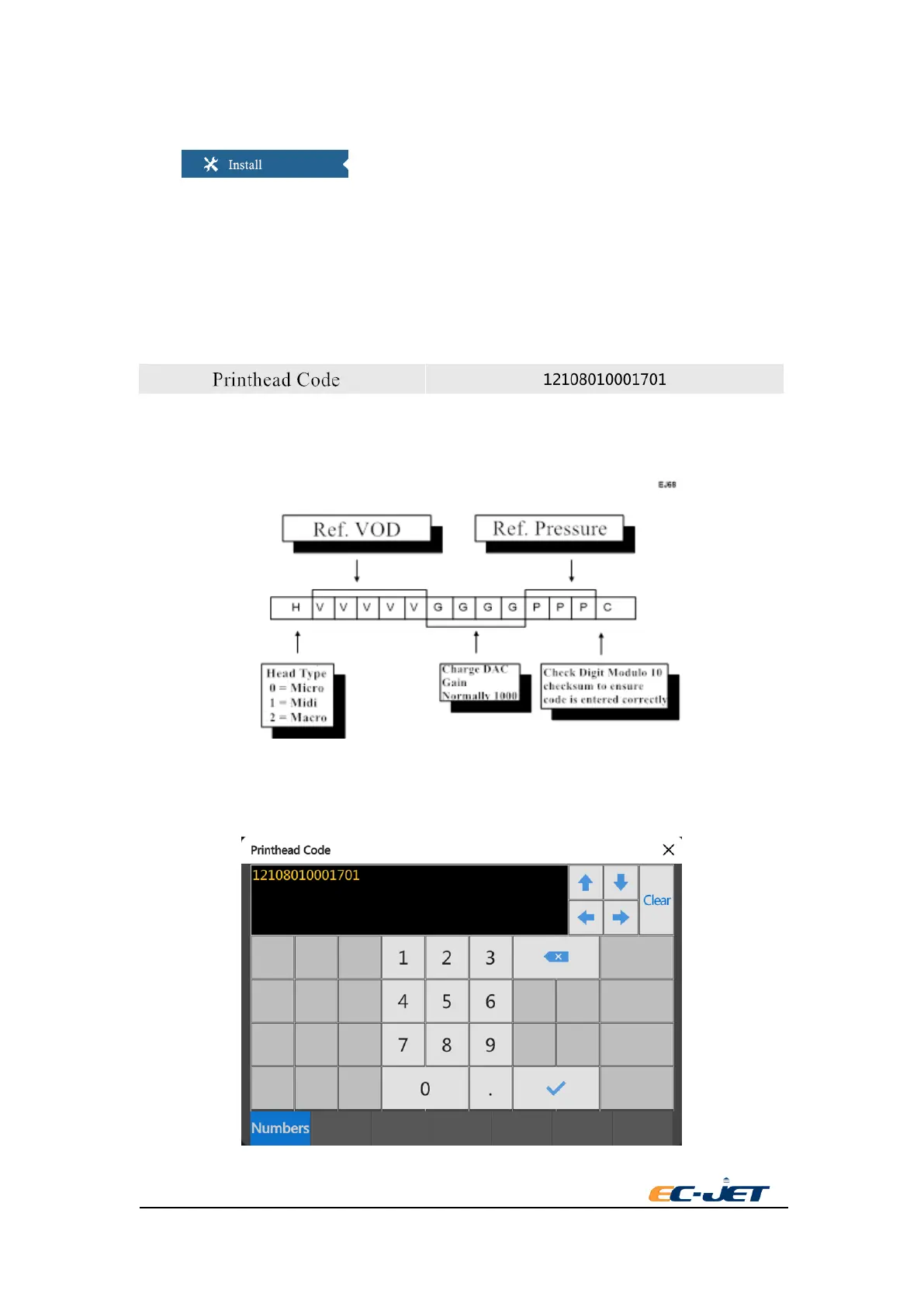
Printhead code
To be used when a new printhead has been fitted to the printer and/or when a reset to default has
occurred. The 14 digits are encoded as follows:
Press the right side button of printhead code when it needs to revise printhead code. A printhead
code editing box will be pop-up. Then input the printhead code according to the rules of printhead
code in above picture.



 To Next Page