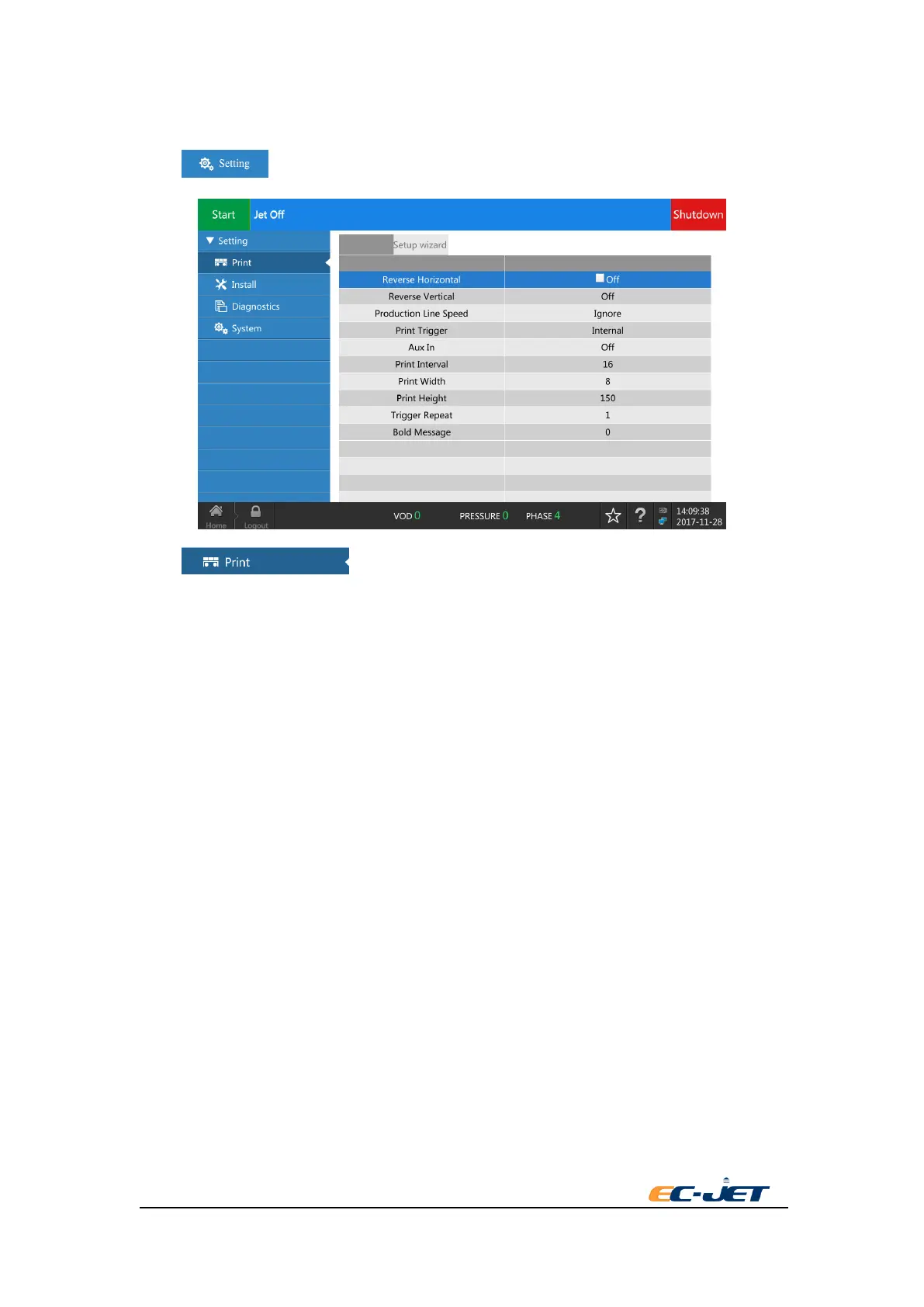
4. Printing Setup
Press key in Home to enter the interface of printer setup.
Press key from the left to enter printing setup menu.
4.1. Horizontal Reverse
ON: Open horizontal reverse. OFF: Close horizontal reverse.
4.2. Vertical Reverse
ON: Open vertical reverse. OFF: Close vertical reverse.
4.3. Speed of Production Line
Three modes can be chosen according to the production line:
Fixed speed:
This mode can be used if the speed of production line is fixed. You only need to set the right speed
of production line and the shaft encoder doesn’t need to be installed.
Shaft encoder:
Use this mode and install shaft encoder if the speed of production line is variable. You need to set
the right parameter of shaft encoder, including pulse count per round and perimeter of shaft
encoder.
Ignore:
This mode is under the situation of unknown speed of production line and unknown parameter of
shaft encoder, to reach the requirement of data position and width according to the actual printing
situation to adjust the parameter.



 To Next Page